
Insta360 GO 3S Retro Bundle Review: Photography Made Fun
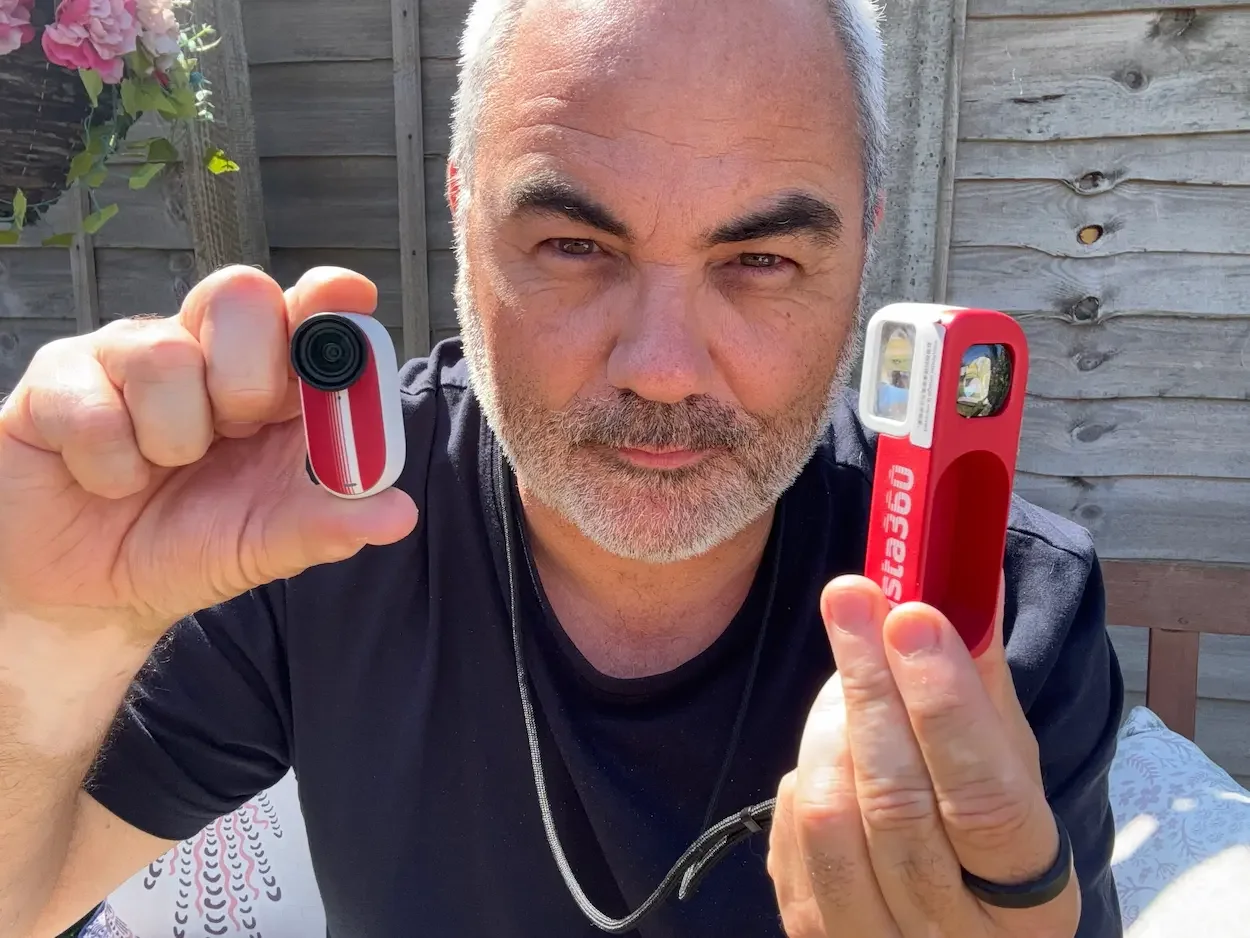
Insta360 sent me the GO 3S Retro Bundle Special Edition for review purposes. The company has not approved this article or influenced my verdict. All opinions are based on my own experience using the camera. This post contains affiliate links. As an Amazon Associate, I earn from qualifying purchases.
Insta360 is a brand I genuinely admire. I like its approach to innovation, but I also like the way it presents its products. Somehow, Insta360 manages to make filming feel more creative and considerably cooler than it used to.
I've been using the Insta360 GO Ultra for some time and rate it highly, particularly for video. But the new GO 3S Retro Bundle offers something quite different. The camera inside is technically identical to the standard GO 3S — same sensor, same resolution. What Insta360 has changed is the experience around it.
By adding a retro viewfinder, a colourful film-camera-inspired design, and exclusive retro filters, they've turned a tiny action camera into something that feels closer to an old compact film camera. Instead of concentrating entirely on video, the Retro Bundle encourages you to slow down, compose a photograph, and wait until later to see the result.
It is not perfect. The viewfinder takes some practice, the controls can be difficult to read in loud environments, and low-light photography is not its strongest area. But after using it for family events, street photography, and everyday outings, I've found it to be one of the most enjoyable cameras I've used in a long time.
Quick Verdict
The Insta360 GO 3S Retro Bundle is not the most technically advanced camera I own — but it may be the most enjoyable. Its screen-free approach, convincing film-inspired filters, and tiny design make photography feel spontaneous again.
| My Score | 9 / 10 |
| Best For | Travel, street photography, buildings, relaxed everyday portraits |
| What I Love | It makes taking photos feel spontaneous, simple, and genuinely enjoyable again |
| Keep in Mind | Low-light performance is limited, and the small viewfinder takes practice |
How I Tested
Took it to my twins' prom — loud, busy, challenging conditions
Used it for street photography and everyday outings around Bristol
Tested in daylight, low light, and with the exclusive retro filters
Compared directly with my iPhone and the Insta360 GO Ultra
What Is the Insta360 GO 3S Retro Bundle?
The Retro Bundle is based around the existing GO 3S. It captures 12MP photos and records video at up to 4K at 30fps. My review model has 128GB of internal storage, and the camera itself is waterproof to 10 metres.
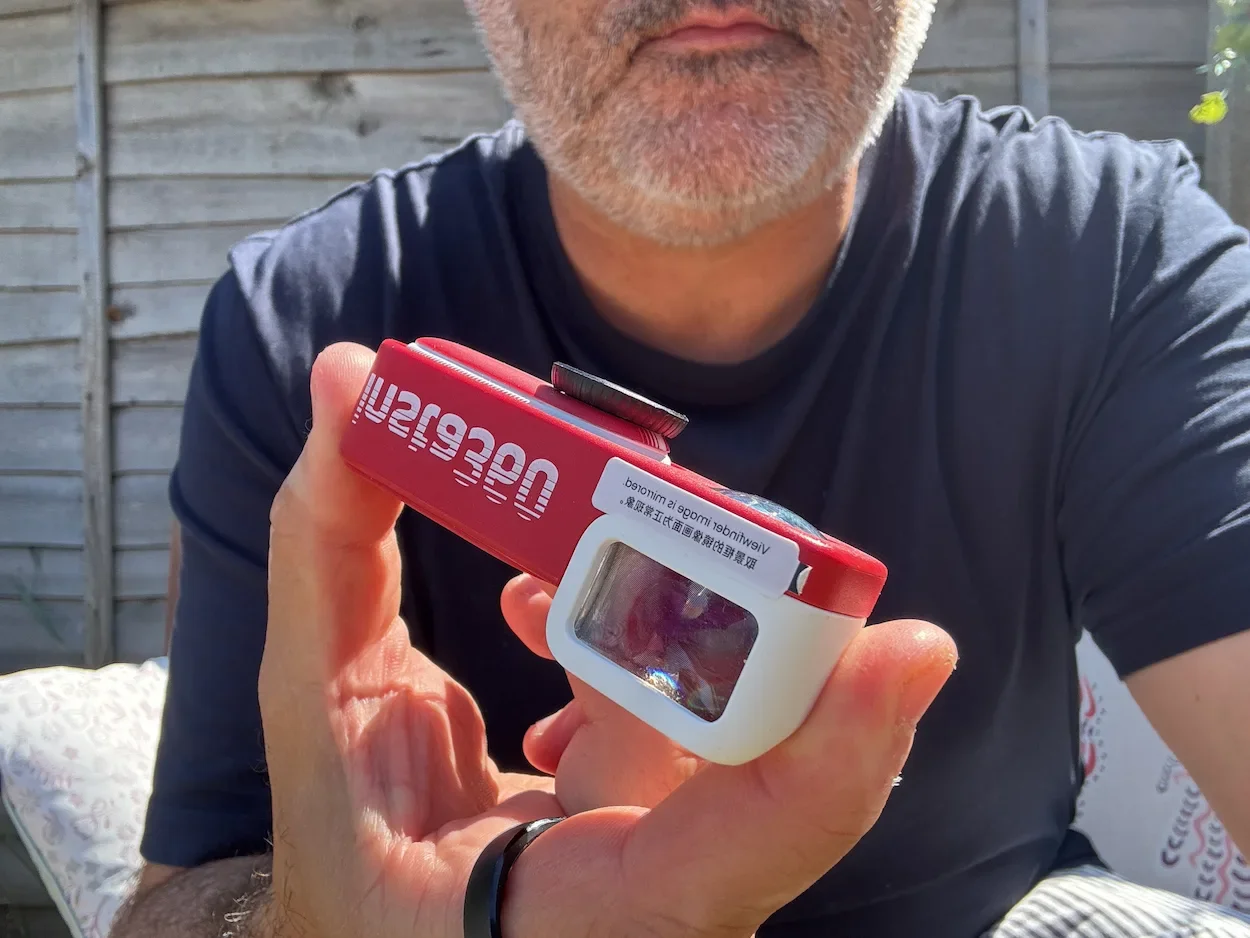
What makes this version different is the retro accessory package. Once the GO 3S is attached to the viewfinder, it looks and feels like a compact film camera. You look through the small optical window, compose the shot, and press the button. There is no screen showing you exactly what the photograph will look like. You don't immediately inspect every shot. You simply take the photograph and look at the result later.
That deliberate uncertainty is a large part of the appeal.
The bundle is available in Classic White — which reminds me of old Kodak cameras, and has personal meaning for me because I won a photography competition aged 11 and the prize was a Kodak — and Classic Red, the version I received. Its colours remind me of sports equipment and trainers from the 1980s. Bright, playful, slightly nostalgic.
Inside the box: the GO 3S camera, the Retro Viewfinder, a lanyard, the Battery Pack, one NFC Custom Skin, one Magnetic Pendant, a USB-C to USB-A cable, and documentation. The presentation is excellent — colourful, thoughtfully designed, and genuinely fun to open.
One safety note: the bundle includes powerful magnetic accessories. Follow Insta360's safety guidance, particularly if you use a pacemaker or another implanted medical device.
What Is Actually Different From the Standard GO 3S?
The camera itself is identical to the regular GO 3S. Same 12MP photography, same 4K30 video, same waterproof construction. The Retro Bundle doesn't make it technically superior.
What it changes is your relationship with it.
The standard GO 3S is primarily a tiny action and POV camera. The Retro Bundle encourages you to see it as a photography tool. Once attached to the viewfinder, the experience becomes slower and more deliberate. You compose, you press the button, and you move on. You don't know exactly how the photograph looks until you transfer it to the Insta360 app.
That may sound inconvenient. It's also what makes the camera enjoyable. It reminds me of taking photographs with film, when you had to wait to discover whether the picture had worked.
How the Retro Viewfinder Works (and What Takes Practice)
On paper, it's simple: look through the optical window, compose, press the button.
But there are two things to know. First, the viewfinder is a rough framing guide — the GO 3S has a wide field of view, so the final image will include slightly more than you saw. Second, the viewfinder is mirrored. When you move the camera one way, the image inside moves the opposite way. It feels unusual at first and takes practice.
Once you're happy with the composition, press the button once for a photo. You should hear a sound confirming it's been taken. For video, press twice. Then bring the camera close to your phone — the NFC Custom Skin launches the Insta360 app for transfer.
My First Proper Test: The Twins' Prom
My first serious outing was my son and daughter's prom.
It was loud, busy, chaotic — cars arriving, music playing, parents everywhere. Probably one of the most challenging environments to learn a screen-free camera.
The GO 3S uses a small light and sound notifications to confirm it's taken a photo. In a quiet setting, that's fine. At the prom, I sometimes couldn't hear the beep or see the indicator light. I missed a few shots because I thought I'd pressed the button correctly when I hadn't.
That was partly inexperience. After more time with the camera, I became much more confident. But it revealed a genuine limitation: in strong daylight, noisy surroundings, or very busy situations, the camera's feedback can be difficult to notice.
For important family events, I'd still keep my iPhone ready as a backup. For casual photography, the uncertainty is part of the fun.
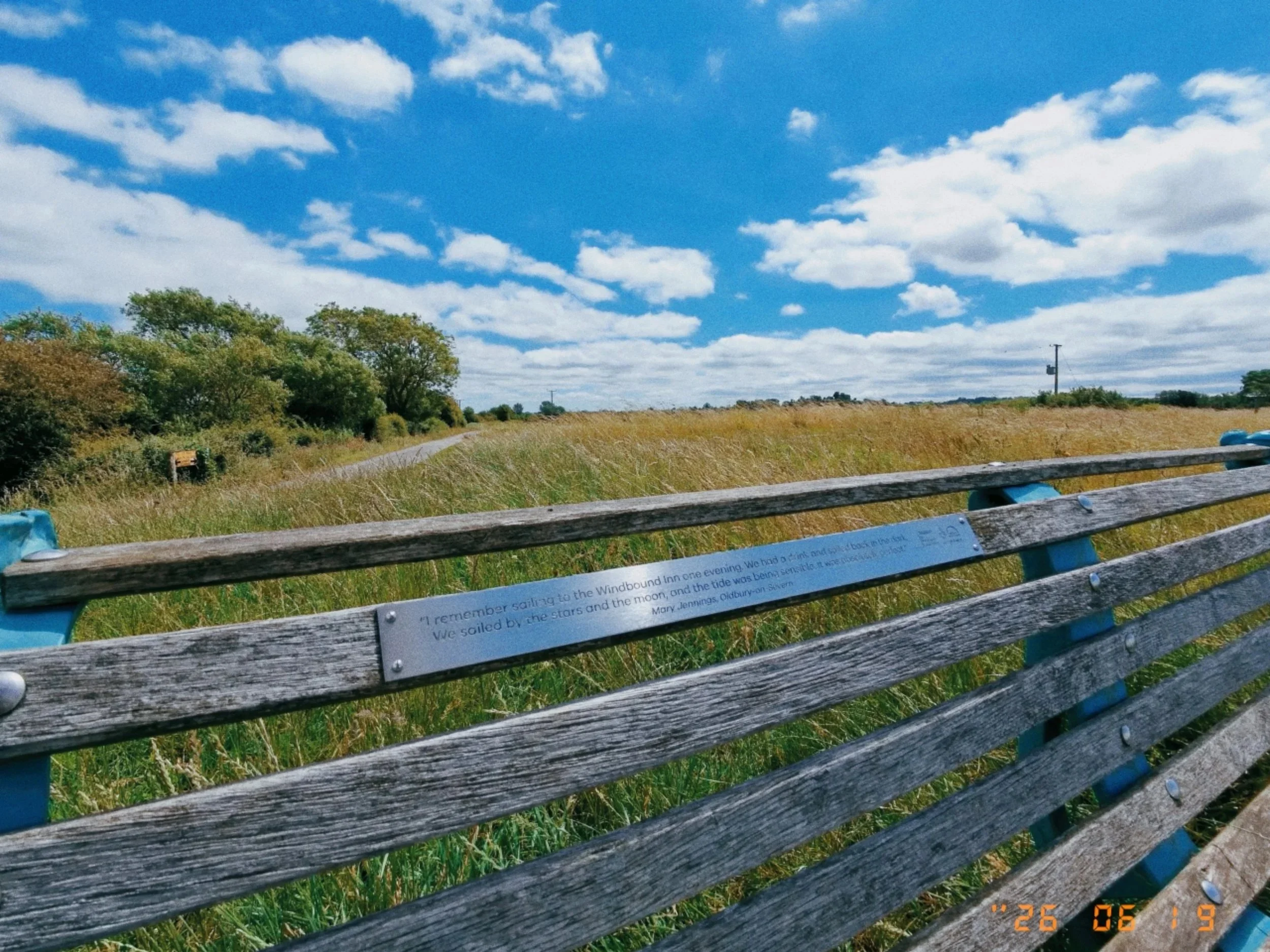
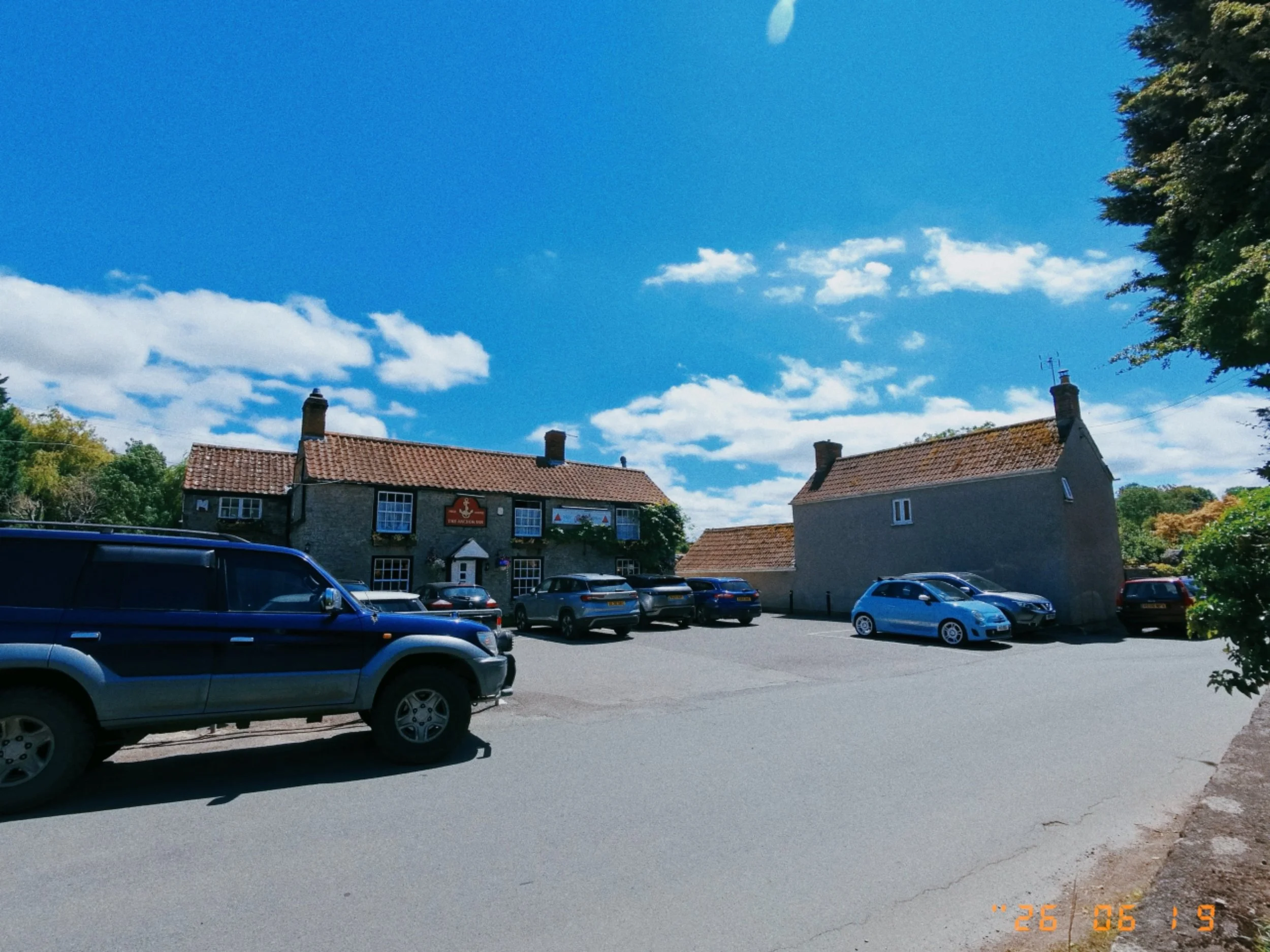
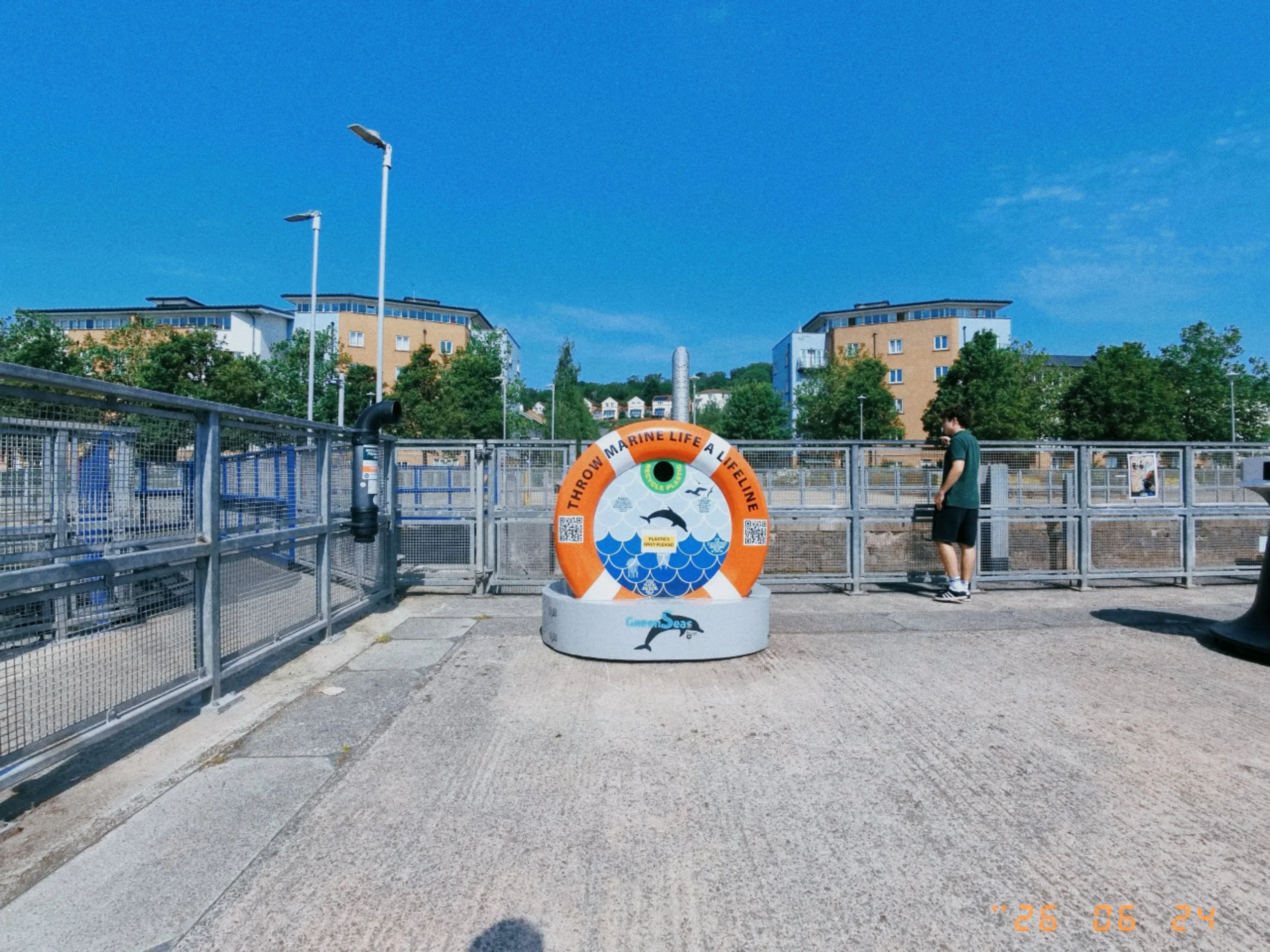
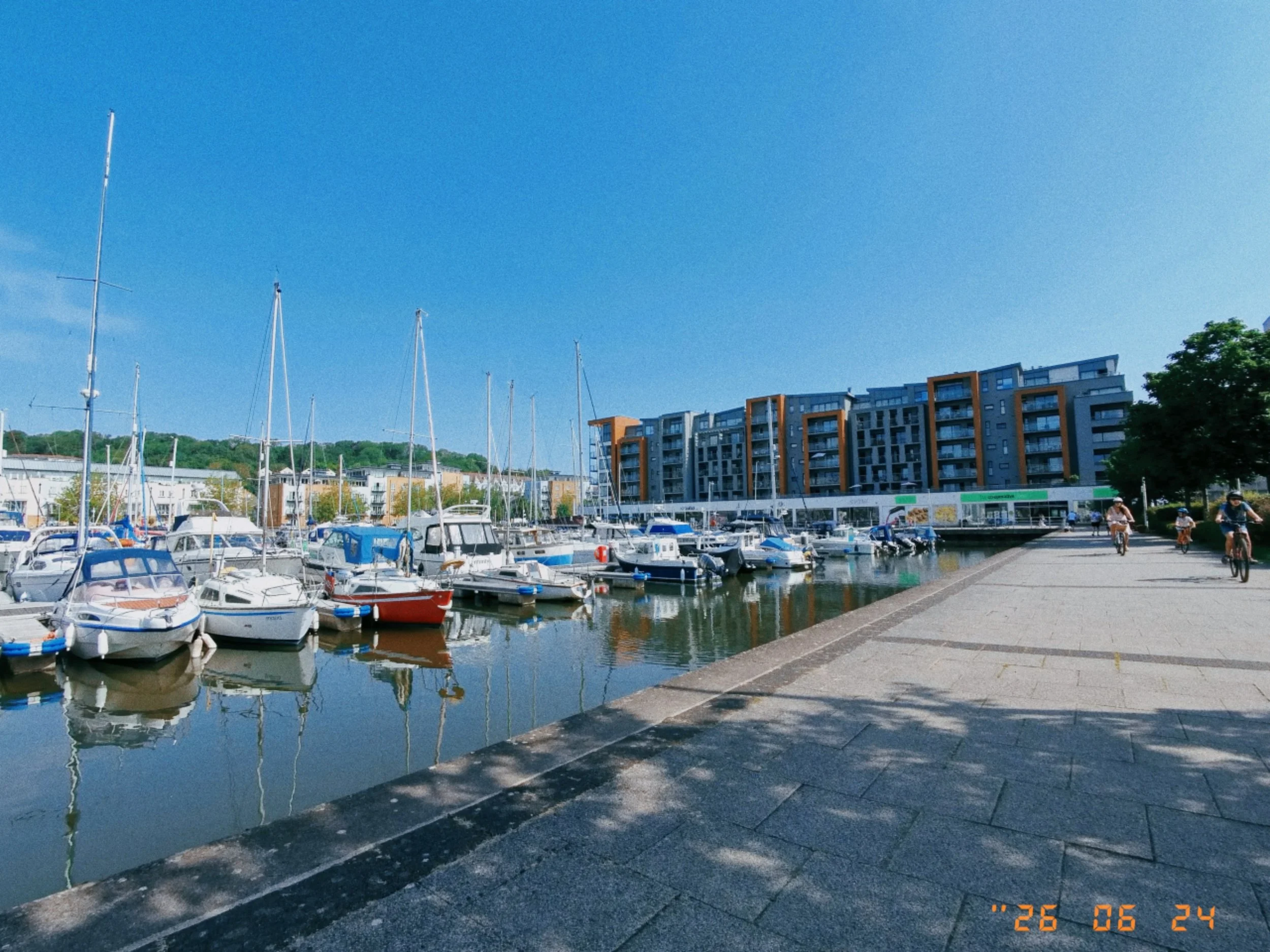
Photo Quality: Where the GO 3S Retro Works Best
Daylight Performance
In good daylight, the results can be very convincing. Strong sunlight isn't a problem for the camera itself, though it can make the viewfinder harder to use. Once you become familiar with the field of view, it becomes easier to predict what the final image will include.
Low-Light Photography
Low-light is not one of its strengths. As the light drops, images lose detail and grain becomes heavier. I don't use the GO 3S Retro at night or in very dark interiors. It's clearly at its best during the day or in reasonably well-lit environments. For evening filming, the GO Ultra is the better choice.
Skin Tones and Portraits
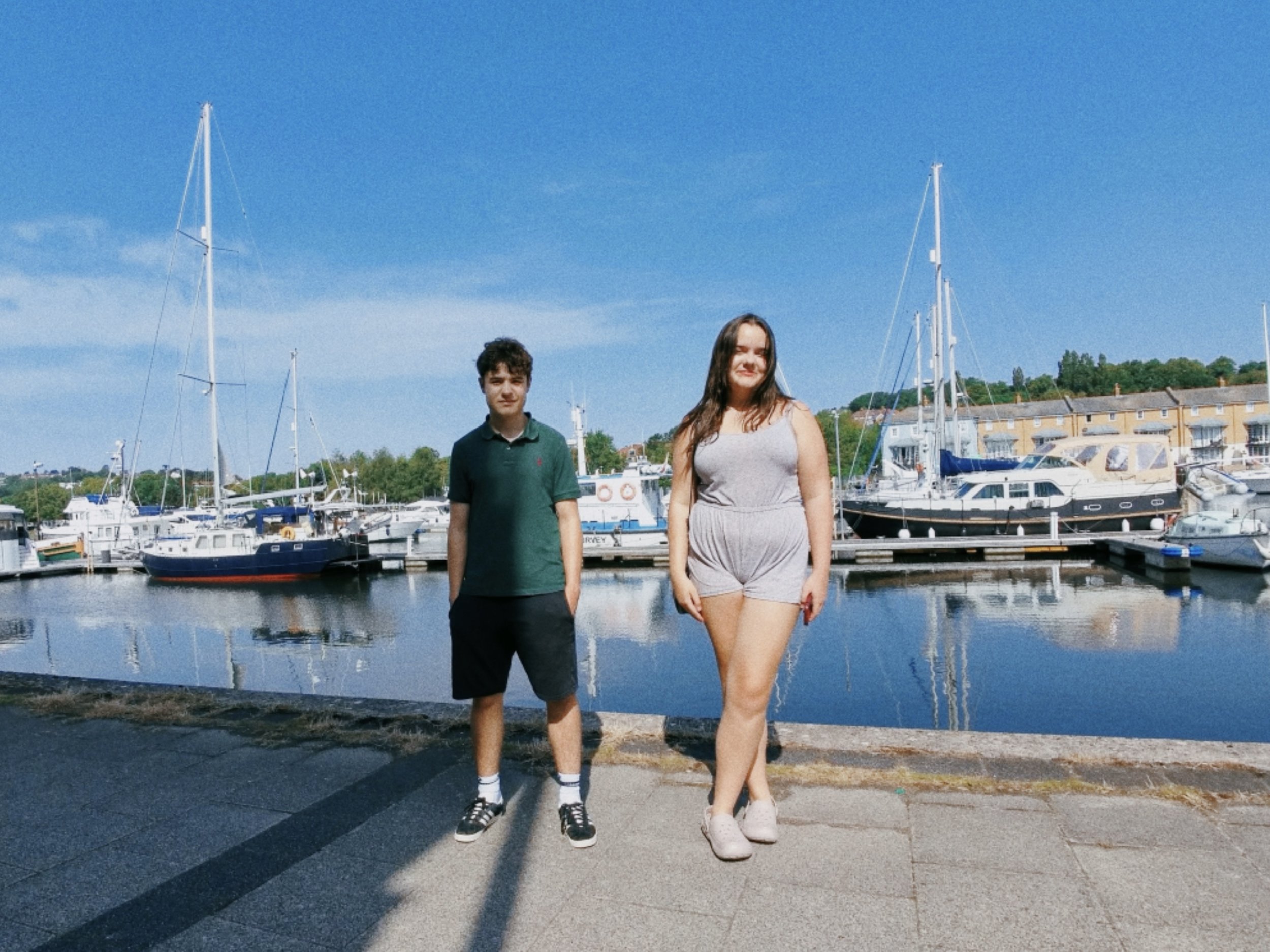
Skin tones look natural, though with a noticeably film-inspired character. They're not as clean or heavily processed as a recent smartphone. Personally, I think this works well with the overall style. It's fun for relaxed portraits and group shots, though subjects need to stay still for a moment while you frame.
Street Photography and Buildings
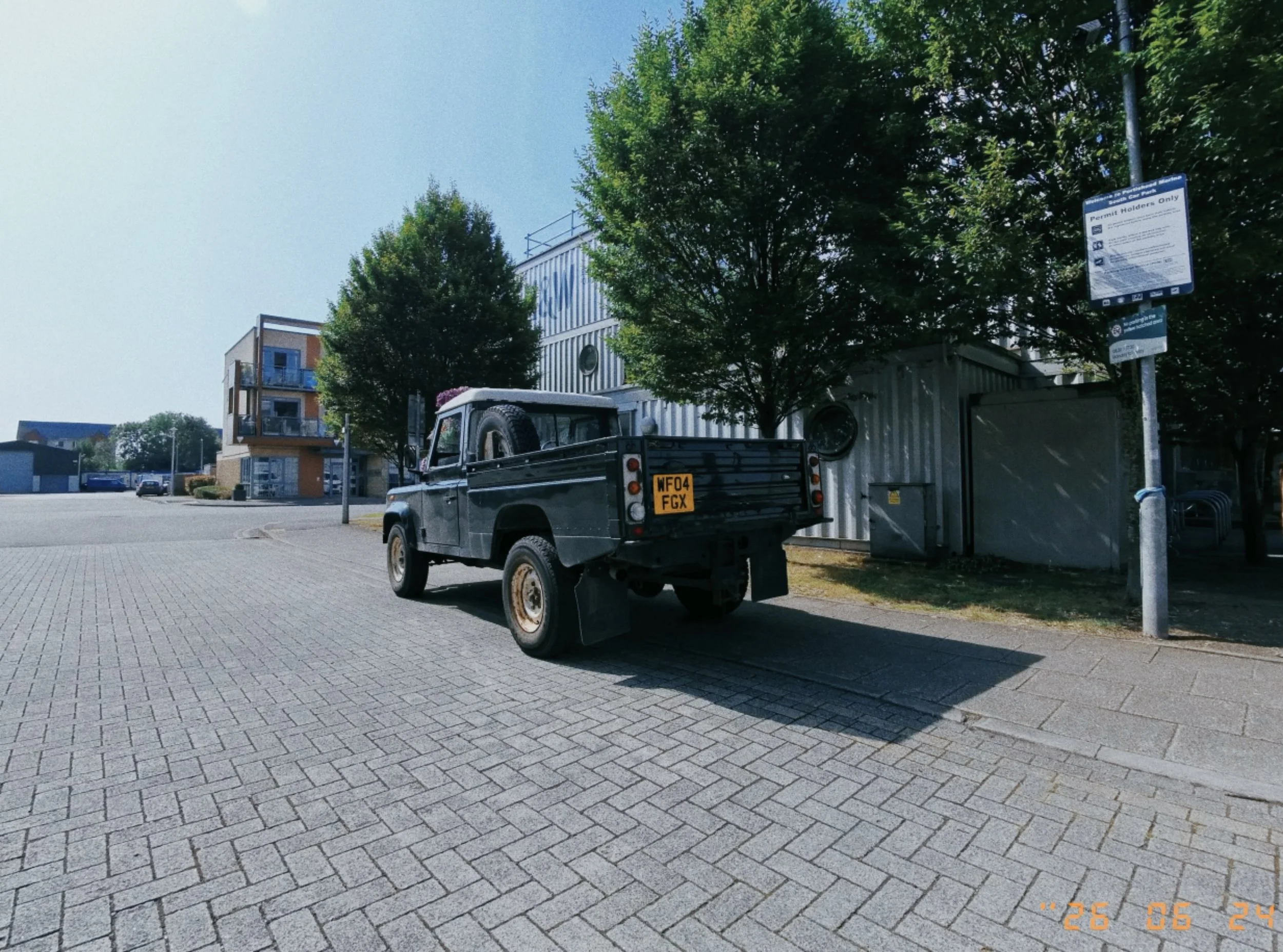
This is where the GO 3S Retro really shines. The wide perspective, small size, and film-inspired colour profiles work beautifully for streets, buildings, shopfronts, and urban details. Because the camera is so small, it feels less intrusive than holding up a phone. I find myself noticing scenes I might otherwise ignore.
Does the Grain Look Convincing?
Yes — surprisingly so. It doesn't look like a heavy digital noise effect. With the right scene and good light, the photographs have a convincing film-inspired texture. The exclusive Positive Film and Negative Film looks are particularly good, adding colour, contrast, and atmosphere without making every picture look over-edited. And you can change the filter later in the app, so choosing the wrong one before shooting isn't a disaster.
How Does It Compare With an iPhone?
My iPhone takes cleaner, sharper, more technically polished photographs. Modern smartphone processing quietly corrects highlights, sharpens detail, and adjusts colours before I even see the result.
The GO 3S Retro offers something different. More texture. More unpredictability. More personality.
Technically, the iPhone is the stronger camera. But I often prefer the overall look and feeling of the GO 3S Retro images. The iPhone helps me capture a perfect picture. The GO 3S makes me enjoy the process of taking it. That distinction matters.
Video Quality
Although the Retro Bundle emphasises photography, the GO 3S remains a capable tiny video camera. It records up to 4K at 30fps, stabilisation works well, and the built-in microphone performs better than expected.
The camera can be removed from the viewfinder and used independently — attached magnetically to metal surfaces, worn with the Magnetic Pendant, or used with the lanyard for hands-free footage. For occasional clips, travel footage, and creative angles, it's very good. For regular vlogging or longer recordings, the GO Ultra is the better choice.
The Insta360 App
The editing side is excellent. You can transfer photos and videos, change filters, adjust images, and control settings. After transferring content, you can still experiment with different looks — which is reassuring when you couldn't check each shot immediately.
However, the interface feels crowded. It includes a For You page, templates, community content, and a shop section. I'd prefer something simpler and more focused. The tools are powerful, but finding them can feel messier than necessary.
Battery Life
For a normal day of occasional photos and short videos, the battery is fine. The camera isn't running continuously, so casual photography doesn't drain it like extended 4K recording would. The included Battery Pack extends total recording time to around 76 minutes — and it's essential because the GO 3S doesn't have a USB-C port on its body. It must be attached to the Battery Pack to charge.
I recommend avoiding a permanent live connection to the app unless you need it. Using your phone as a wireless preview noticeably increases battery consumption
GO 3S Retro or GO Ultra?
These two cameras suit different users.
Choose the GO 3S Retro Bundle if portability and photography are your priorities. It's ideal for street photography, travel, buildings, family moments, and everyday details. It can still record good 4K footage, but photography is where this bundle feels most distinctive.
Choose the GO Ultra if video is your priority. It's better for regular vlogging, longer sessions, low-light recording, and more video-focused work.
Personally, I prefer the GO 3S Retro. The GO Ultra is the more capable video camera. The GO 3S Retro is the one that makes me want to go outside and take photographs.
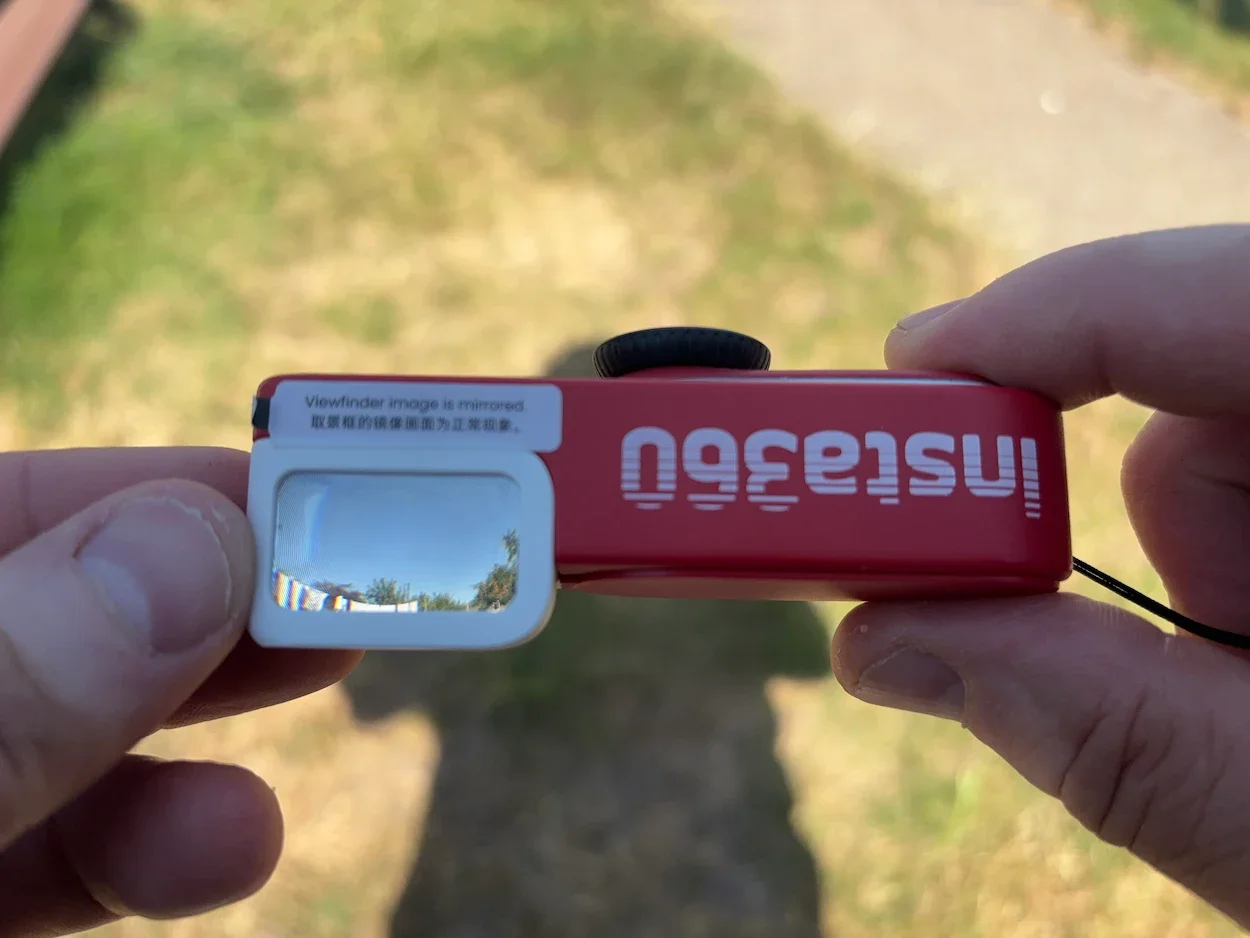
The viewfinder gives a rough idea of the composition, although the image is mirrored.
Pros and Cons
What I Love
- •Makes photography feel spontaneous and enjoyable again
- •Convincing film-inspired grain and excellent retro filters
- •Tiny design — easy to carry everywhere
- •Brilliant for street photography and urban details
- •Capable 4K video with good stabilisation
- •Nostalgic, playful design — not another black rectangle
Keep in Mind
- •Viewfinder takes practice — mirrored image, rough framing
- •Low-light photography is limited
- •Audio/light feedback hard to notice in loud or bright settings
- •App feels cluttered — powerful but could be cleaner
- •Not a replacement for a high-end smartphone or mirrorless camera
Who Is the GO 3S Retro Bundle For?
Best for:
People who miss the experience of film photography
Street and travel photographers
Anyone who finds smartphone photography too predictable
Beginners who want a fun camera, not a complicated system
Content creators who want occasional POV footage and unusual angles
Less suitable for:
Serious low-light photography
Fast-moving sports and action
Long-form video recording
Anyone who needs to inspect every photograph immediately
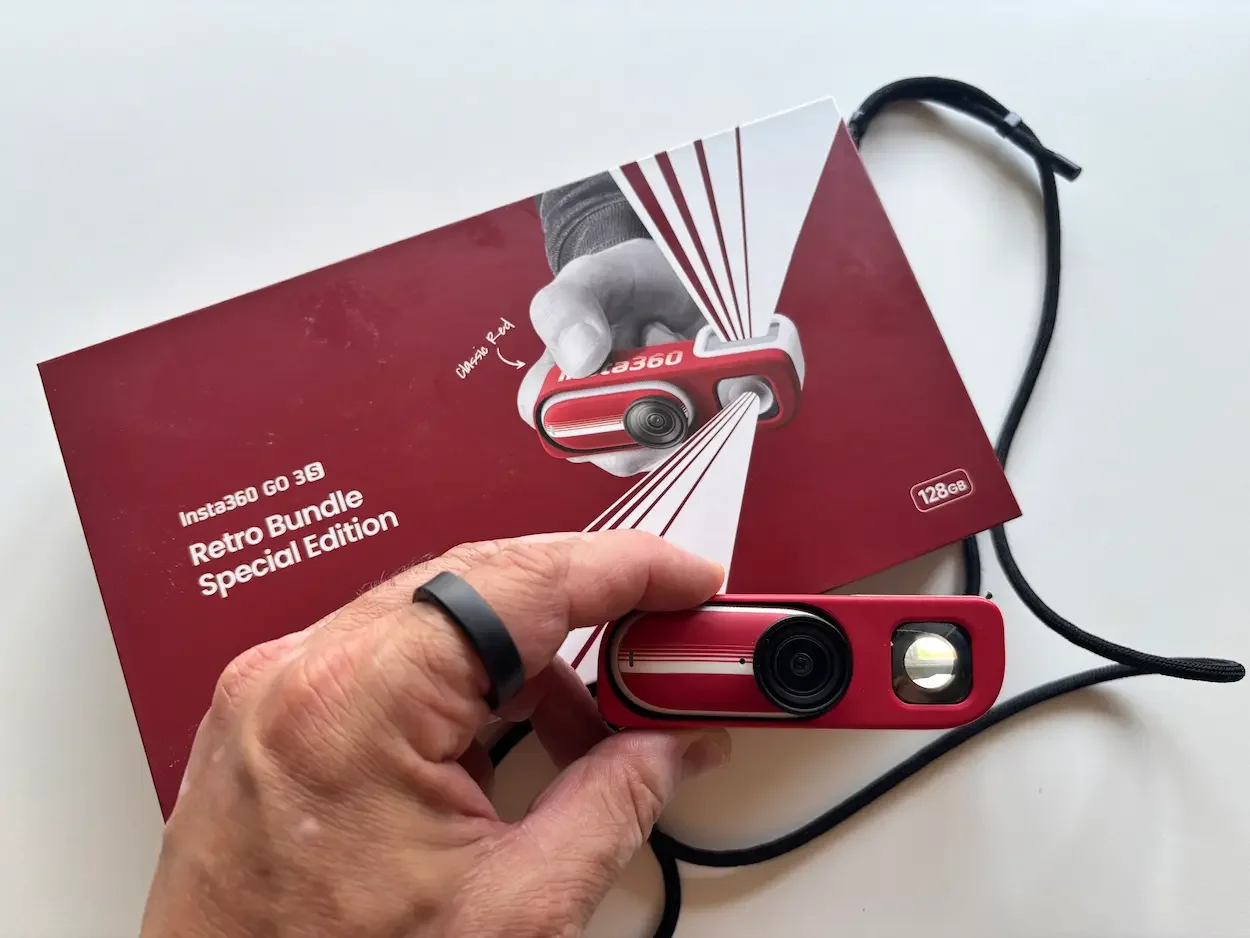
Retail box
Final Verdict
The Insta360 GO 3S Retro Bundle is not the most practical camera I own, and it wouldn't replace my iPhone or the GO Ultra. But it may be the most enjoyable camera I've used in a long time.
It brings back some of the excitement of film photography: taking your time, composing the image, and waiting to discover the result. The exclusive filters are genuinely effective, the grain is convincing, and the tiny design makes it easy to carry everywhere.
The viewfinder takes time to understand. Low-light results aren't particularly strong. And the camera's feedback can be difficult to notice in a busy environment. Most of these problems become easier to manage with practice.
What matters most is that the GO 3S Retro Bundle has made photography feel enjoyable again. Instead of taking dozens of nearly identical smartphone pictures and immediately inspecting each one, I take a photograph, continue with my day, and look forward to seeing the results later.
It is imperfect, occasionally awkward, and far less predictable than my iPhone.
That is precisely why I like it.
9 out of 10.
— Jerome
About the author: Jerome is the founder of Dapper & Groomed. He's been testing and reviewing tech, cameras, and men's lifestyle products since 2013. His reviews are never approved or previewed by brands — just honest, real-world testing.