
Mibro GS Explorer S Review: A Rugged Smartwatch That Surprised Me
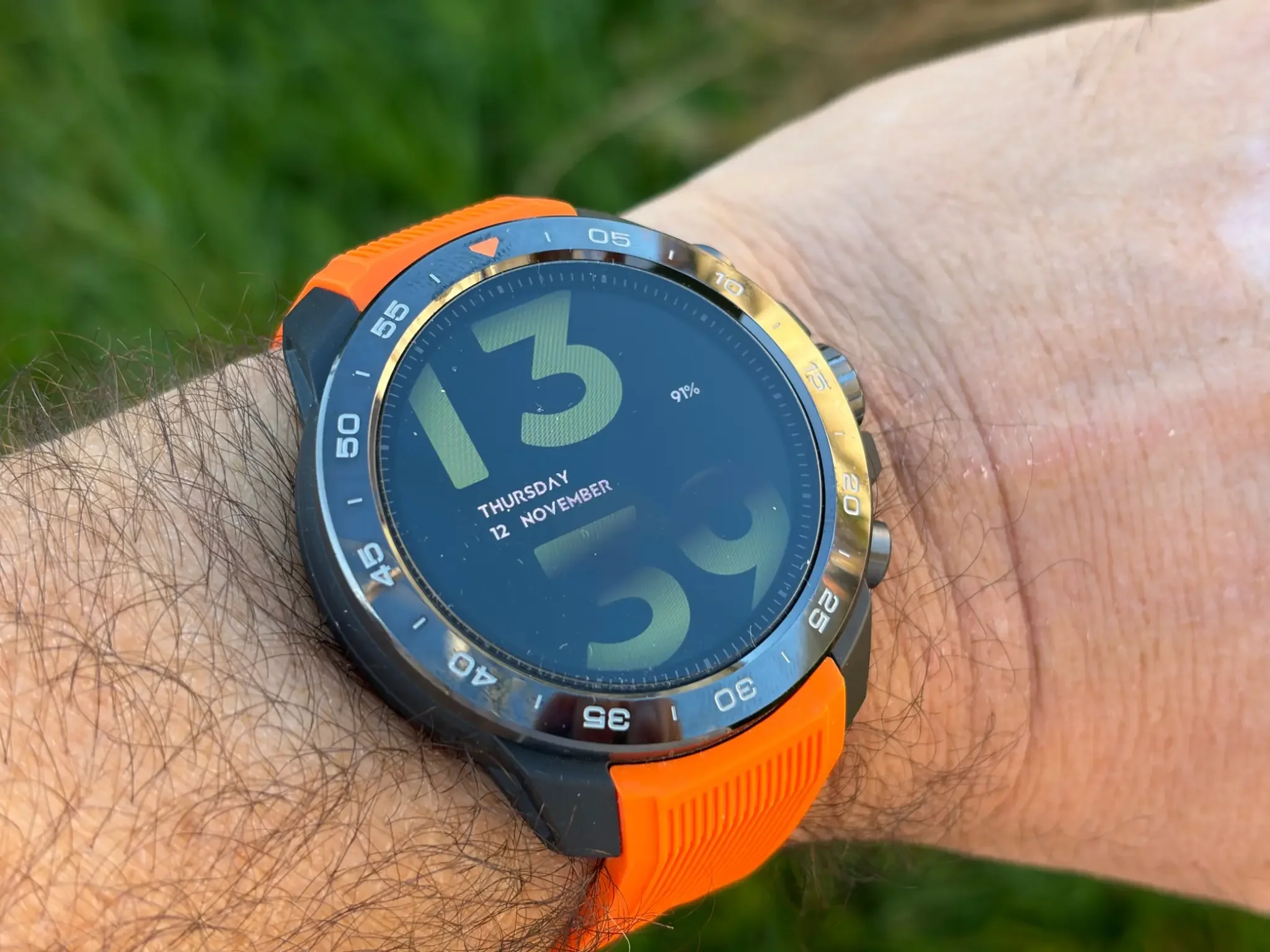
I've tested quite a few smartwatches and health trackers over the years, including the Apple Watch, Kospet smartwatches and, more recently, the RingConn Gen 3 smart ring. And one thing I've learned is that you don't necessarily have to spend a fortune to get a good smartwatch.
The Mibro GS Explorer S is a good example. It's a rugged smartwatch designed primarily for outdoor activities, with a ceramic bezel, a beautiful AMOLED display, dual-frequency GPS and over 150 sports modes.
But what really caught my attention was the combination of its design, battery life and price.
I've always preferred traditional round watches to rectangular ones like the Apple Watch. For me, a smartwatch should still look and feel like a proper watch, and the Explorer S certainly delivers on that front.
I've been wearing it for around three weeks. I haven't been climbing mountains or practising extreme sports, but I've used it every day for walking, tracking my health and monitoring my sleep.
So, is the Mibro GS Explorer S worth buying, particularly if you don't want to spend Apple Watch money? Here's my experience.
How I Tested the Mibro GS Explorer S
I've been using the Mibro GS Explorer S for approximately three weeks, paired with my iPhone 17.
I wore it throughout the day and also at night to monitor my sleep. Most of my outdoor activities involved walking my dog, Marlow, exercising and longer countryside walks, including one around the River Severn.
I concentrated on the features I would actually use: the display, notifications, health monitoring, GPS, operating system and battery life.
For the health tracking, I also wore my RingConn Gen 3 smart ring at the same time. I've tested quite a few health trackers, and the RingConn remains one of my favourites for monitoring everyday health and sleep.
I also compared the Mibro's step-counting results with my Apple Watch to see how closely the figures matched.
I didn't test all 150-plus sports modes or take the watch diving, so this review focuses on everyday use, walking and the features I've experienced personally.
| Quick Verdict: Mibro GS Explorer S | |
|---|---|
| Tested for | 3 weeks of daily use, including overnight sleep tracking. |
| What I liked | Rugged design, beautiful AMOLED display, comfortable fit and excellent battery life. |
| Battery life | Almost 2 weeks in my testing, even with the always-on display enabled. |
| Health tracking | Encouraging results compared with my RingConn Gen 3 and Apple Watch. |
| Could be better | Limited watch-face selection, occasional slow GPS lock and proprietary charging cable. |
| My verdict | A very good value rugged smartwatch for active men who want reliable everyday features without spending Apple Watch money. |
Unboxing: What's Inside the Box?
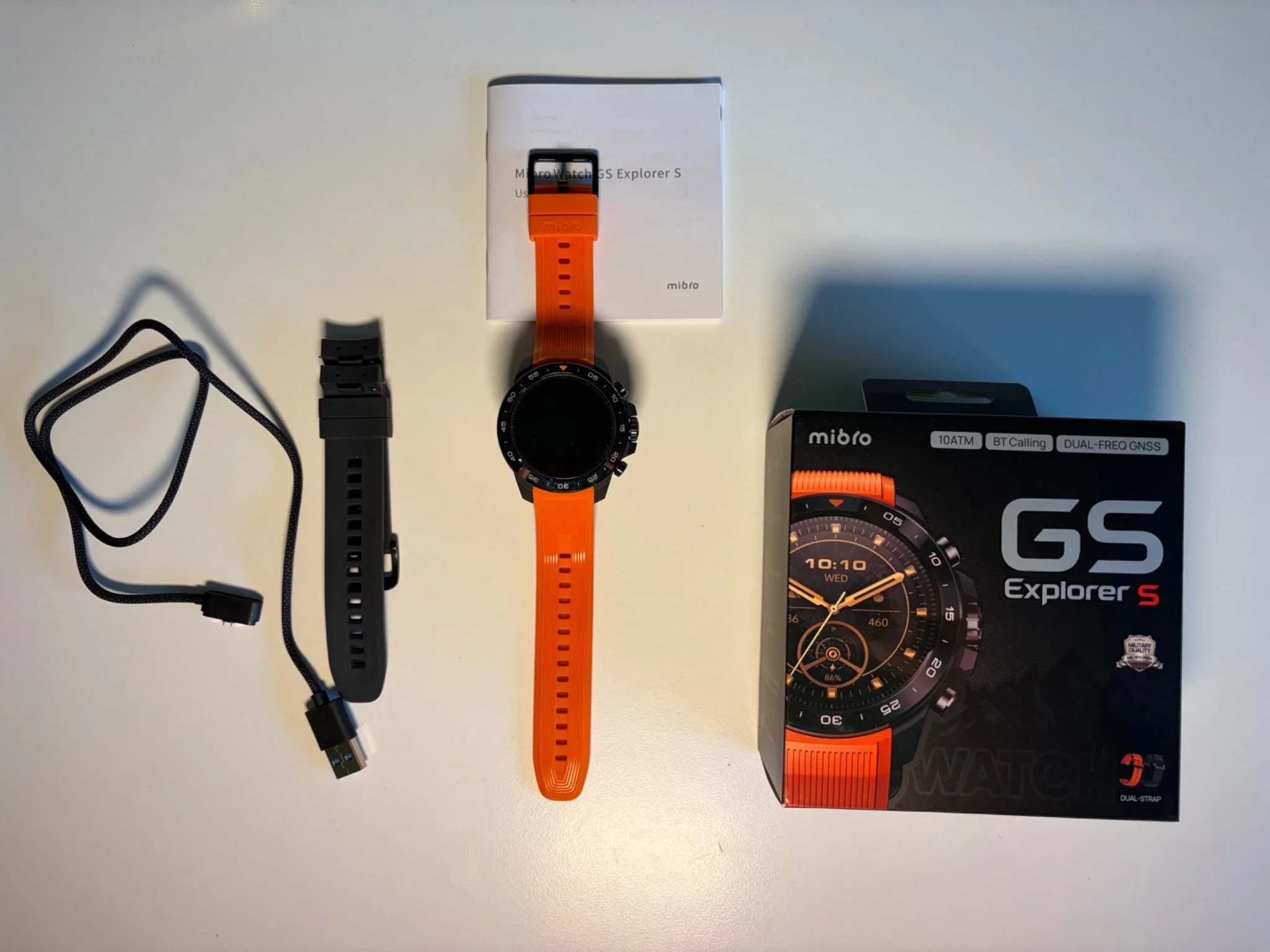
Everything included with the Mibro GS Explorer S, including two interchangeable straps and the magnetic charging cable.
I always appreciate a good unboxing experience, particularly when reviewing more affordable technology, and Mibro has done a good job here.
The packaging feels premium, and the watch itself makes an excellent first impression. Nothing about the presentation immediately suggests a budget smartwatch.
Inside the box, you get the Mibro GS Explorer S, two silicone straps and a magnetic charging cable.
I particularly like that Mibro includes two straps, one dark grey and one orange. It's a thoughtful addition because you can change the look of the watch without having to purchase another strap separately.
The only thing I'm not particularly keen on is the charging cable.
It's a proprietary magnetic connector, which means you need to keep the supplied cable rather than simply using a standard USB-C charging cable.
This isn't unusual with smartwatches, but I would prefer a more universal solution.
Still, considering the overall presentation and the additional strap, I think Mibro has made a good effort.
Design and Build Quality
This is probably my favourite part of the Mibro GS Explorer S.
I love the design.
I've always had a preference for traditional round watches, and the Explorer S looks much closer to a rugged sports watch than a piece of technology strapped to your wrist.
The watch has a 47.8mm case, a ceramic bezel and a reinforced polymer body, with Corning Gorilla Glass protecting the screen.
It's quite a substantial watch, weighing approximately 71g with its silicone strap.
And yes, you can feel that weight.
I'm not going to pretend this is a particularly light or discreet smartwatch. It's a big, chunky watch, but that's very much part of its design.
What surprised me was how comfortable it remained throughout the day.
I wore it while working, walking and sleeping, and despite its size, I never found it particularly uncomfortable.
The physical buttons also feel good. They have a satisfying click, and I found them easy to operate without having to rely entirely on the touchscreen.
A Beautiful AMOLED Display
The 1.32-inch AMOLED display is excellent.
It has a resolution of 466 × 466 pixels and a claimed peak brightness of 1,500 nits.
In everyday use, it's sharp, colourful and easy to read. More importantly, I had no problems checking the time or other information outdoors, even in bright conditions.
I also used the always-on display throughout my testing because that's how I prefer to use a smartwatch.
I want to be able to glance at my wrist and see the time without having to make an exaggerated movement to wake the screen.
The Explorer S does this very well.
There is one area where I think Mibro could improve, though: the watch faces.
You have a selection of different designs available through the Mibro Fit application, but I struggled to find one that really suited my taste.
This is obviously personal, and other people might love them. For me, however, many of the designs didn't quite match the attractive, premium appearance of the watch itself.
I would have liked a better selection of classic, minimalist watch faces.
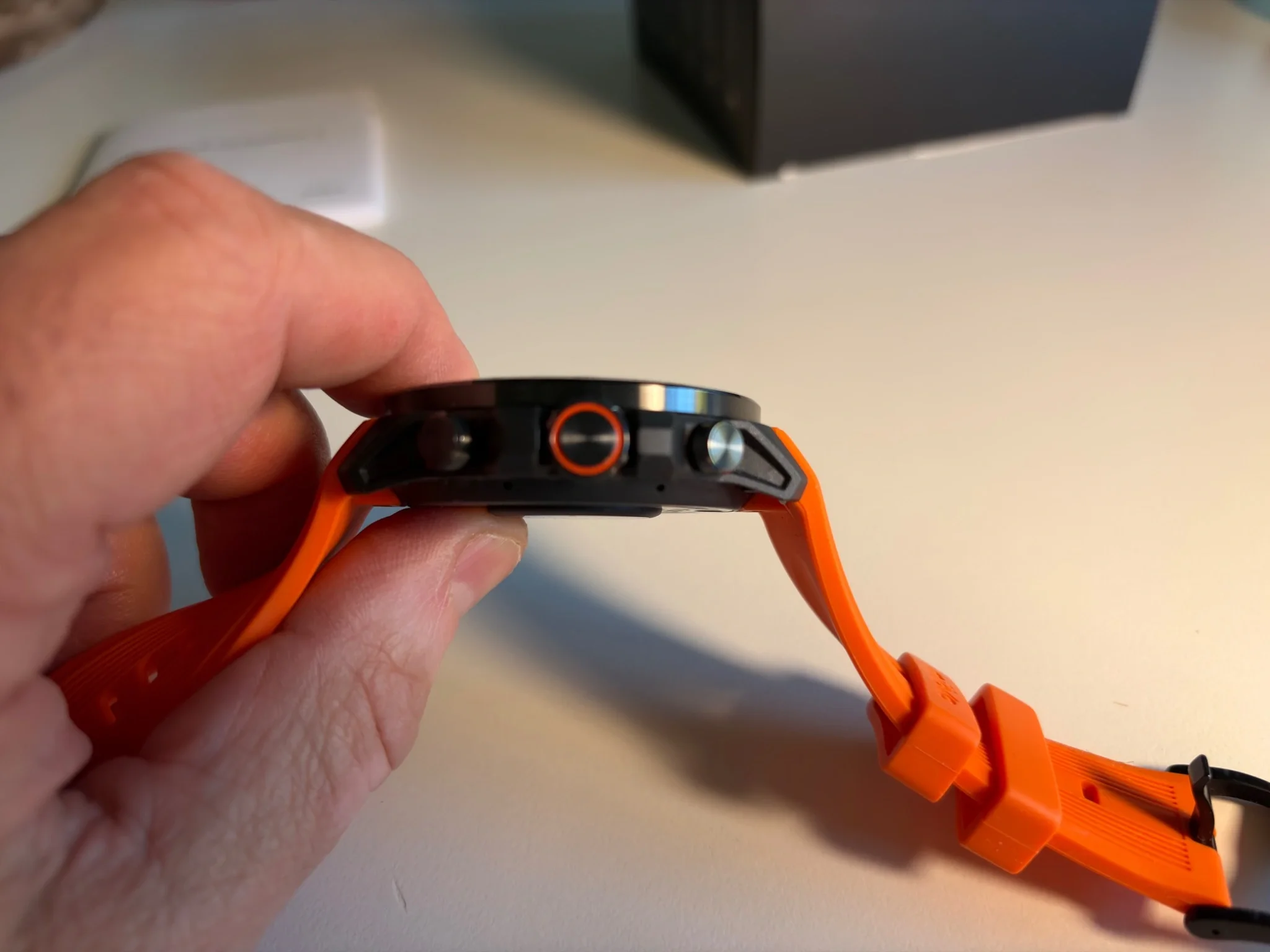
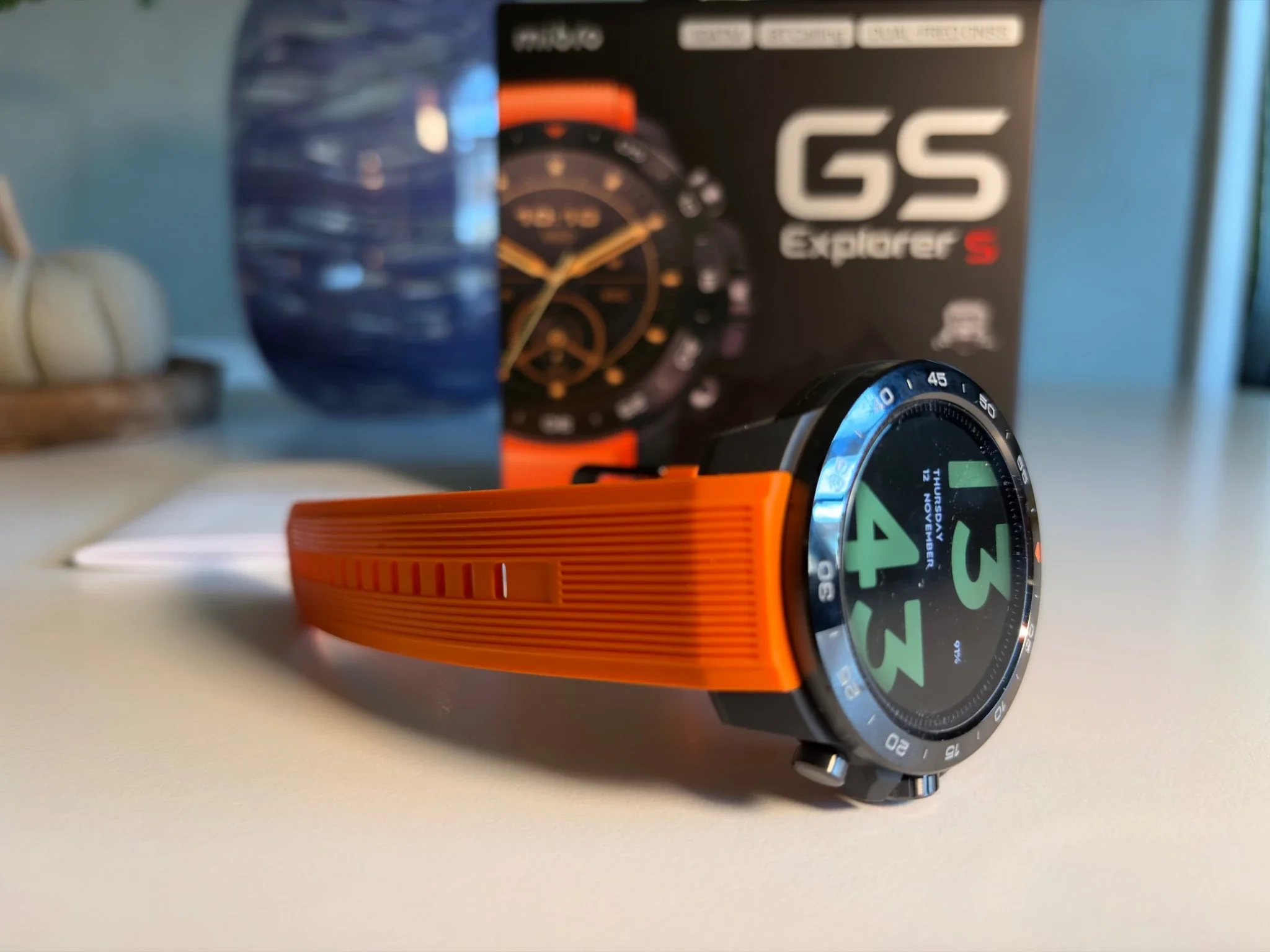
A closer look at the Explorer S's substantial case and physical buttons, which felt responsive throughout my testing.
Built for Outdoor Activities
The Explorer S is designed to withstand more demanding conditions than an ordinary lifestyle smartwatch.
Mibro advertises MIL-STD-810H durability testing and 10ATM water resistance, along with a dedicated outdoor exploration mode.
That makes it an interesting option for activities such as hiking, swimming and trekking. It also includes features for recreational freediving, with Mibro specifying support for depths of up to 30 metres.
I haven't tested its diving capabilities or subjected it to extreme conditions, so I can't personally confirm those claims.
What I can say is that the watch feels solid, well assembled and ready for more demanding use than my normal daily walks.
Mibro Galaxy OS 2.0 and the Mibro Fit App
A good smartwatch needs good software, and this is another area where the Explorer S impressed me.
The watch runs Mibro Galaxy OS 2.0, while the Mibro Fit application manages your health data, settings and connection to your smartphone.
I've previously tested the Kospet Tank T4S, and the overall software experience feels quite similar.
The interface is straightforward, with clear menus and easy access to the main functions.
In fact, in some ways, I find it easier to navigate than Apple's watchOS.
That's not to say it's a more advanced operating system. Apple offers a much larger range of applications and deeper integration with the iPhone.
But when it comes to finding basic functions quickly, I rather like Mibro's simpler approach.
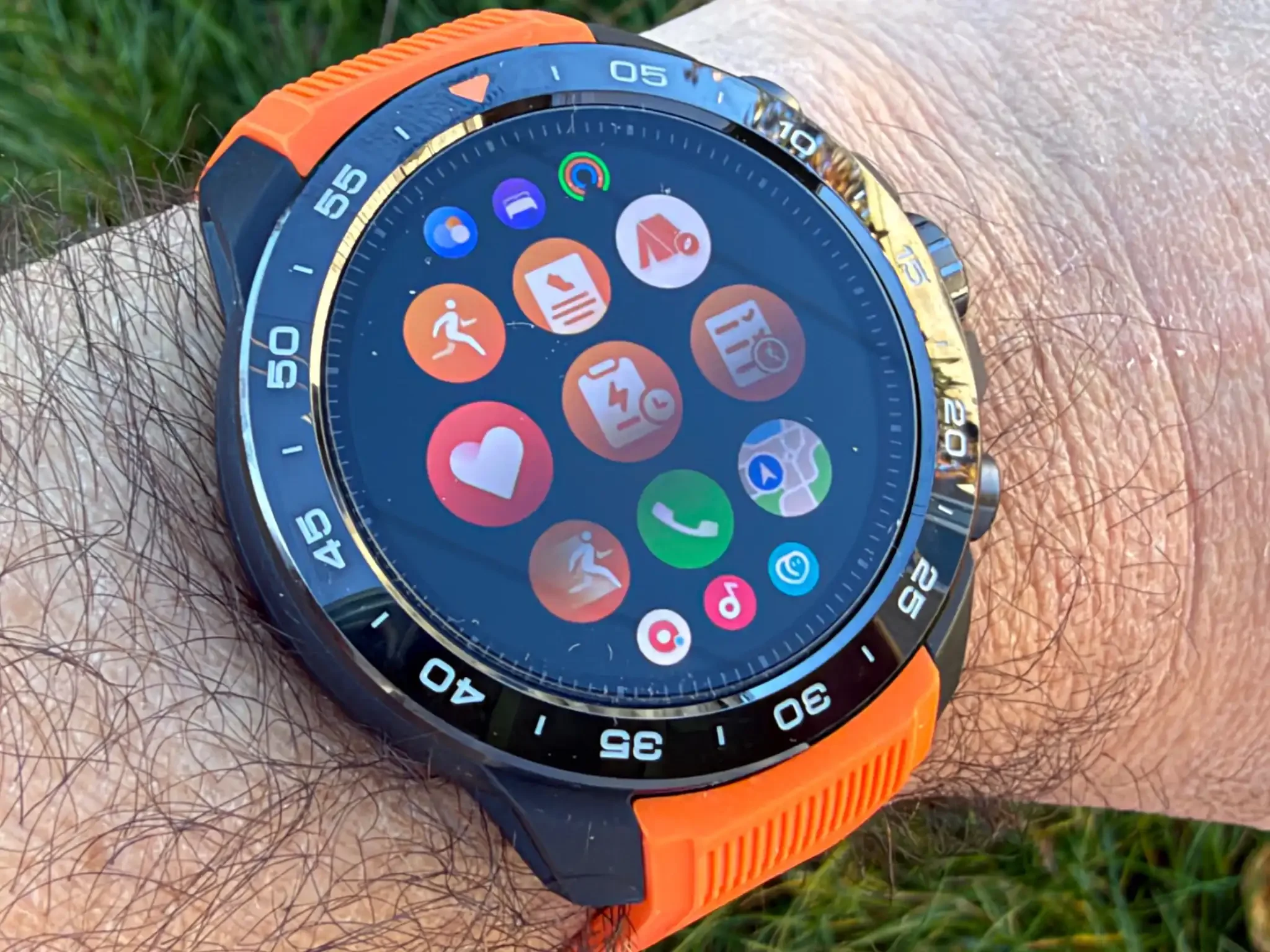
Mibro Galaxy OS 2.0 has a straightforward interface, with quick access to everyday smartwatch and fitness functions.
Using the Mibro Fit App on My iPhone
Pairing the watch with my iPhone 17 was very easy.
The application recognised the watch without any problems, and throughout my three weeks of testing, I didn't experience any Bluetooth disconnections.
That's important because there's nothing more frustrating than discovering that your smartwatch hasn't been syncing properly.
The Mibro Fit application is also pleasantly designed and easy to understand.
I could check my health information, look at sleep records, review activities and change settings without having to search through complicated menus.
The application is available for both iOS and Android, and Mibro also offers connections with services such as Apple Health, Google Fit and Strava.
Overall, I think the combination of the watch and the smartphone application works very well.
My only real criticism remains the watch-face selection. The application itself is good, but I would like to see more attractive designs added in future updates.
How Does the Mibro GS Explorer S Perform on a Daily Basis?
This is where I think the Explorer S makes the most sense.
Despite its outdoor-focused design, you don't need to be a serious athlete to appreciate what it offers.
For my daily routine, I mainly wanted a watch that could tell me the time, show a few important notifications, monitor my activity and last long enough that I didn't have to think about charging it every night.
And in those areas, it performed very well.
Notifications, Calls and Everyday Features
I'm not someone who wants every notification from my smartphone appearing on my wrist.
Quite the opposite.
I find constant notifications distracting, particularly when I'm working, so I prefer to keep things simple.
I did find message notifications useful, though, especially when I was outdoors and didn't want to take my phone out of my pocket.
The watch also supports Bluetooth calling.
I tested this once, and the person on the other end could hear me without any problems.
Does that mean I want to make regular phone calls from my wrist? Absolutely not.
I can see the benefit if you need to answer a quick call when your phone isn't easily accessible, but personally, I would still rather use my smartphone.
One feature I particularly enjoyed was the weather application.
It's simple, useful and exactly the kind of information I appreciate having available on my wrist before heading outside.
At the end of the day, I still see a smartwatch primarily as a watch. Everything else should make everyday life a little easier, not more complicated.
Health Tracking: Surprisingly Good Results
This was one of the most interesting parts of my testing.
As I mentioned earlier, I've been using the RingConn Gen 3, and after trying numerous health trackers, I consider it one of the more convincing devices I've personally tested for monitoring my everyday health.
So I wore both devices simultaneously to see how their results compared.
And I was pleasantly surprised.
Heart rate: The readings from the Mibro GS Explorer S were very similar to those recorded by my RingConn Gen 3.
Blood oxygen: Again, both devices produced closely matching readings during my testing.
Sleep tracking: There were some differences between the two, generally around 15 to 20 minutes in the recorded sleep duration.
Personally, I don't consider that particularly concerning.
Sleep tracking is complicated, and two devices worn on different parts of the body won't necessarily identify the exact same moment when you fall asleep or wake up.
I also compared the step count with my Apple Watch, which I've found to be a reliable reference point during my own testing.
The difference was approximately 5%.
Would I prefer completely identical results? Of course. But I don't expect that from two different consumer devices using different sensors and algorithms.
Before I became a full-time blogger, I worked in pharmacy as a healthcare assistant, and one thing that stuck with me is how easily health tracking can tip into stress. I've seen people become anxious about a single reading, or obsess over a number that was never meant to be a diagnosis.
So my advice with any consumer health device, including this one, is to treat the readings as useful information first. They're a guide to your general trends, not a verdict on your health. None of these comparisons proves medical accuracy, and I wouldn't use a smartwatch or smart ring to diagnose a health problem.
Where I think the Explorer S is genuinely valuable is on the activity side. The step counts, the heart-rate trends during walks, the GPS routes, the sleep patterns over time — that's the information I found most useful, because it supports the things you're already doing rather than turning health into a project. Use it more for your sports and daily activity, and less as a medical instrument, and I think you'll get the most out of it.
In that respect, its health tracking was one of the things that impressed me most.
GPS Tracking: Accurate, but Sometimes Slow to Connect
The Mibro GS Explorer S includes dual-frequency L1 and L5 satellite positioning, with support for several global navigation systems.
On paper, that's an impressive feature for a smartwatch in this price category.
But what matters is how it performs outdoors.
I used the GPS primarily for walking, including a longer route around the River Severn and the surrounding countryside.
Once the watch had established its position, I found the tracking to be very accurate.
The recorded route matched my walk well, and I didn't notice any major problems during that longer outing.
However, there is one issue worth mentioning.
Sometimes the watch takes longer than my iPhone to establish its location.
It doesn't happen every time, but it happened often enough for me to notice.
For someone like me who mainly uses the watch for walking, this isn't a major problem. I can wait a little longer before starting an activity.
But I can imagine how frustrating it might become if you're a regular runner who wants to start recording a workout immediately.
Once connected, though, the GPS performed well in the conditions I tested.
The watch also offers more than 150 sports modes and additional outdoor tools, including navigation, a compass and altitude information.
I didn't explore every sports mode, simply because there are far more than I would ever use.
If you're particularly interested in running, cycling, hiking or more specialised outdoor activities, there's certainly plenty to explore.
Battery Life: One of Its Biggest Strengths
If there's one reason I would seriously consider the Mibro GS Explorer S over an Apple Watch, it's the battery life.
It's excellent.
Mibro claims up to 20 days of battery life under its specified daily-use conditions.
In my own testing, I managed almost two weeks before needing to recharge it.
And that's with the always-on display enabled, regular health tracking, notifications and wearing the watch overnight.
That's a fantastic result.
My Apple Watch needs charging far more frequently, and although I've become used to that, it's quite refreshing to wear a smartwatch without constantly thinking about the battery.
The battery life also makes the Explorer S much more practical for sleep tracking.
You don't have to plan when to recharge it so that you can wear it overnight.
In that respect, the experience reminds me of the RingConn Gen 3, another device I've enjoyed partly because of its long battery life.
Of course, if you're using GPS for several hours every day, you should expect shorter battery life than I experienced.
But for my combination of daily walking, health monitoring and general smartwatch use, I really couldn't ask for much more.
Mibro GS Explorer S vs Apple Watch and RingConn Gen 3
I think this is an interesting comparison because I've spent time with all three devices, and they offer rather different experiences.
Compared with the Apple Watch
The Apple Watch remains the more complete smartwatch, particularly if you use an iPhone.
It has a more developed software ecosystem, more advanced smart features and a greater range of health-related functions, depending on the model.
If health tracking and deep iPhone integration are your priorities, I would still lean towards the Apple Watch.
However, there are three things I prefer about the Mibro.
First, the design. I genuinely prefer its round, traditional watch appearance.
Second, the battery life. Being able to wear it for almost two weeks without charging is a significant advantage over the Apple Watch models I've used.
And third, the price.
The Explorer S costs considerably less than many Apple Watch models, yet still offers the main functions I use regularly.
For someone who wants notifications, step counting, heart-rate monitoring, GPS and a good-looking watch, that difference in price is worth considering.
Compared with the RingConn Gen 3
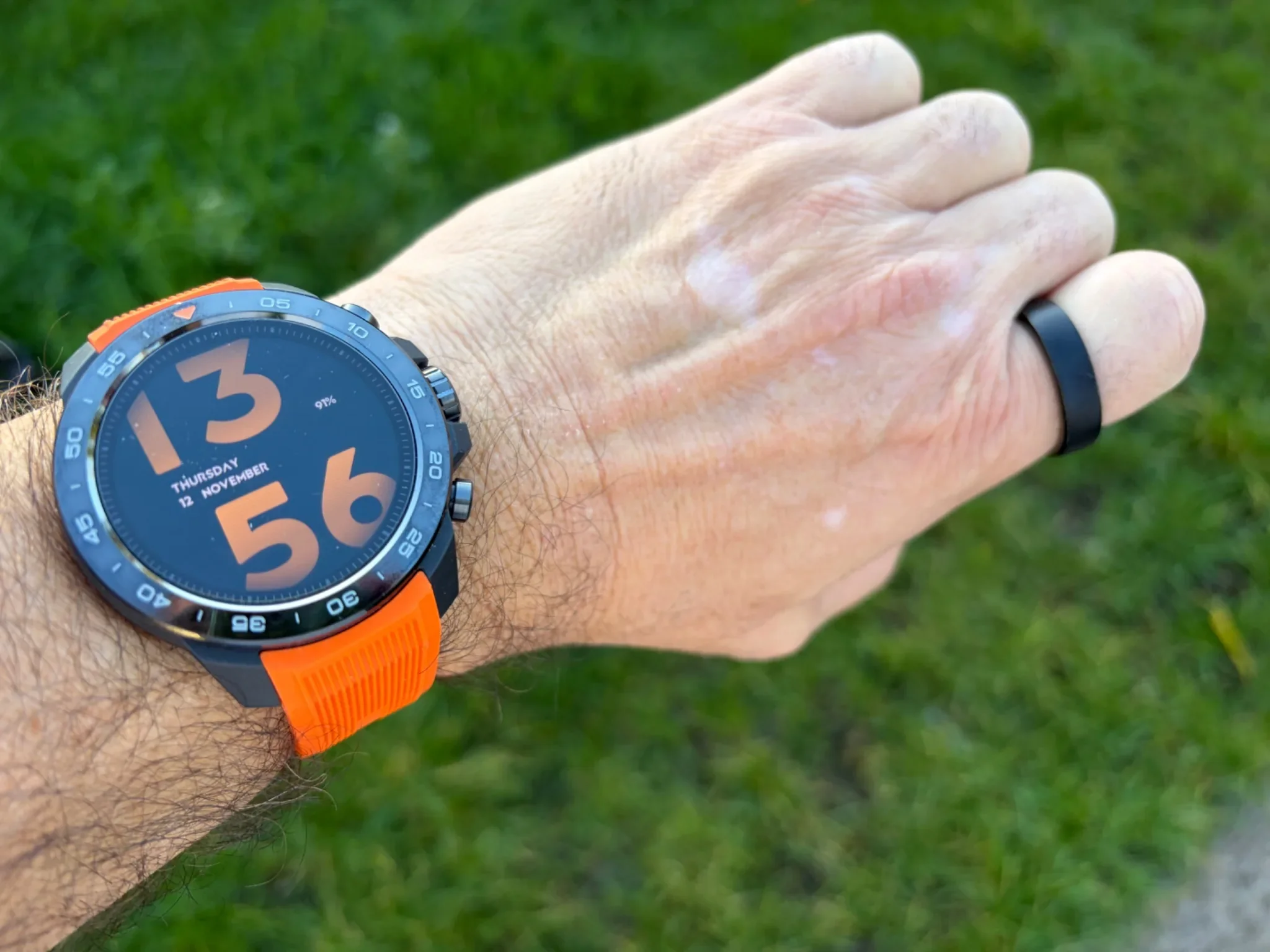
The Mibro GS Explorer S alongside my RingConn Gen 3. I wore both devices during testing to compare heart rate, blood oxygen and sleep-tracking results.
Comparing the Explorer S with the RingConn Gen 3 is a little different because they're not really competing to do the same job.
The RingConn is a smart ring designed primarily for passive health monitoring.
It's discreet, lightweight and particularly comfortable to wear overnight.
And I still prefer it if my main interest is understanding my health and sleep patterns over time.
But the Mibro offers several advantages that a ring simply cannot provide.
You have a large display, GPS tracking, sports modes, notifications, a weather application and the ability to check information directly from your wrist.
During my tests, the Mibro also produced heart-rate and blood oxygen readings close to those from the RingConn, while sleep duration varied by around 15 to 20 minutes.
So I wouldn't dismiss the Explorer S as a health tracker simply because it costs less.
Still, if I were buying a device specifically for long-term health monitoring, I would choose the RingConn Gen 3.
If I wanted a proper watch with health monitoring, outdoor features and a much larger range of everyday functions, I would choose the Mibro.
In many ways, these two devices complement each other rather well.
Conclusion: Is the Mibro GS Explorer S Worth Buying?
After three weeks with the Mibro GS Explorer S, I can say that I genuinely enjoyed using it.
I love the design, the AMOLED display is beautiful, the operating system is easy to navigate and the battery life is outstanding.
The health tracking also performed better than I expected, particularly when compared with my RingConn Gen 3 and Apple Watch.
It's not perfect, of course.
The watch is relatively large and heavy, the selection of watch faces could be better and GPS positioning sometimes takes longer than I would like.
But none of those issues seriously affected my everyday experience.
If you're a very active person who enjoys hiking, trekking or outdoor sports, the Explorer S is certainly worth looking at, particularly if you want a rugged smartwatch without spending a fortune.
And even if you're more like me, someone who enjoys long walks, wants to keep an eye on their health and simply appreciates a good-looking watch, I think there's a lot to like.
At the time of writing, Mibro lists the Explorer S for $139.99/£133.99 on its website, reduced from $199.99/£199.99.
At that price, I think it represents very good value.
It might not replace an Apple Watch for someone who relies heavily on Apple's ecosystem, or a RingConn Gen 3 for someone primarily interested in detailed health monitoring.
But as an attractive, durable everyday smartwatch with excellent battery life and useful outdoor features, the Mibro GS Explorer S gets a lot right.
And sometimes, that's exactly what you need from a watch.
Jerome
After three weeks with the Mibro GS Explorer S, I found a rugged smartwatch with a superb AMOLED display, impressive health tracking and almost two weeks of battery life.