
Insta360 Mic Review: Do You Really Need the Mic Pro?
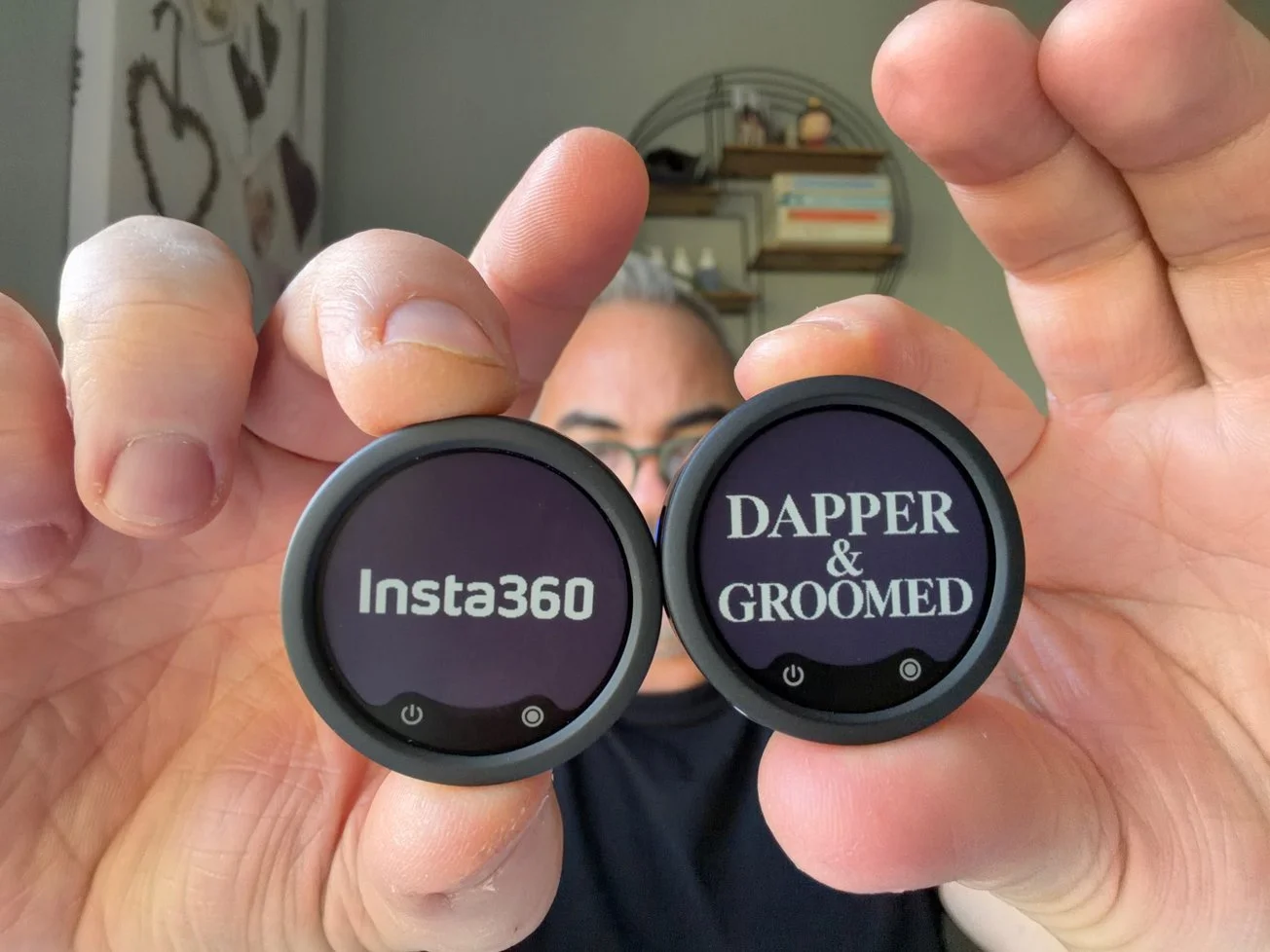
The original Insta360 logo beside my custom Dapper & Groomed design. Changing the E-Ink display is easy using the app.
Insta360 kindly provided the Insta360 Mic free of charge for review purposes. All opinions are my own and based on my personal experience. This article contains affiliate links, which means I may earn a small commission if you make a purchase, at no additional cost to you.
When Insta360 contacted me and offered to send me their new Insta360 Mic for review, I was immediately interested. Not just because I enjoy testing new technology, but because I still own the Insta360 Mic Pro, which I reviewed previously and genuinely consider an outstanding piece of equipment.
However, I've always felt that the Mic Pro, as impressive as it is, offers more features than many content creators actually need. And at $329.99 for the two-transmitter kit, it's certainly not cheap.
Most of my work involves filming product reviews at home, talking directly to the camera or recording the occasional outdoor vlog. I want excellent sound quality, a reliable connection and something that's easy to use. I don't necessarily need all the advanced recording functions that come with a professional microphone.
That's why the new Insta360 Mic caught my attention. Prices start at just $79.99 for a single transmitter, compared with $99.99 for the Mic Pro. The complete kit with two transmitters and one receiver, which is the version I've been testing, costs $249.99 compared with $329.99 for the Pro. That's an $80 saving while retaining many of the features I appreciated on the more expensive model.
I've now had the opportunity to use it for my usual recordings and compare it directly with my Mic Pro. And I have to say, I think Insta360 has found a very good balance between performance, features and price.
Insta360 Mic
Having tested the Insta360 Mic alongside my Mic Pro, I honestly struggle to hear a difference in everyday recordings. Excellent sound, impressive AI noise cancellation and useful recording features make this a fantastic option for content creators.
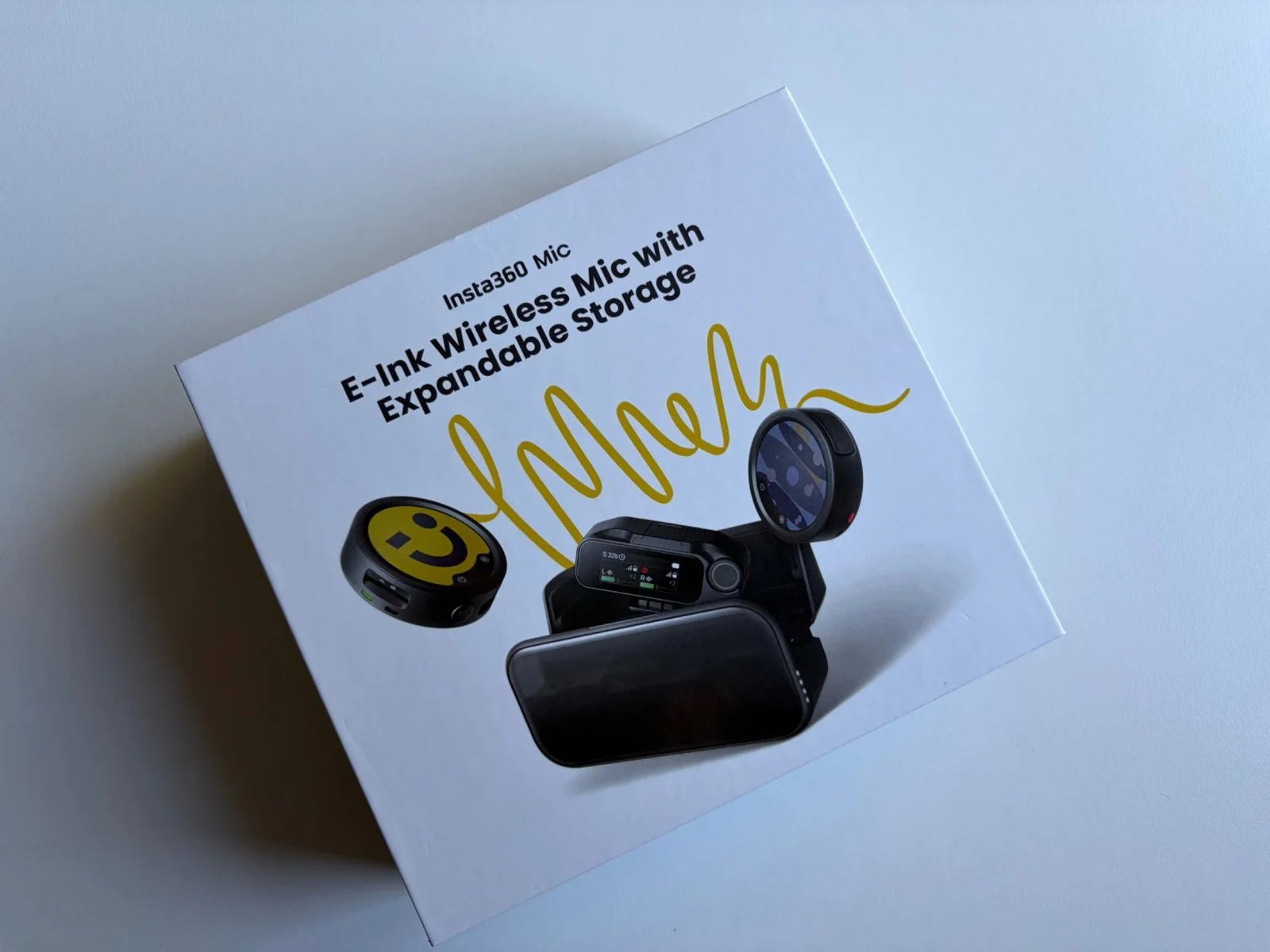
The Insta360 Mic arrives in packaging highlighting its E-Ink display and expandable recording storage.
Design and First Impressions: Almost Identical to the Mic Pro
My first impression when I opened the box was simple: this looks exactly like the Insta360 Mic Pro.
And that's not a criticism.
I thought the Mic Pro was an outstanding piece of technology when I reviewed it, so I'm pleased that Insta360 hasn't made significant compromises with the design of its less expensive model.
The microphone itself has the same distinctive circular appearance, with the E-Ink display taking up most of the front.
It's lightweight, comfortable to attach to my T-shirt and equally convenient to hold when I'm recording a video.
I particularly appreciate how straightforward the whole system feels. There's nothing complicated about taking out the microphone, attaching it and starting to record.
The charging case is also very nicely designed and feels like a quality accessory.
However, I have one criticism, and it's the same one I had with the Mic Pro.
The case is quite bulky.
When I'm going out to film, I often want to take as little equipment as possible. Sometimes it's just my iPhone, a small tripod and a microphone.
Having to carry a relatively substantial charging case isn't always convenient. It's not a major problem, but I would welcome something a little more compact.
The Customisable E-Ink Display: Clever, But Is It Really Necessary?
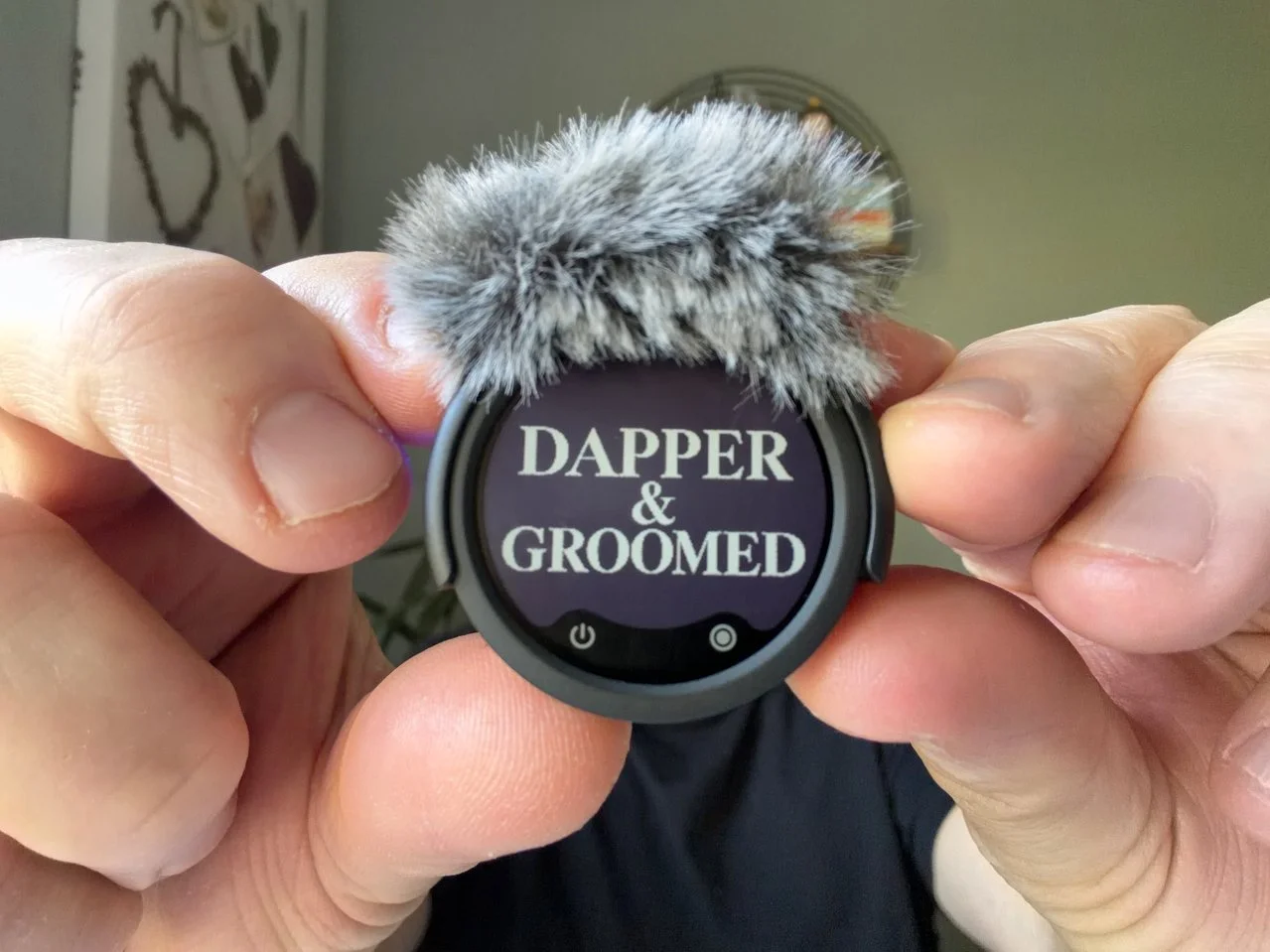
I customised the E-Ink screen with the Dapper & Groomed logo. The result looks particularly good in black and white.
One of the most distinctive features of the Insta360 Mic is its customisable E-Ink display.
Using the Insta360 app, you can change the image on the front of the transmitter. You can choose from different designs or upload something more personal, such as your own logo or photograph.
And I have to admit, I love the technology behind it.
Watching the display update with a new image is fascinating. It's quick, clever and something you don't normally expect to see on a wireless microphone.
But after using both the Mic Pro and the new Mic, I've started questioning how important this feature really is.
For me, it's partly a gimmick.
Here's why.
First, depending on how I attach or hold the microphone, viewers might not even notice what's displayed on the screen.
Second, I don't necessarily want a colourful image drawing attention away from what I'm saying. When I'm recording a product review, I want people concentrating on the product and my explanation, not the microphone attached to my shirt.
And finally, I actually quite like the simple Insta360 logo.
That's why I generally leave the display showing the logo in black and white. It looks clean, professional and discreet.
However, I can absolutely see the appeal for other content creators.
If you're recording promotional videos, branded projects or interviews, being able to personalise the microphone could be genuinely useful.
It's a nice feature to have, and Insta360 deserves credit for including it on the less expensive model.
I just wouldn't buy this microphone specifically for the E-Ink display.
Setup and Connectivity: Exactly How I Like It
One of the things I appreciate most about the Insta360 Mic is how easy it is to get started.
I use an iPhone 17 for a lot of my video work, and the setup couldn't be much simpler.
Attach the USB-C adapter to the receiver, connect it to the iPhone, switch on the transmitter and you're ready to record.
That's really all there is to it.
You might need to install a firmware update when setting up the microphone for the first time, but apart from that, the process is straightforward.
The Insta360 app is also very easy to navigate. You'll need it if you want to customise the E-Ink display, and I found changing designs simple and intuitive.
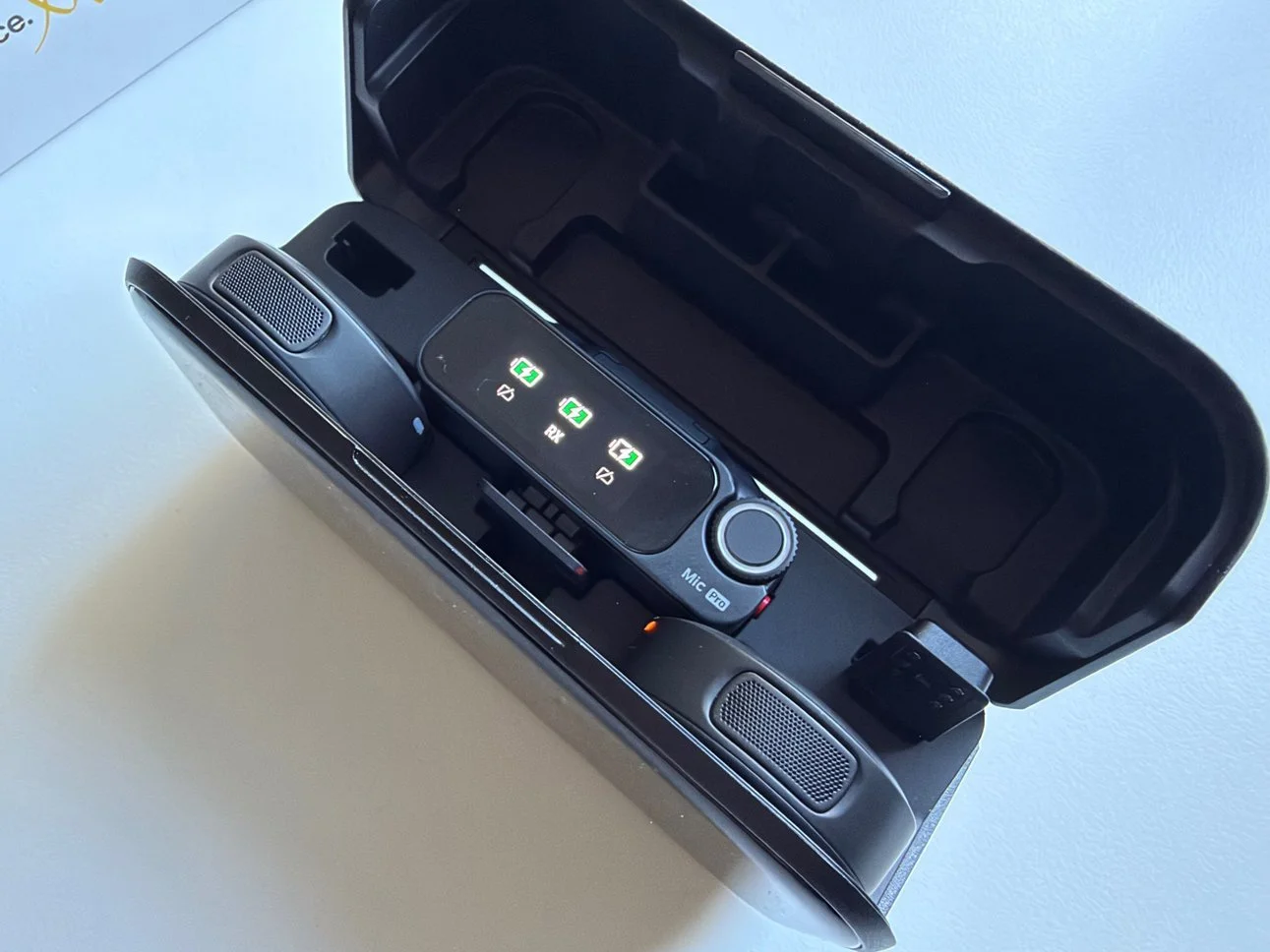
The Mic Pro charging case keeps both transmitters and the receiver together, although I find it a little bulky.
The microphone also supports connections to other compatible recording devices, including cameras and computers, while selected Insta360 cameras support a direct wireless connection without using the receiver.
For my everyday recording, though, the receiver connected to my iPhone is all I need.
And that's something I appreciate. I don't want to spend ten minutes setting up audio every time I decide to film something.
Sound Quality: Can It Really Compete With the Mic Pro?
This is easily the most important part of the review.
A microphone can have the most impressive specifications in the world, but none of that matters if the sound quality isn't good.
Most of my videos are recorded indoors, usually when I'm reviewing a product or speaking directly to the camera.
It's a relatively straightforward recording environment: me, the microphone and the camera.
And in these conditions, the Insta360 Mic sounds excellent.
My voice comes through clearly, with a natural and professional character. I don't find myself constantly adjusting the recording or trying to improve the sound afterwards.
But the really interesting part is what happened when I compared it with my Mic Pro.
To my ears, they sound almost identical.
I listened to recordings from both microphones, and I honestly struggled to hear a meaningful difference in the type of content I normally produce.
Now, that doesn't mean the two microphones have identical hardware or that they'll perform the same in every recording environment.
The Mic Pro has a more advanced three-microphone array and additional directional pickup capabilities, which could make a difference in more specialised situations.
But for someone sitting in front of a camera recording a YouTube review, I personally don't hear a compelling reason to spend the additional $80.
That's probably the most important thing I've discovered while using the new Mic.
Outdoor Recording and AI Noise Cancellation
Living in the South West of England, I'm fortunate to have some beautiful countryside nearby, particularly around the River Severn.
When I record outdoors, I generally choose quieter locations, away from heavy traffic and large groups of people.
I like hearing the occasional bird singing in the background. It gives the recording a little atmosphere and makes the video feel more natural.
Wind, however, is another matter.
And living near the River Severn, it's something I regularly have to deal with.
In my outdoor recordings, the Insta360 Mic has performed very well.
I also experimented with the AI noise cancellation, and I was pleasantly surprised.
I should explain that I'm not usually a huge fan of noise cancellation on microphones.
Too often, it removes background sounds at the expense of the human voice. You end up with something that sounds slightly artificial, as though your voice has been processed too aggressively.
That's not what I want.
But Insta360 has done an impressive job here.
With AI noise cancellation enabled, my voice still sounds remarkably natural. There's very little of that obvious processed character that I sometimes hear with other recording systems.
In fact, the effect can be quite difficult to notice.
Personally, I still prefer leaving a little environmental sound in my videos. I don't want to remove every bird or every trace of the countryside.
But if you're regularly recording in noisy places, travelling through busy cities or filming somewhere with constant background distractions, I can see the AI noise cancellation becoming one of your favourite features.
I haven't tested it in extremely noisy environments, so I wouldn't claim it can handle every situation. But based on my own outdoor recordings, I'm impressed.
Auto Gain Control and Voice Presets: Two Features I Really Appreciate
Of all the recording features on the Insta360 Mic, these are two that I think everyday creators will particularly appreciate.
Auto Gain Control
Auto Gain Control automatically adjusts recording gain as sound levels change.
In practice, this means less worrying about whether your voice is too quiet or suddenly too loud.
I've used this feature while recording, and I think it's genuinely useful.
It makes managing audio levels easier and can simplify the editing process afterwards.
For someone who regularly records videos alone, without another person monitoring the sound, that's a welcome advantage.
The voice presets
The Insta360 Mic also includes three voice tone presets, allowing you to change the character of your recordings without relying entirely on editing software.
I wasn't immediately convinced.
When I first tried the different settings, I honestly couldn't hear much difference.
But after experimenting with them and listening more carefully, I began to notice how each preset changed the sound.
And I eventually found my favourite.
The Rich preset.
For my voice, it makes a substantial difference. It adds a little more depth and body, giving the recording a fuller, more satisfying character.
I really like the result.
Of course, this is a personal preference. What sounds good with my voice might not necessarily be the best option for someone else.
But I would strongly encourage anyone buying the Insta360 Mic to spend some time experimenting with the voice presets.
Initially, you might not appreciate what they do. Give them a proper listen before deciding which works best.
For me, the Rich setting has become one of the most useful features on the microphone.
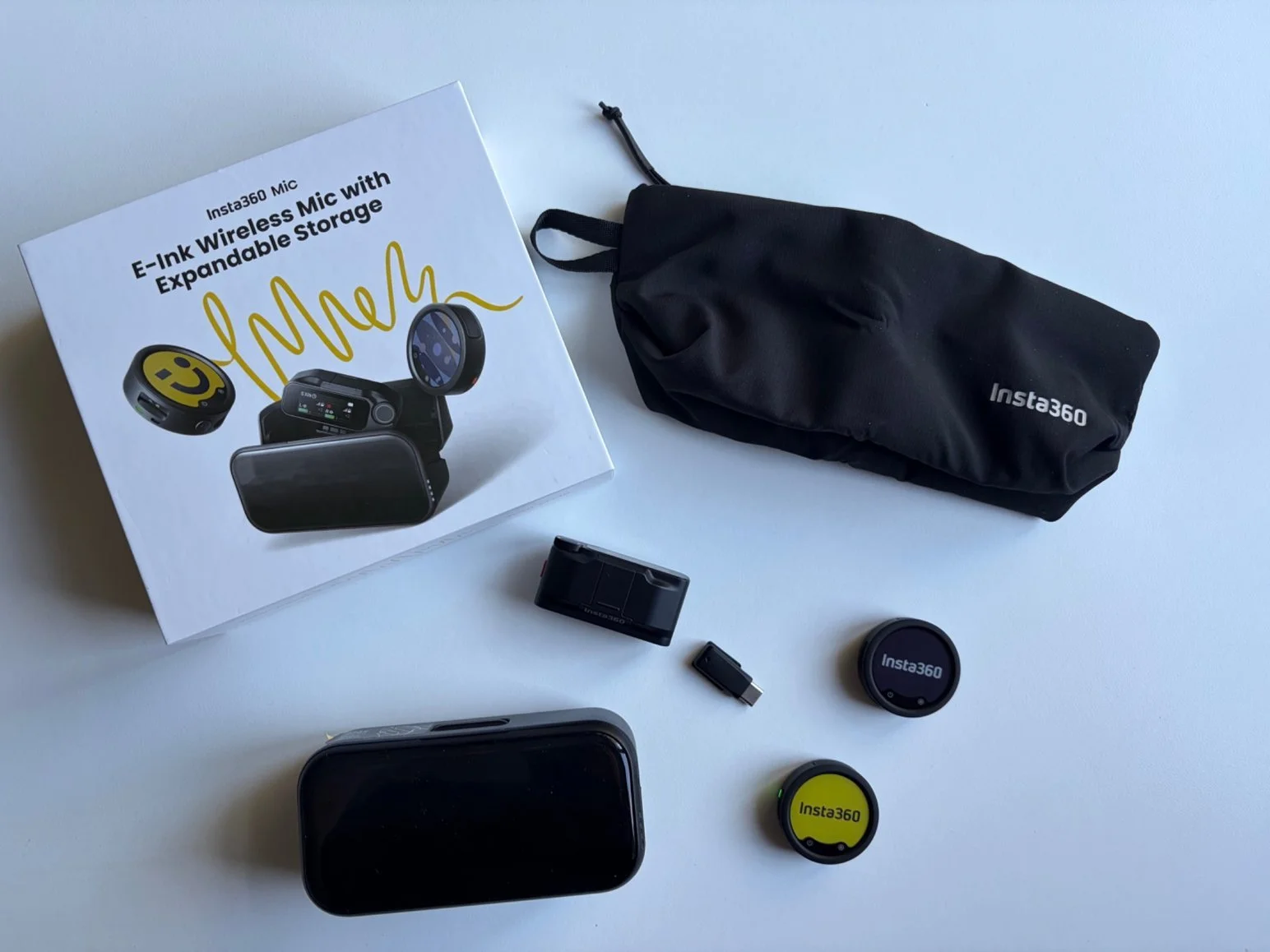
The Insta360 Mic kit I tested includes two transmitters, a receiver, charging case and accessories
32-Bit Float Recording: A Professional Feature I Probably Won't Use
The Insta360 Mic supports 32-bit float internal recording, which is useful when working with sound levels that can change dramatically.
For example, if a recording becomes unexpectedly loud, 32-bit float audio can offer more flexibility when recovering the sound during editing, provided the microphone itself hasn't overloaded.
Unlike the Mic Pro, which comes with 32GB of built-in recording storage, the new Mic requires a microSD card inserted into the transmitter for internal recording.
There's an obvious trade-off here.
You'll need to purchase a memory card if you want to use the feature, but the expandable storage also gives you more flexibility over recording capacity.
It's important to understand that you don't need a microSD card simply to use the Mic with your phone or camera through the receiver. The card is for recording directly onto the transmitter.
Now, I haven't tested the 32-bit float recording feature on the new Mic.
And the reason is quite simple: for the videos I make, I don't expect to use it very often.
I normally record my voice directly into my video, and that workflow suits me perfectly.
However, I'm pleased Insta360 has included it.
If you're filming interviews, weddings, important events or situations where you cannot afford to lose a recording, having a separate audio recording available can provide valuable peace of mind.
It's a professional feature that makes sense, even if I personally don't need it.
Battery Life: One Less Thing to Worry About
Battery life was already one of the things I appreciated about the Mic Pro, and the new Insta360 Mic has been equally reassuring in my everyday use.
I haven't conducted a continuous battery rundown test, and I haven't used the microphone long enough in one session to completely exhaust the battery.
But here's what I can tell you.
During my normal filming sessions, I simply haven't had to worry about charging it.
And that's exactly what I want from a wireless microphone.
According to Insta360, the transmitter can operate for up to 13 hours, with total runtime reaching up to 34 hours when using the charging case.
Those are manufacturer figures measured under specific conditions, rather than results I've independently verified.
Battery consumption will naturally depend on the settings and functions you're using.
Still, based on my experience so far, battery life is not something I'd consider a concern for ordinary YouTube recording sessions.
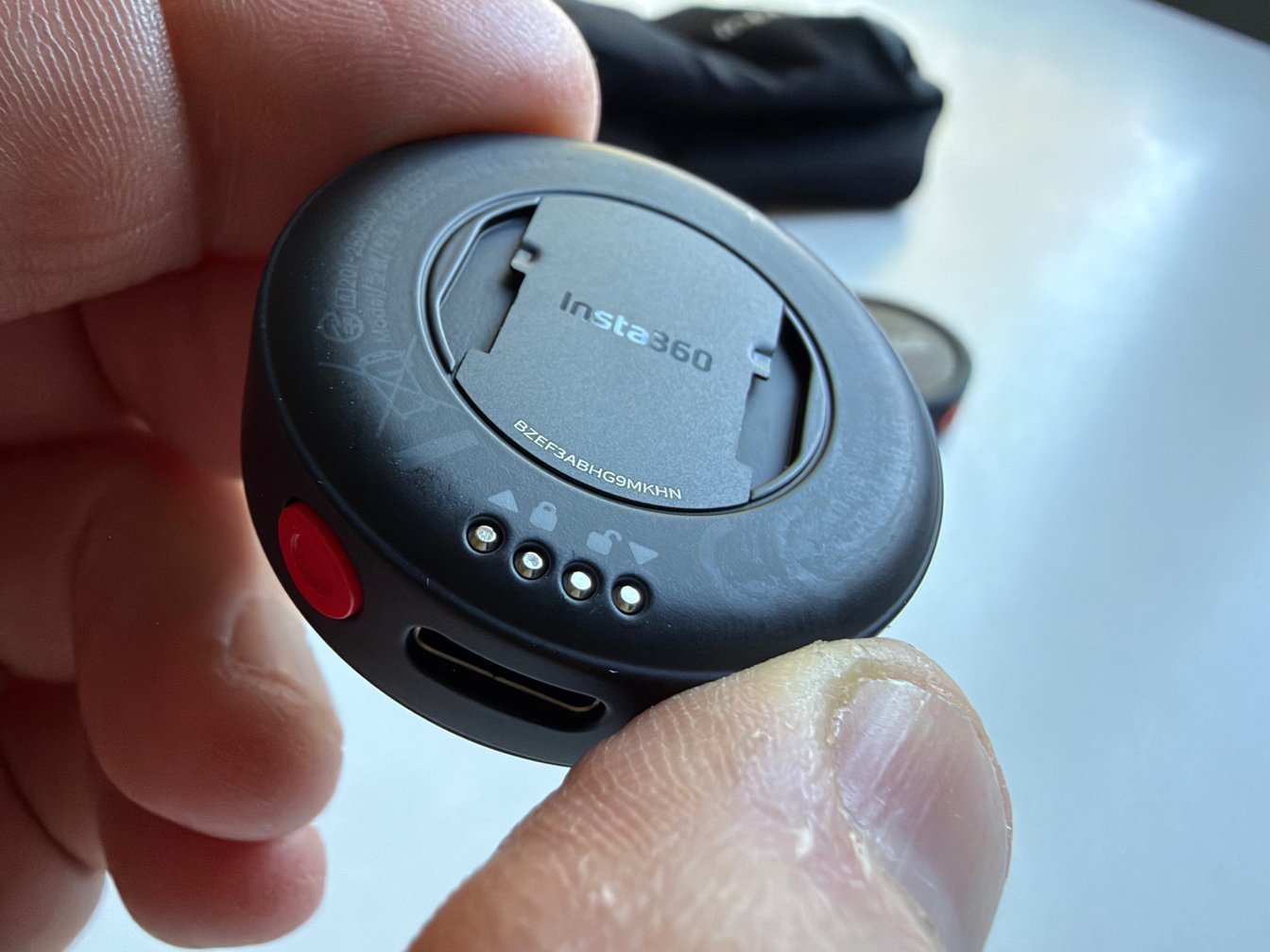
A closer look at the back of the Insta360 transmitter and its compact mounting design.
What About All the Advanced Features?
One thing worth mentioning is that Insta360 hasn't stripped the new Mic down to the basics.
There's still a surprising amount of professional recording technology available.
For example, the system supports up to four transmitters connected to one receiver, as well as configurations involving multiple receivers for multi-camera recording.
There's also a safety channel that can record audio at a lower level, a claimed wireless transmission range of up to 400 metres in ideal open conditions, and timecode functionality for more advanced editing workflows, although regional restrictions apply.
These are impressive capabilities.
But I want to be clear: I haven't tested these professional configurations, the maximum transmission range or timecode synchronisation.
And I don't particularly feel the need to.
If you're a professional videographer, someone recording large events or a creator working with several cameras and multiple people, these features might be extremely valuable.
For my own videos, they're largely unnecessary.
That doesn't make them pointless. It simply means the Insta360 Mic can accommodate more demanding recording situations than the ones I normally encounter.
And I think it's good that those possibilities are there.
Insta360 Mic vs Mic Pro: Which Should You Buy?
| Configuration | Mic | Mic Pro |
|---|---|---|
| Transmitter only | $79.99 | $99.99 |
| 2 TX + 1 RX kit | $249.99 | $329.99 |
The difference: The Mic Pro adds a three-microphone array, directional pickup options and built-in recording storage. The new Mic requires a microSD card for internal recording.
My recommendation: Having tested both, I find the everyday sound quality almost identical. For YouTube videos, product reviews and vlogging, I'd choose the Insta360 Mic. It gives me everything I need and saves $80 on the complete kit.
US prices. I tested the 2 TX + 1 RX kit. Transmitter-only prices do not include a receiver.
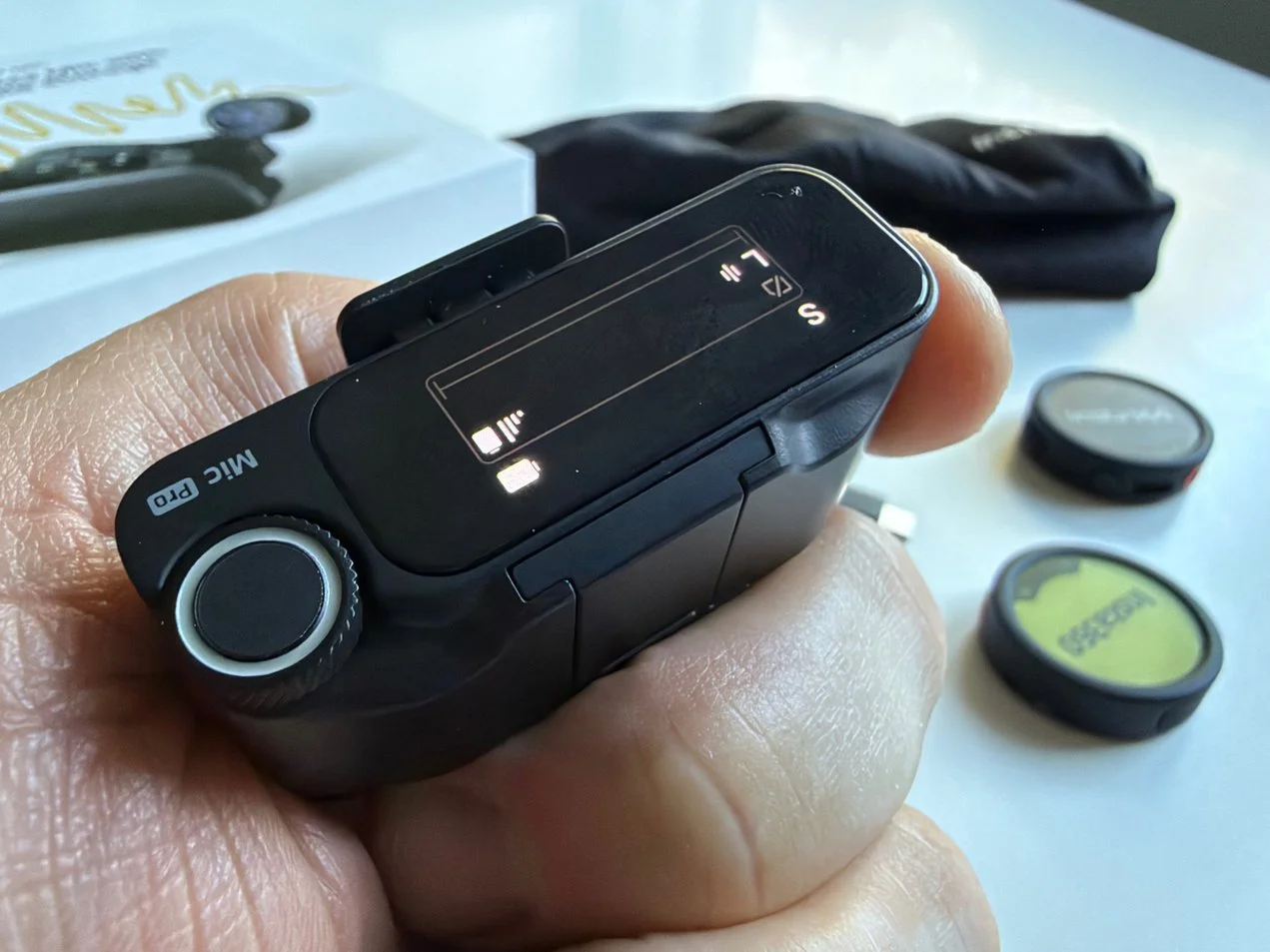
The Insta360 Mic Pro receiver offers additional controls for more advanced recording workflows.
Final Verdict: The Insta360 Mic Gets It Right
I think Insta360 has found the perfect balance between sound quality, useful features and price.
Having tested both the Mic and Mic Pro, I honestly struggle to hear a difference in my everyday recordings. The sound quality is excellent, the AI noise cancellation works remarkably well, and the whole system is incredibly easy to use.
The Mic Pro remains a fantastic option for creators who need more advanced recording features. But for YouTube videos, product reviews and vlogging, I think the new Insta360 Mic makes much more sense.
At $249.99 for the complete kit, it's the one I'd recommend. Excellent sound, plenty of useful features and $80 less than the Pro. What's not to like?
Jerome

I tested the new Insta360 Mic alongside my Mic Pro. Here's why this more affordable wireless microphone makes sense for YouTube creators and vloggers.