
LAMTTO RC 35 Honest review: Great CarPlay Screen?
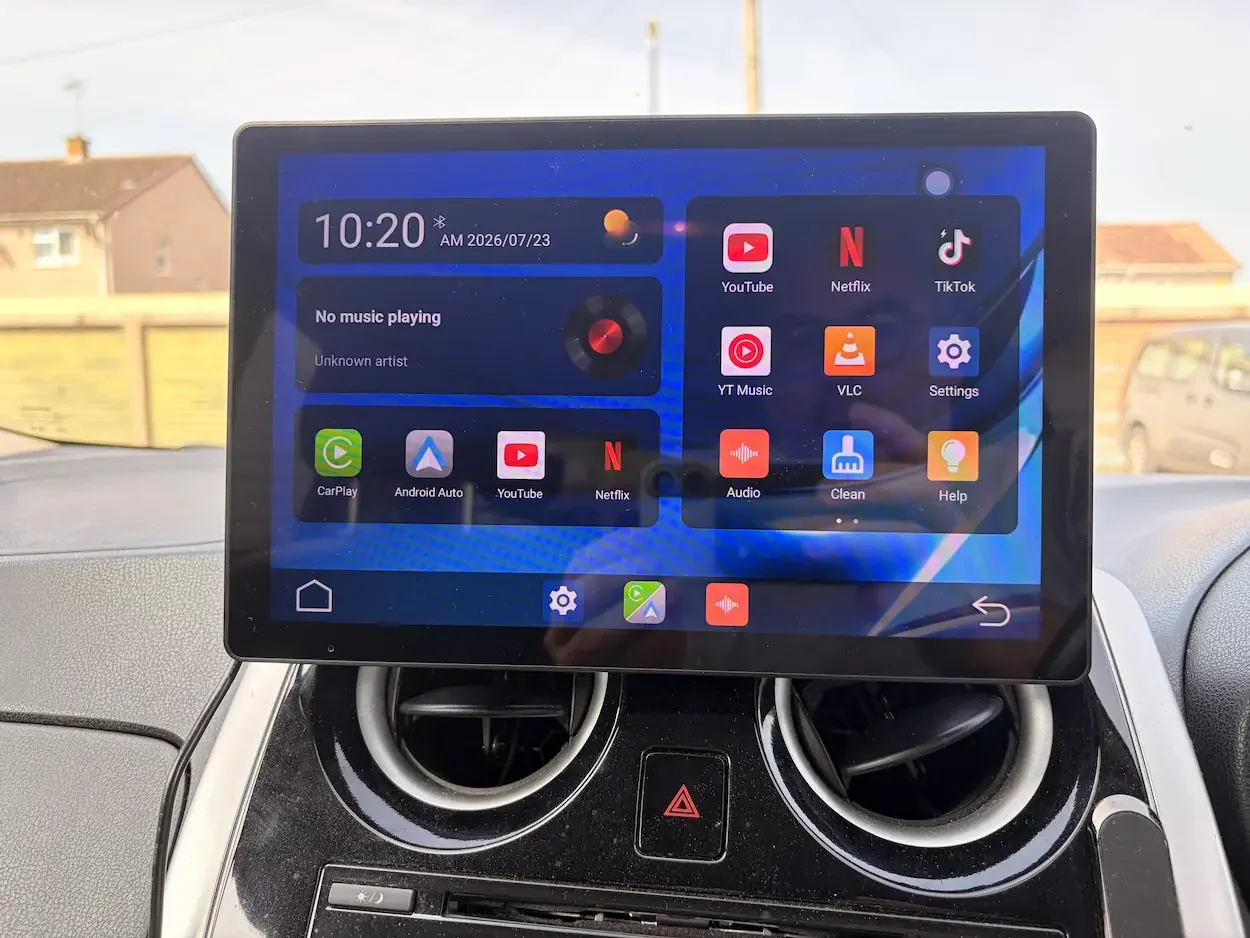
The LAMTTO home screen provides access to wireless CarPlay and Android Auto, along with video apps for use while the car is safely parked.
Many older cars are still perfectly good to drive, but their entertainment systems can feel badly dated. My Citroën Grand C4 Picasso does not have Apple CarPlay, Android Auto or a modern touchscreen, and replacing the entire factory system would be expensive and unnecessarily complicated.
That is what made the LAMTTO RC35 11-inch CarPlay screen interesting to me.
It is a separate touchscreen that sits on the dashboard and adds wireless Apple CarPlay and Android Auto without requiring you to replace the existing stereo. You can use it for navigation, music, calls, messages and voice control, while still playing the audio through your car’s own sound system.
After installing it, I quickly realised how useful CarPlay can be in an older vehicle. Having Apple Maps or Google Maps on a large display, asking Siri to play music and responding to messages without touching my phone genuinely changed the way I used the car.
The LAMTTO is not perfect, and its particularly large display will not suit every dashboard. However, in a spacious car like my Grand C4 Picasso, it feels like a substantial upgrade.
How I Tested the LAMTTO RC35 11-Inch CarPlay Screen
I initially installed the LAMTTO in my Citroën Grand C4 Picasso. This is a fairly large car with a wide dashboard, so the 11-inch display fitted inside it particularly well.
I tested it primarily with my iPhone, using wireless Apple CarPlay for navigation, calls, messages, music and Siri voice commands.
I also connected my Google Pixel 9a so that I could test Android Auto. I used Google Maps, played music, made calls and tried the Google voice controls in much the same way as I had with CarPlay.
To see how the screen would work in a smaller vehicle, I also tried the different mounting options inside my wife’s Nissan Note. It still worked, but the display felt much more dominant in the smaller cabin.
I tested the LAMTTO interface separately from CarPlay and Android Auto, including its built-in YouTube, Netflix and TikTok apps. These were only used while the car was safely parked.
I did not install the supplied reversing camera. My Citroën already has a factory parking system that provides similar assistance, so there was little reason to fit another camera. I can confirm what comes in the box, but I cannot judge the camera’s image quality or installation process from personal experience.
A genuinely useful way to add wireless Apple CarPlay and Android Auto to an older car. The large, bright and responsive display makes navigation, calls, messages and music much easier to manage. It works particularly well in a spacious car, although the limited instructions and adhesive mount could both be improved.
LAMTTO 11-Inch Wireless CarPlay and Android Auto Screen
Unboxing and Build Quality
The LAMTTO arrives in a well-presented retail box, and the package is considerably more complete than I expected.
Inside, you receive the 11-inch screen, two mounting brackets, installation accessories, a car charger, an auxiliary cable, an AHD reversing camera with a long cable and a user manual.
Having more than one mounting option is important because car dashboards vary enormously. A mount that works perfectly in one vehicle may obstruct the driver’s view or fail to sit securely in another.
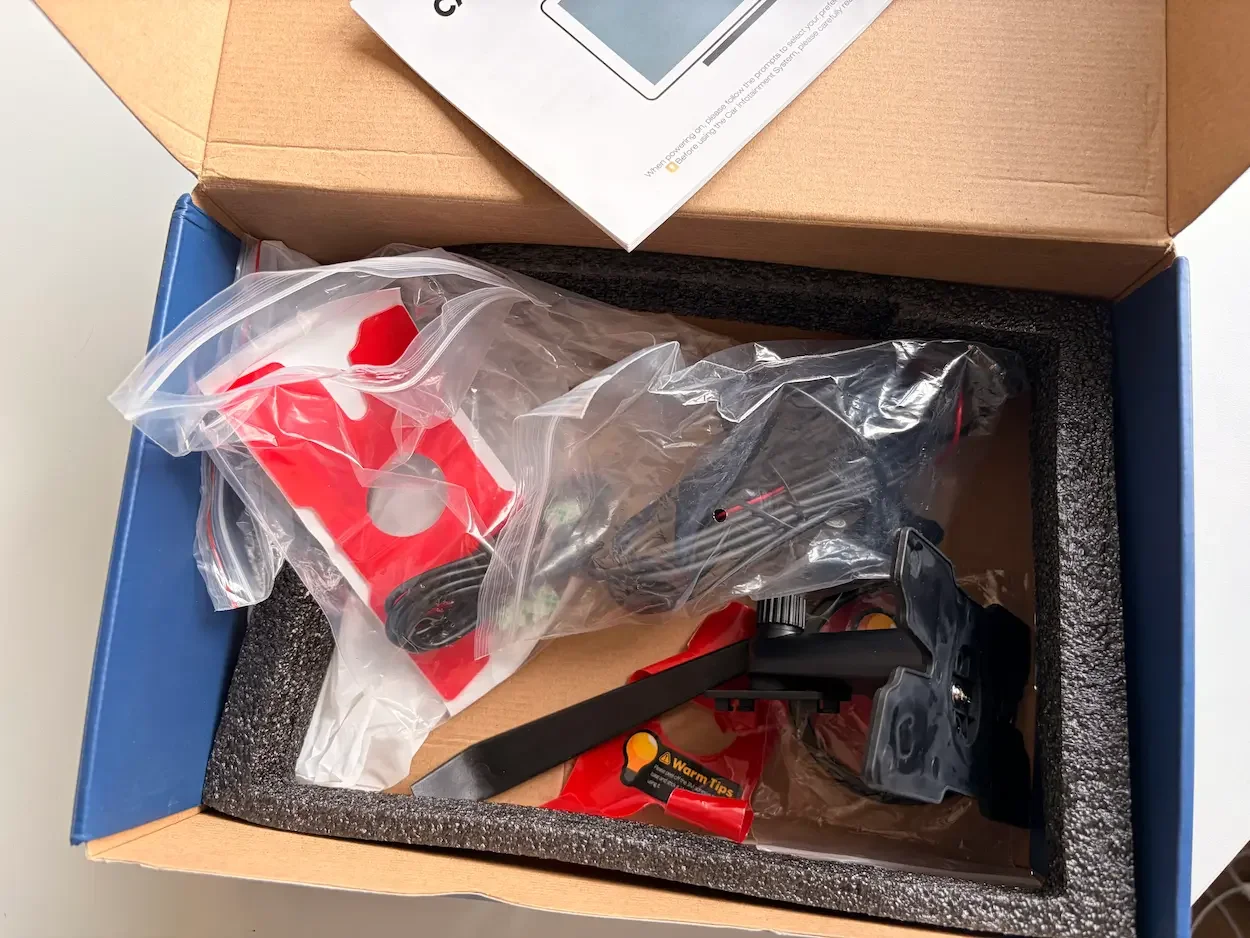
The package is very complete, with several mounting options, power and audio cables, a reversing camera and a basic instruction leaflet.
The screen itself feels sturdy and well made. It does not have the cheap, lightweight feel that sometimes comes with aftermarket car electronics. The casing feels solid, the display is neatly integrated and the overall appearance is reasonably premium.
The 11-inch screen is the main attraction. It is bright, easy to read and large enough to display maps and directions without making everything feel cramped. LAMTTO lists the resolution as 1280 × 800, which is more than adequate for maps, menus and video on a display of this type.
The touchscreen also responded quickly during my testing. Swiping between menus, selecting apps and moving through the LAMTTO interface felt smooth and immediate.
The weakest part of the unboxing experience is the manual.
It is so limited that it offers little meaningful help with some of the more complicated parts of the setup. I eventually found watching a YouTube installation video more useful than relying on the instructions included in the box.
For a product with several connection methods and mounting options, LAMTTO should provide a much clearer step-by-step guide.
LAMTTO RC35 11-Inch CarPlay Screen
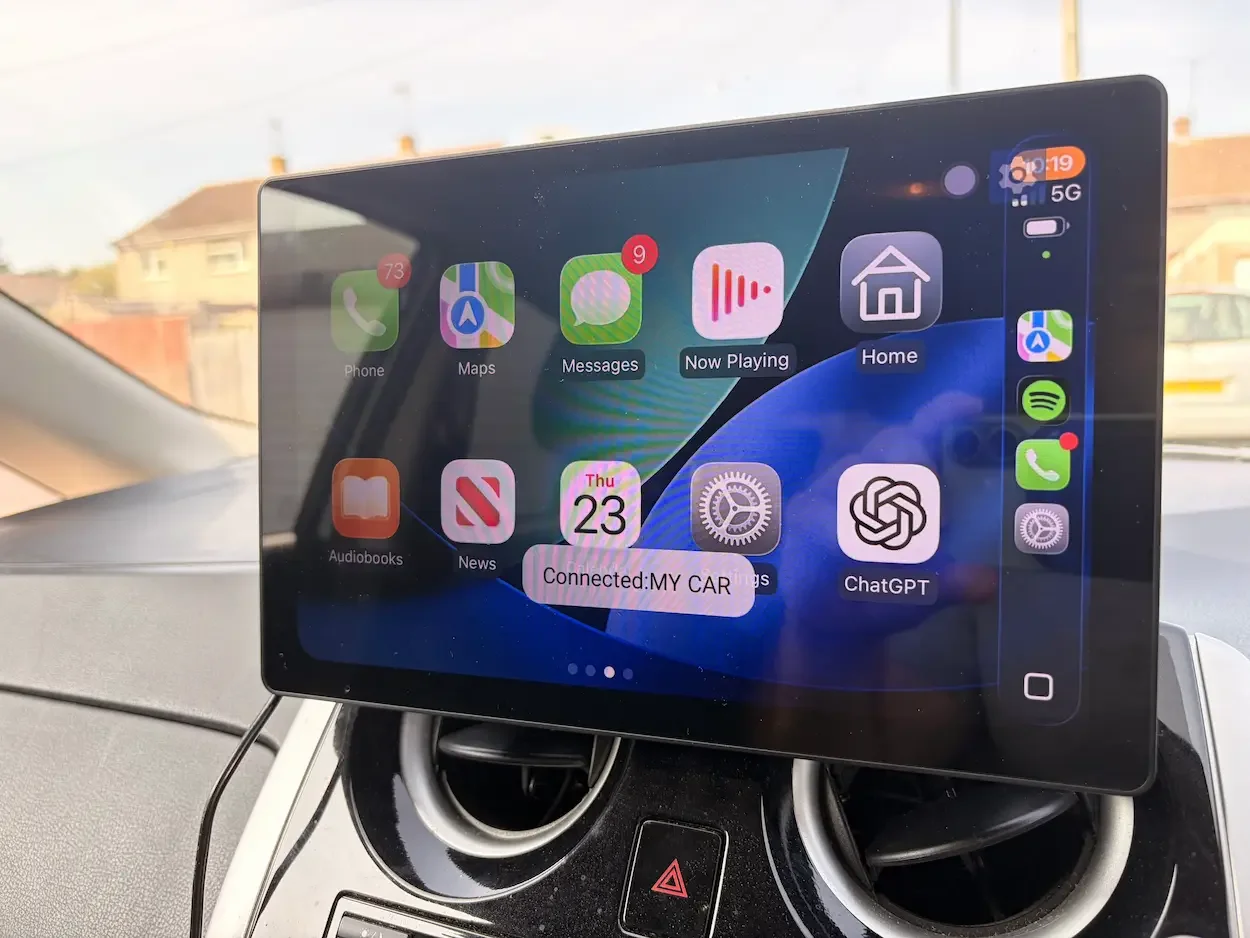
Wireless Apple CarPlay was stable and responsive, giving me easy access to maps, calls, messages, music and Siri.
LAMTTO 11-Inch CarPlay Screen Features
The main feature is support for wireless Apple CarPlay and Android Auto.
Once connected, the LAMTTO can display navigation, calls, messages, music and compatible phone apps. It can also use Siri or Google Assistant, allowing many functions to be controlled by voice rather than by touching the screen.
The unit has Wi-Fi, Bluetooth and auxiliary connectivity. Audio can be routed to the car’s speakers rather than relying on the smaller speakers built into the screen.
The LAMTTO also has its own interface with built-in access to YouTube, Netflix and TikTok. To use these services, the screen needs an internet connection, usually supplied through your phone’s hotspot, and you will need to sign into your relevant accounts.
These video apps should only be used while safely parked. I found them useful when waiting in the car, but they should never be treated as entertainment for the driver while the vehicle is moving.
Installing the LAMTTO Screen in My Car
Physically installing the display was easy.
The Grand C4 Picasso has enough dashboard space to accommodate the large screen without making it feel excessively intrusive. I tried one of the adhesive mounting systems first and was able to find a position where I could see the screen clearly without blocking my normal view of the road.
Getting power to the unit was also straightforward because everything required was included in the box.
What took longer was connecting the LAMTTO to my car’s existing Bluetooth audio system.
The process itself was not necessarily difficult, but the explanation was unclear. There are several Bluetooth connections involved because the phone connects to the LAMTTO for CarPlay, while the LAMTTO also needs to route sound through the car.
This can initially feel more complicated than pairing a normal Bluetooth accessory.
Once I had worked out the correct process, however, everything worked extremely well. The sound played through the Citroën’s speakers, the touchscreen remained responsive and CarPlay connected wirelessly.
After that initial setup, using the system became very easy.
Wireless CarPlay and Android Auto
Wireless CarPlay was the feature I enjoyed most.
Not having to connect a cable each time I entered the car made the whole system feel much closer to a factory-installed setup. Once everything had been paired correctly, my iPhone connected reliably and the system was ready to use within a short time of starting the car.
The connection was remarkably stable throughout my testing.
I used Apple Maps and Google Maps, asked Siri to play songs, made calls and sent messages. Siri responded quickly, and having the results displayed on the large screen made everything easy to follow.
Calls also worked well. I spoke to my wife and children several times while testing the unit, and I had no significant complaints about voice clarity or connection stability.
I repeated many of the same tests with my Pixel 9a using Android Auto. Navigation, music and voice controls all worked properly.
Both systems performed well, although I personally preferred Apple CarPlay. Since its more recent interface updates, I find CarPlay cleaner and more pleasant to use than Android Auto, although this will largely come down to which phone you own and which interface you already prefer.
Screen Quality and Navigation
The large display makes the LAMTTO especially good for navigation.
Directions, road names and upcoming turns are much easier to see than they would be on a phone mounted to the dashboard. The display is bright enough to remain clear during the day, and I had no problems reading it during normal journeys.
Apple Maps looks particularly good on the wide screen, but Google Maps also benefits from the extra display space.
The touchscreen was responsive when moving around maps or changing between apps. I never felt that I had to press an icon repeatedly or wait for the screen to catch up.
Of course, CarPlay and Android Auto still depend on your phone for many online services. In an area with poor mobile reception, streaming music, voice searches and live map information may become less reliable.
That is a limitation of the phone connection rather than a fault with the LAMTTO itself. The CarPlay interface may remain connected even when mobile data becomes weak, but online services will naturally be affected.
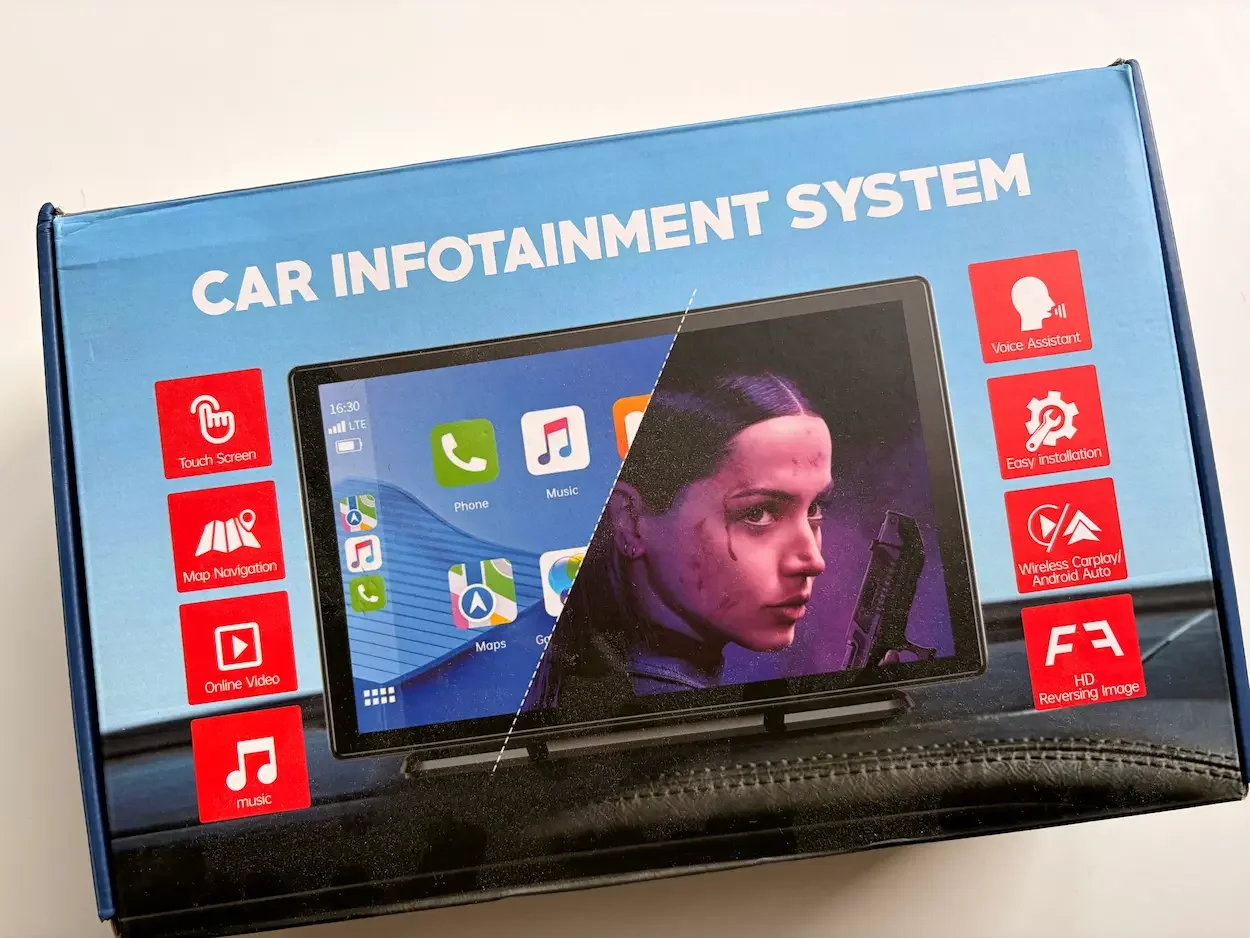
The LAMTTO arrives in a colourful retail box highlighting its main features, including wireless CarPlay, Android Auto, navigation and voice control.
Calls, Messages and Audio Quality
Voice control worked very well during my testing.
I could ask Siri to play a particular song, call someone or send a message without needing to pick up my phone. This is one of the main reasons I think adding CarPlay to an older car is worthwhile.
The LAMTTO does have built-in speakers, but I would not choose them as my main audio source when the car has a better sound system available.
They are useful as a fallback, particularly in a very old car without Bluetooth or an auxiliary input, but music and calls sounded better through my Citroën’s own speakers.
The unit offers several ways to route the audio. Bluetooth was the best option in my car, while the auxiliary connection may be simpler in vehicles with an AUX port. FM transmission provides another option for cars without either of those.
Once the Bluetooth audio had been configured, I did not need to keep adjusting it. Music, navigation directions and phone calls all came through the car speakers as expected.
Using YouTube, Netflix and TikTok
The LAMTTO is slightly different from many basic CarPlay screens because it has its own entertainment interface.
YouTube, Netflix and TikTok are available separately from Apple CarPlay and Android Auto. I connected the display to the internet and tested these apps while the vehicle was parked.
The large, bright display makes it much better for watching video than a typical seven-inch CarPlay screen.
I can imagine this being useful when waiting to collect someone, sitting in the car during a break or stopping for an extended period on a long journey. You will need to connect the screen to Wi-Fi or your phone’s hotspot and log into your accounts.
I would not use any of the video apps while driving. They are best treated as a parked-car feature rather than part of the normal driving experience.
The Adhesive Mount Failed During the Heatwave
My main problem with the LAMTTO was not the screen or its software. It was one of the adhesive mounting pads.
The UK experienced unusually hot weather while I was testing the unit. After approximately ten days, the adhesive could no longer hold the weight of the 11-inch screen securely.
That was disappointing because I liked the position and simplicity of the adhesive mount.
A large touchscreen naturally places more pressure on its mounting point than a smaller display, and the extreme temperature inside a parked car probably made the problem worse.
Fortunately, the box includes alternative mounting options. I changed to the suction cup bracket, which allowed me to continue using the screen without any major difficulty.
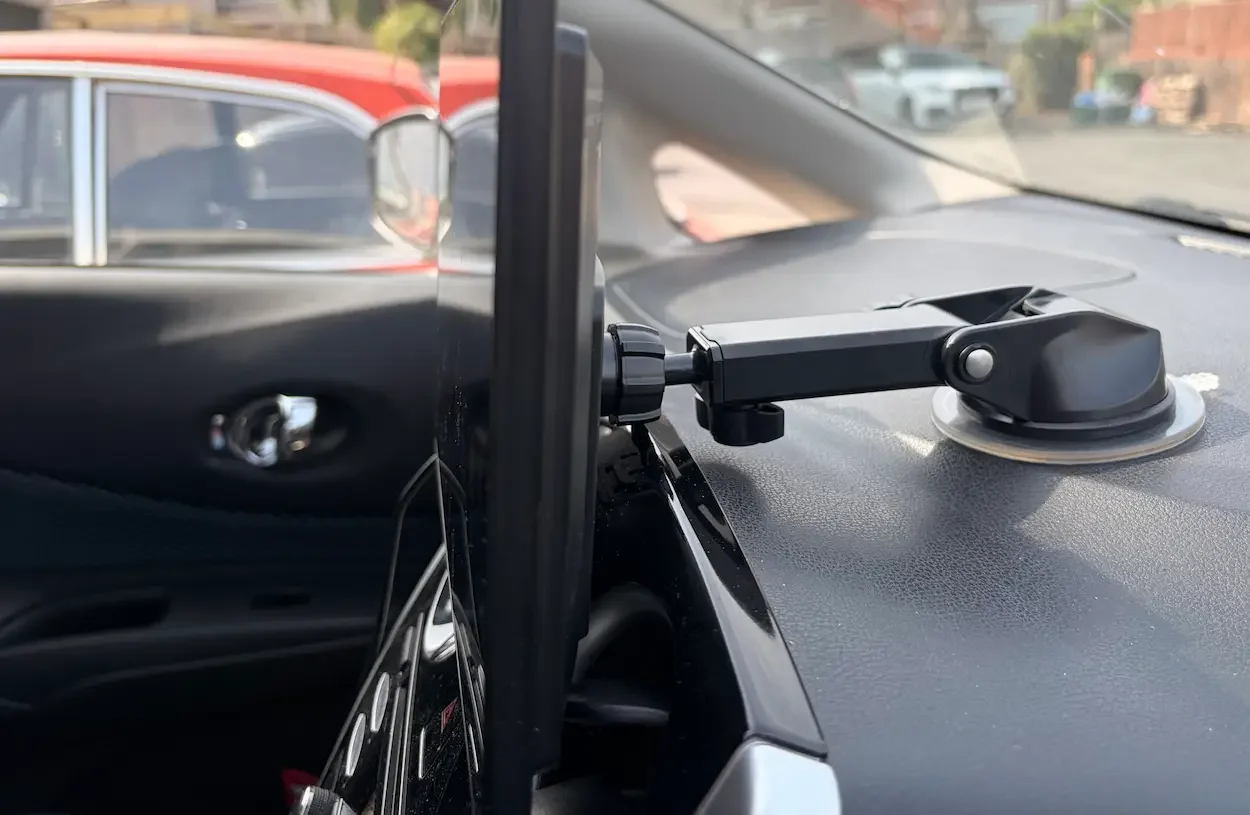
I switched to the supplied suction cup bracket after the original adhesive mount failed during the heatwave.
There was also another adhesive fitting available, but after the first one failed in the heat, I preferred to use the suction system.
This does not ruin the product, but it is something I would watch carefully during warm weather. Whichever mount you choose, make sure the screen is secure before driving and that it does not obstruct your view.
What About the Included Reversing Camera?
The LAMTTO comes with an AHD reversing camera and a long connection cable. The camera feed can be viewed through the screen, and the product listing says the image can be flipped or mirrored to accommodate different installation positions.
I did not install it because my Grand C4 Picasso already has its own parking assistance system.
As a result, I cannot comment fairly on the image quality, low-light performance or the difficulty of running the cable through the car.
The fact that the camera is included makes the overall package more complete, especially for an older vehicle without any parking assistance. However, installing the camera is likely to require more time and effort than setting up the main screen.
LAMTTO 11-Inch CarPlay Screen
Pros
- Large, bright and responsive touchscreen
- Stable wireless Apple CarPlay connection
- Also supports wireless Android Auto
- Excellent screen size for maps and navigation
- Fast and reliable Siri voice controls
- Calls and messages worked well during testing
- Bluetooth, AUX and FM audio options
- Several mounting systems included
- Good overall build quality
- Reversing camera included in the box
Cons
- The 11-inch display may be too large for a compact car
- The user manual provides very little help
- Initial Bluetooth audio setup is not clearly explained
- One adhesive mount failed during very hot weather
- Built-in speakers are weaker than a proper car audio system
- Video apps require Wi-Fi or a mobile hotspot
- The reversing camera requires a separate installation
Final Thoughts: Is the LAMTTO 11-Inch CarPlay Screen Worth Buying?
The LAMTTO 11-inch CarPlay screen has genuinely transformed the way I use my Citroën Grand C4 Picasso.
Before installing it, my car had no modern touchscreen, Apple CarPlay or Android Auto. It now has a large navigation display, wireless phone connectivity, hands-free messages, voice-controlled music and easy access to calls.
That makes a noticeable difference on longer journeys.
The screen is bright, responsive and large enough to make maps genuinely easier to follow. Wireless CarPlay was stable throughout my testing, and once I had completed the slightly confusing Bluetooth audio setup, the whole system became simple to use.
There are compromises.
The instructions are inadequate, and the failed adhesive mount was disappointing. The screen is also very large. It looked at home inside my Grand C4 Picasso, but it felt much more dominant when I tried it in my wife’s Nissan Note.
For a smaller car, I would seriously consider one of LAMTTO’s more compact displays. An 11-inch model makes the most sense when you have enough dashboard space to position it safely without obstructing your view.
I also recommend playing the audio through your car’s existing sound system whenever possible. The built-in speakers work, but Bluetooth or AUX produces a much better experience.
Despite those reservations, I have thoroughly enjoyed using the LAMTTO. It has made my older car feel more modern without forcing me to replace the original stereo or pay for a complicated installation.
For anyone with an older, reasonably spacious car, this is an upgrade well worth considering.
Jerome
LAMTTO 11-Inch Wireless CarPlay and Android Auto Screen