
Plaud Note Pro Review: 3 Months of Daily Testing (2026)
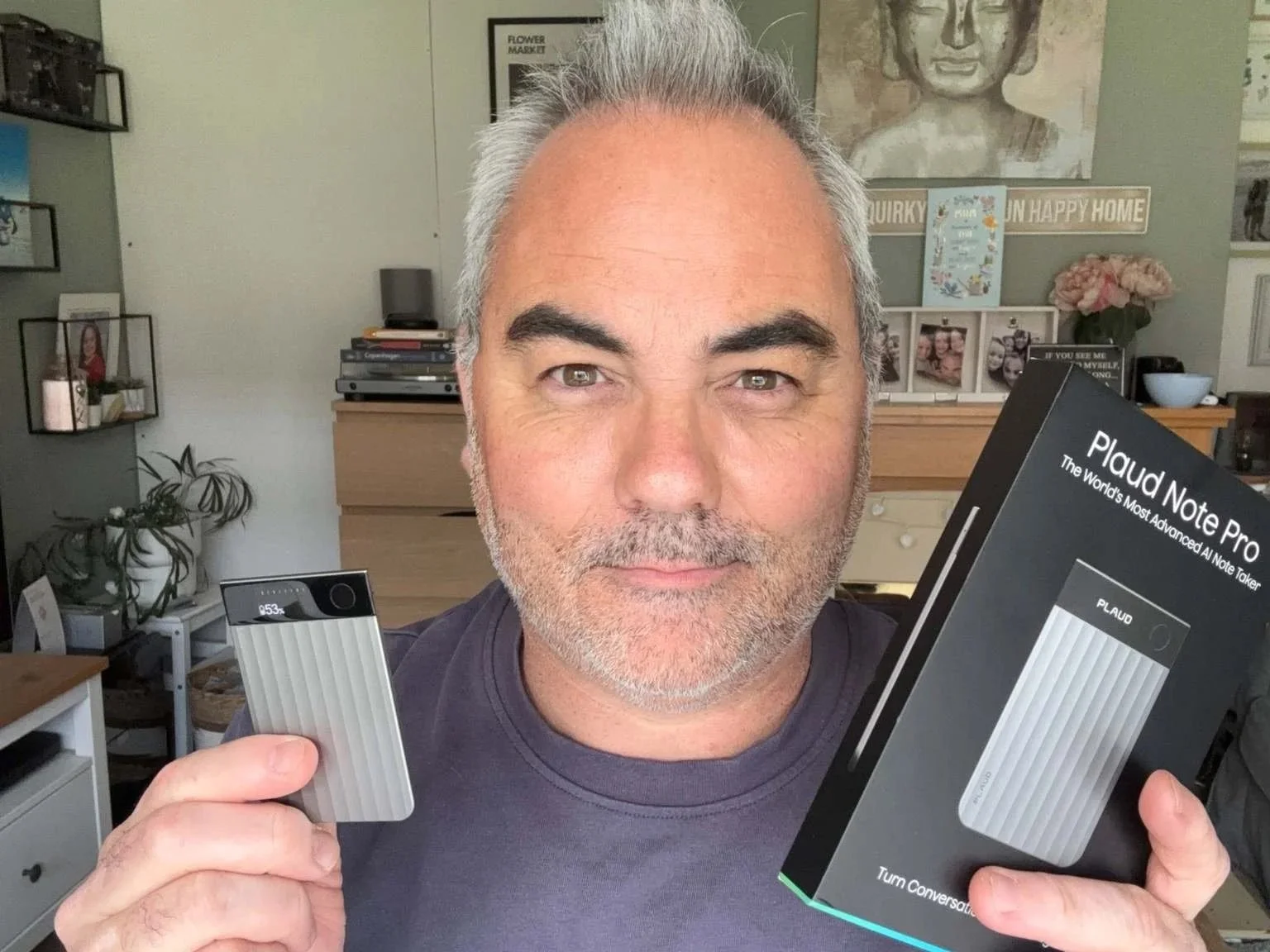
Plaud AI kindly sent me the Plaud Note Pro for review purposes. This post contains affiliate links. As an Amazon Associate, I earn from qualifying purchases. All opinions are my own and based on three months of daily real-world testing.
Post updated: 21st of June 2026
Three months ago, I started using the Plaud Note Pro. I liked it from day one. But the more I used it — meetings, calls, quick ideas on the move — the more I appreciated just how well thought out it really is.
This is not just a thinner version of a device I already liked. It feels like a more complete AI note taker — better microphones, a small but genuinely useful display, automatic mode switching, and document capture through the Plaud app. The improvements are not cosmetic. They show up in daily life.
In this review, I'll share how I've used it, what I love, what could be better, and whether I think it's worth buying.
Quick Verdict
The Plaud Note Pro is a clever, beautifully designed AI note taker that feels modern from the moment you pick it up. The display is a real upgrade, the microphones perform very well, and the app does an excellent job turning recordings into clear, useful notes.
It makes the most sense for professionals, freelancers, creators, and anyone who regularly records meetings, calls, interviews, or ideas on the move. After three months, it's become one of the most genuinely useful devices in my workflow.
What Is the Plaud Note Pro?
The Plaud Note Pro is the newer and more premium version of Plaud's AI note taker. It's a slim recording device that works with the Plaud app on your phone. You record a meeting, a call, or a quick idea, and the app turns it into a transcript, summary, or action points.
What makes the Pro different is that it feels more complete. Better microphones. A proper display. Smarter recording modes. Longer battery life. And a document capture feature that ended up mattering more to me than I expected.
Design & Build: Slimmer Than You Expect
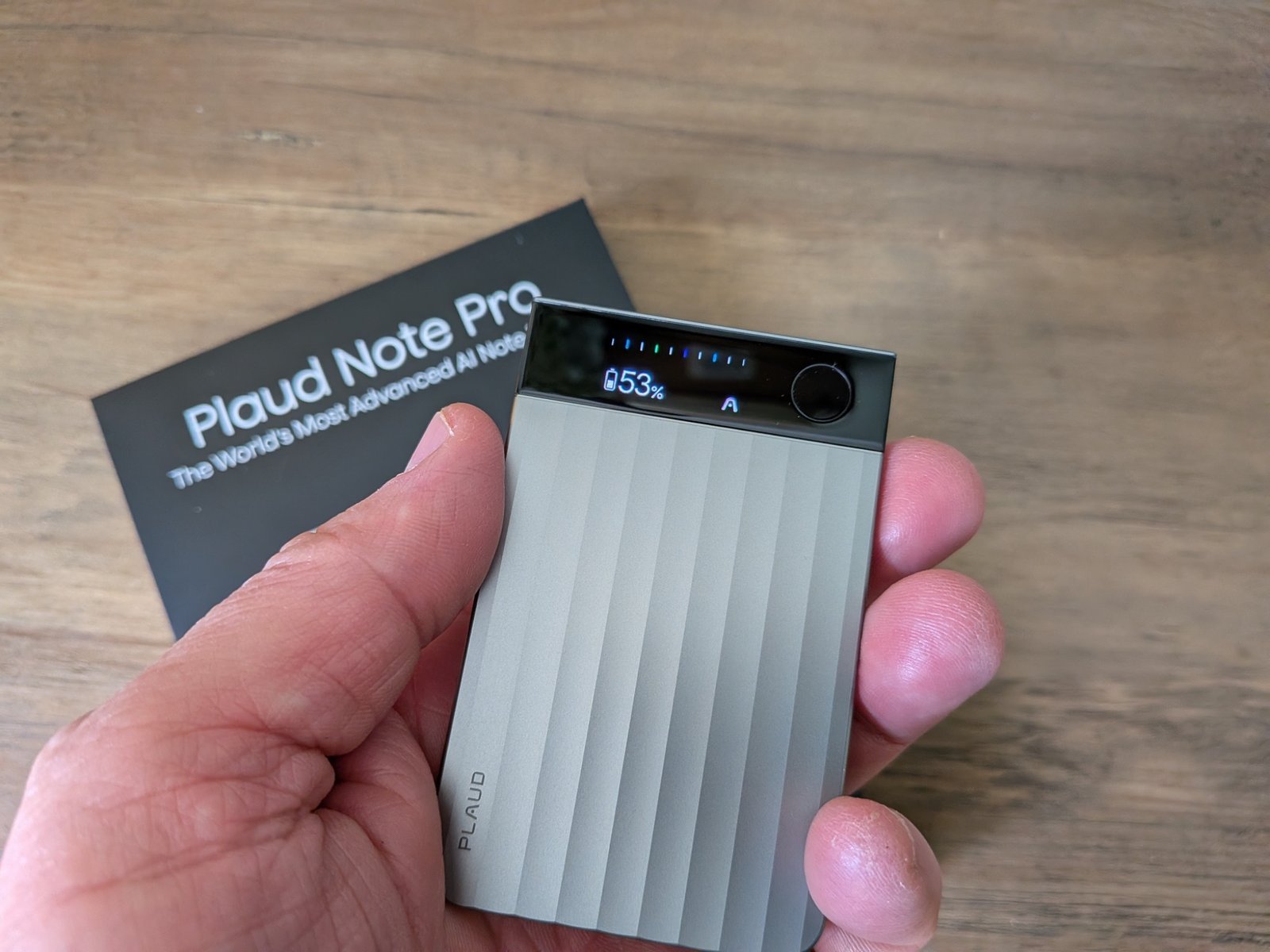
The first thing that hit me when I picked up the Plaud Note Pro was just how thin it is. Honestly, it almost feels too thin at first.
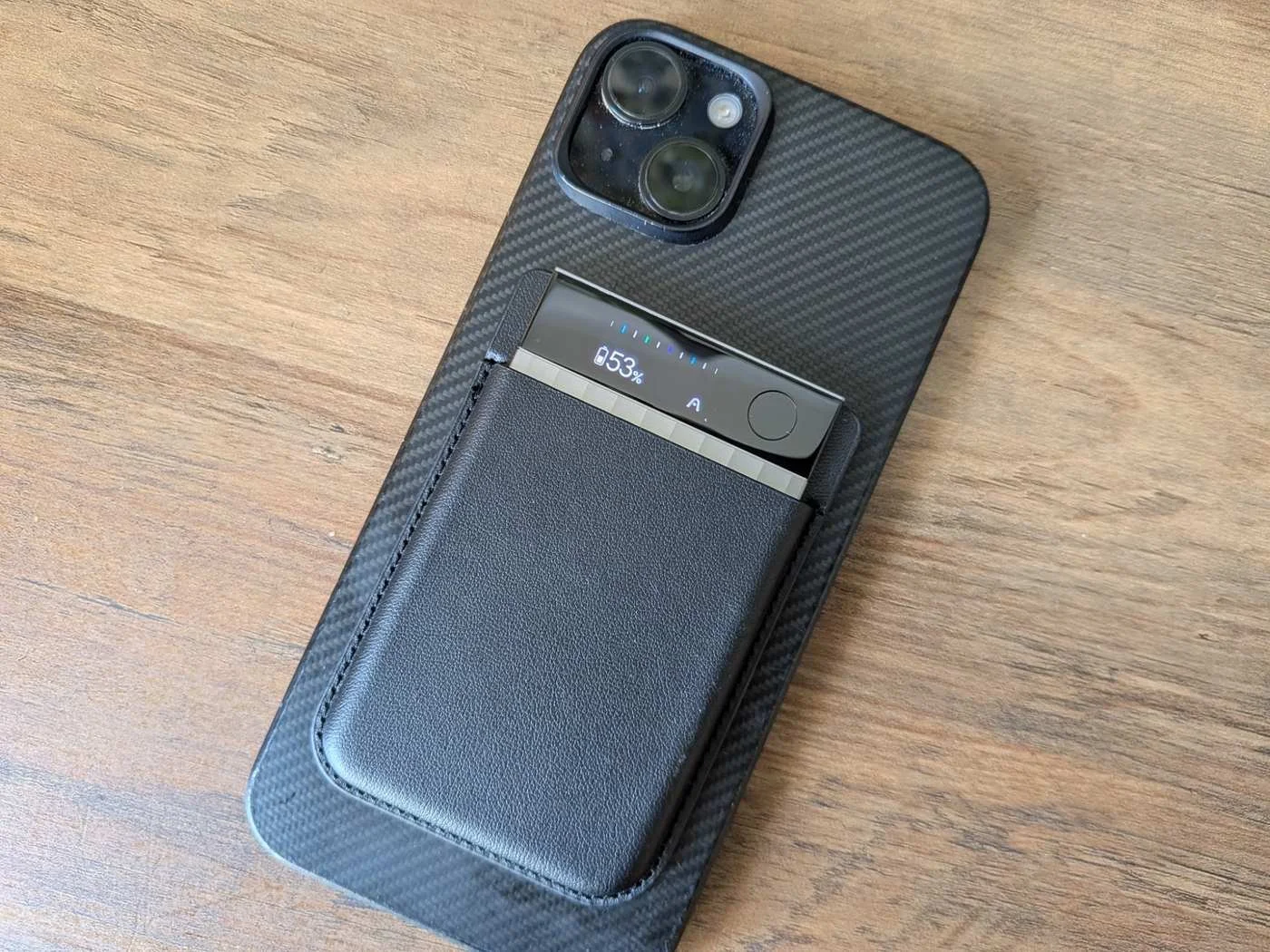
At 2.99mm, it's slimmer than the original, which is impressive when you consider this version actually does more. It only weighs 30 grams, and when you stick it to the back of your phone, it becomes one of those devices you stop noticing very quickly. That's a good thing.
The build quality is very good too. Light, but not cheap. Slim, but not fragile. I like the finish. I like the simplicity. Plaud hasn't overdone it — it looks modern and neat without shouting for attention.
A couple of practical changes stood out. The original toggle switch has been replaced by a proper button. A long press starts or stops recording. A short press lets you mark an important moment while recording — and later, that moment shows up in the AI summary. Small feature. Genuinely useful.
The display is useful too. More useful than I expected. Being able to see recording status, battery, and elapsed time without opening the app makes the whole experience feel more confident. No more checking your phone to make sure it's doing what you think it's doing.
Plaud includes the magnetic case and a magnetic ring in the box, which is helpful if your phone doesn't support MagSafe.
The only part that feels slightly annoying is the charger. It's proprietary. That makes sense from a design point of view — a standard USB-C port would have added bulk — but from a practical point of view, it's a nuisance. Lose that cable, and you have a problem.
Me holding the Plaud Note Pro.
Microphone Performance
The microphones are one of the biggest upgrades here.
My usual use is voice notes, calls, and capturing ideas quickly. But I wanted to test the Pro properly in the kind of setting where these upgraded microphones are supposed to matter most. So I went back to a business I used to work for and tried it during real meetings.
In bigger rooms, the Plaud Note Pro performs very well. Voices came through more clearly, and the whole thing felt more reliable when people were speaking from further away. The improvement is real.
The Features I Ended Up Valuing Most
Two features made a real difference for me: the highlight button and document capture.
The highlight button is one of those simple ideas that ends up being genuinely useful. While recording, you can quickly mark a moment that matters. Later, that helps the AI focus more on the parts you actually care about instead of treating the whole conversation the same way.
Then there's document capture. Using the app, you can photograph a brief, handwritten notes, a whiteboard, or any document you want to keep alongside the recording. The AI then uses that as part of the final summary.
If I'm on a brand call, I can keep the brief, the recording, and the key moments all in one place. That makes the whole process feel calmer, cleaner, and easier to manage.
How the AI Works
The hardware is great, but a lot of the value really comes from the app.
Once a recording syncs, Plaud can turn it into a transcript, a summary, action points, meeting notes, and more depending on the template you choose. You can also create your own templates, which helps the device feel more flexible.
In the right conditions, the transcription is very good. Clear voices, sensible distance, and a room that's not too chaotic will always give you the best result. It can also separate speakers, which is genuinely useful once more than one person is involved.
One feature I've started to appreciate more is Ask Plaud. It lets you search through your recordings and pull answers from them — and that becomes more useful the more you build up a library of notes and conversations.
There's no live transcription. You record first, then sync, then get the finished output. For the way I use it, that's absolutely fine. If you need real-time words appearing on screen, this isn't that kind of tool.
Phone Call Recording
Like the original, the Pro can record phone calls. It works through Bluetooth, and the process feels smoother this time because the Pro handles the recording mode more automatically. That's one less thing to think about when you're trying to start a call quickly.
The important thing, of course, is to use it responsibly. Call recording laws vary depending on where you are and who you're speaking to.
The Subscription Question
The Plaud Note Pro comes with 300 free transcription minutes a month — fine for lighter use.
If you record regularly, you may need a paid plan. The Pro Plan costs $99.99 / £99.99 a year, and the Unlimited Plan costs $239.99 / £224.99 a year. For heavy users, that can be worth it. For occasional users, it may feel expensive.
Pros and Cons
What I Love
- •Incredibly slim and lightweight — disappears on your phone
- •Excellent microphones — confident recording in larger rooms
- •Display is genuinely useful — no more checking your phone
- •Document capture adds real value for work calls and meetings
- •Highlight button — mark key moments, AI focuses on them later
- •App is excellent — transcripts, summaries, templates, Ask Plaud
- •Automatic mode switching — smoother than the original
What Could Be Better
- •Proprietary charger — lose the cable, lose the device
- •No live transcription — record first, sync later
- •Subscription can feel expensive for occasional users
Who Is the Plaud Note Pro For?
The Plaud Note Pro is best suited to people who record regularly and want those recordings turned into useful notes, summaries, and reminders afterwards.
It makes the most sense for creators, freelancers, consultants, journalists, business owners, and anyone who spends a lot of time in meetings, on calls, or capturing ideas on the move.
If you only record the occasional voice memo, it will probably feel like more device than you need.
Buy the PLAUD Note Pro
You can buy the PLAUD Note Pro directly from PLAUD AI or through Amazon. Buying direct is useful if you want to check the latest membership plans, while Amazon may be more convenient for Prime delivery and returns.
Affiliate links: I may earn a commission if you buy through these links, at no extra cost to you. As an Amazon associate I earn from qualfying purchase.
Final Thoughts
I came into this review already impressed by what Plaud was doing. So I wasn't looking to be convinced by a shiny new version for the sake of it.
What I wanted to know was simple. Does the Plaud Note Pro actually feel better in real life?
For me, the answer is yes.
Not because it changes everything. But because the improvements are in the places that start to matter once a device becomes part of your routine. The microphones are better. The display is more useful than I expected. The design feels more refined. And features like document capture make the whole experience feel more complete and more thought through.
If you're buying into Plaud today, and you know you'll use it properly, the Plaud Note Pro is the one I'd recommend. After three months, it's earned its place in my daily workflow — and that's the most honest endorsement I can give.
Jerome
Why You Can Trust This Review
I've been testing and reviewing tech since 2013 on Dapper & Groomed, with a focus on the products that earn their place in daily life. I don't judge from spec sheets — I use things for months and see what sticks.
Plaud AI sent me the Note Pro for review, but they had no input on this article and didn't see it before publication. After three months of daily use — meetings, calls, voice notes, and brand conversations — this is my honest, unfiltered experience.
FAQ: Plaud Note Pro
-
Yes. It comes with 300 free transcription minutes per month. If you record more than that, you'll need a paid plan — the Pro Plan at $99.99/year or the Unlimited Plan at $239.99/year. For light users, the free tier is enough. For regular meetings and calls, a paid plan makes more sense.
-
No. You record first, then sync to the app, and the transcription is generated afterwards. There's no live transcription. For the way I use it — meetings, calls, voice notes — that's absolutely fine. If you need real-time captions appearing as someone speaks, this isn't that kind of device.
-
Yes. In larger rooms and more formal meeting settings, the improvement is clear. Voices come through more clearly from further away. For solo voice notes and calls, both are good — but the Pro gives you more confidence when you're recording in less controlled environments.
-
Yes. Plaud includes a magnetic case and a magnetic ring in the box. If your phone supports MagSafe, it attaches directly. If not, the included ring solves that. It's a thoughtful inclusion.
About the author: I'm Jerome, founder of Dapper & Groomed. I've spent the past 13 years testing and reviewing fragrances, grooming products, and men's lifestyle gear on this blog and on my YouTube channel. My reviews are never approved or previewed by brands — just honest, real-world testing from a dad who's been at this since 2013.
I've used the Plaud Note Pro for 3 months — meetings, calls, voice notes, document capture. Here's my honest verdict on the best AI note taker I've tested.