
PLAUD NotePin S Review: Worth It in 2026?
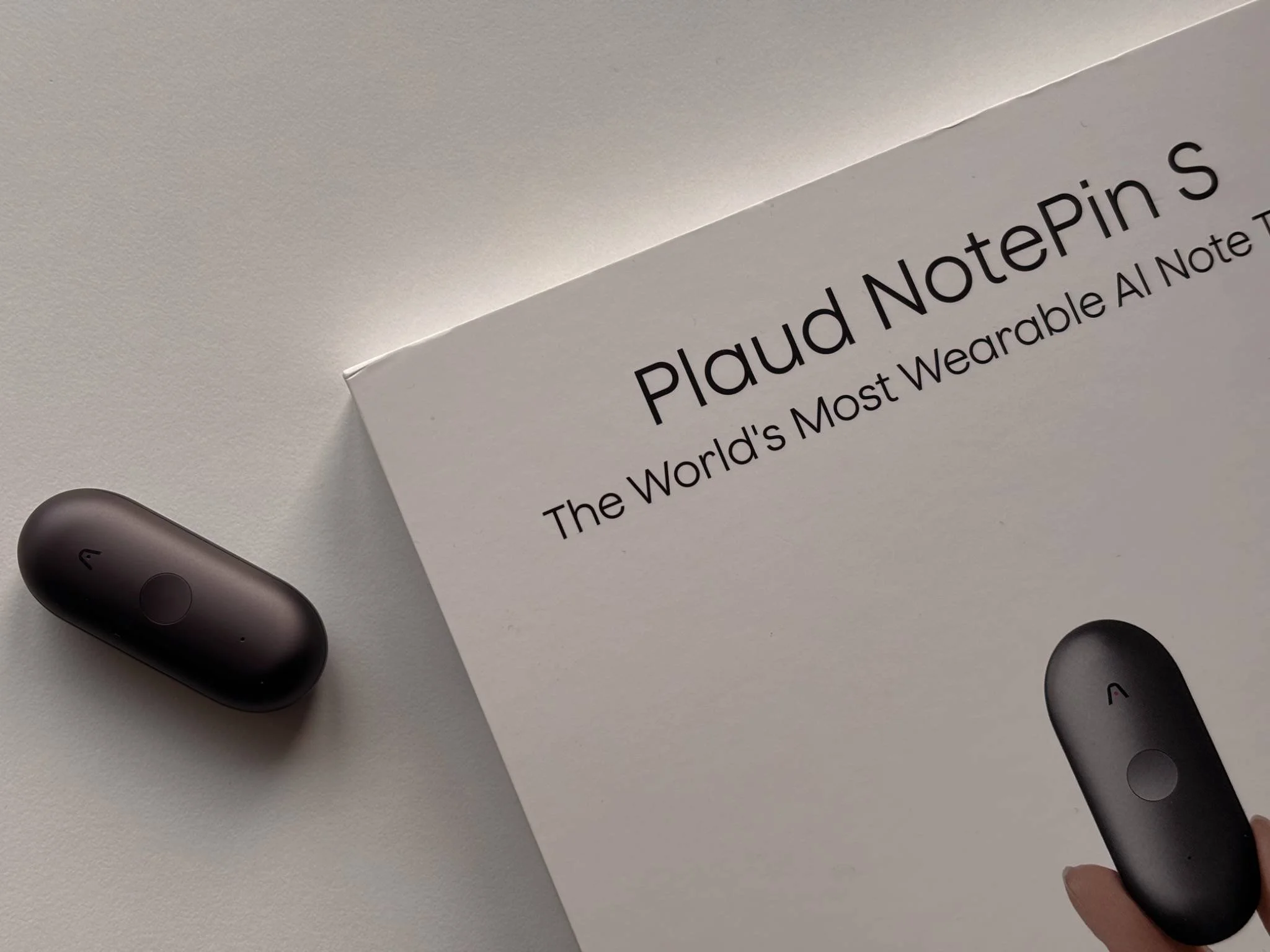
This post contains affiliate links. As an Amazon associate I earn from qualifying purchase.
PLAUD NotePin S: a wearable AI note taker for real work
Last year was a big year for AI gadgets… and honestly, a lot of them were disappointing. Plenty of “wow” demos, not many products that genuinely make your daily life easier.
Then PLAUD AI came along with what I still consider one of the best AI gadgets of 2025: the PLAUD Note.
Most of the time, it’s hard to see where AI helps beyond asking ChatGPT or Gemini a few questions, or playing with photo features for five minutes. But PLAUD AI has managed to create something genuinely useful for a very real world: corporate life, content creators, and anyone working from home.
The idea behind the PLAUD Note (and now the NotePin S) is simple, but powerful: it’s like suddenly having an extra brain — or a personal assistant — in your pocket. It can record, transcribe, summarise meetings, capture ideas on the fly, and turn messy voice notes into something you can actually use. That’s where AI feels successful to me — far more than editing a picture with a flying bear in the background (yes, I still find a lot of smartphone AI photo tricks pretty useless…).
I reviewed the PLAUD Note last year (click here), and today I’m testing their newest gadget: the PLAUD NotePin S. It offers the same core functions, but in a completely different form factor — more wearable, more stylish, and designed for hands-free capture. Think of it as a wearable AI voice recorder and AI note taker you can use in meetings, on calls, or even while walking the dog.
So… is it the world’s most wearable AI note taker? Let’s find out.
Quick verdict
How I tested the PLAUD NotePin S
I tested the PLAUD NotePin S the way I’d realistically use a wearable AI note taker as a work-from-home creator: capturing quick ideas, recording calls and meetings, and turning messy voice notes into clean transcripts, summaries, and action points. I also used it outside the house (walks and cafés) to see how practical it really is when life isn’t quiet.
Unboxing experience / what’s in the box
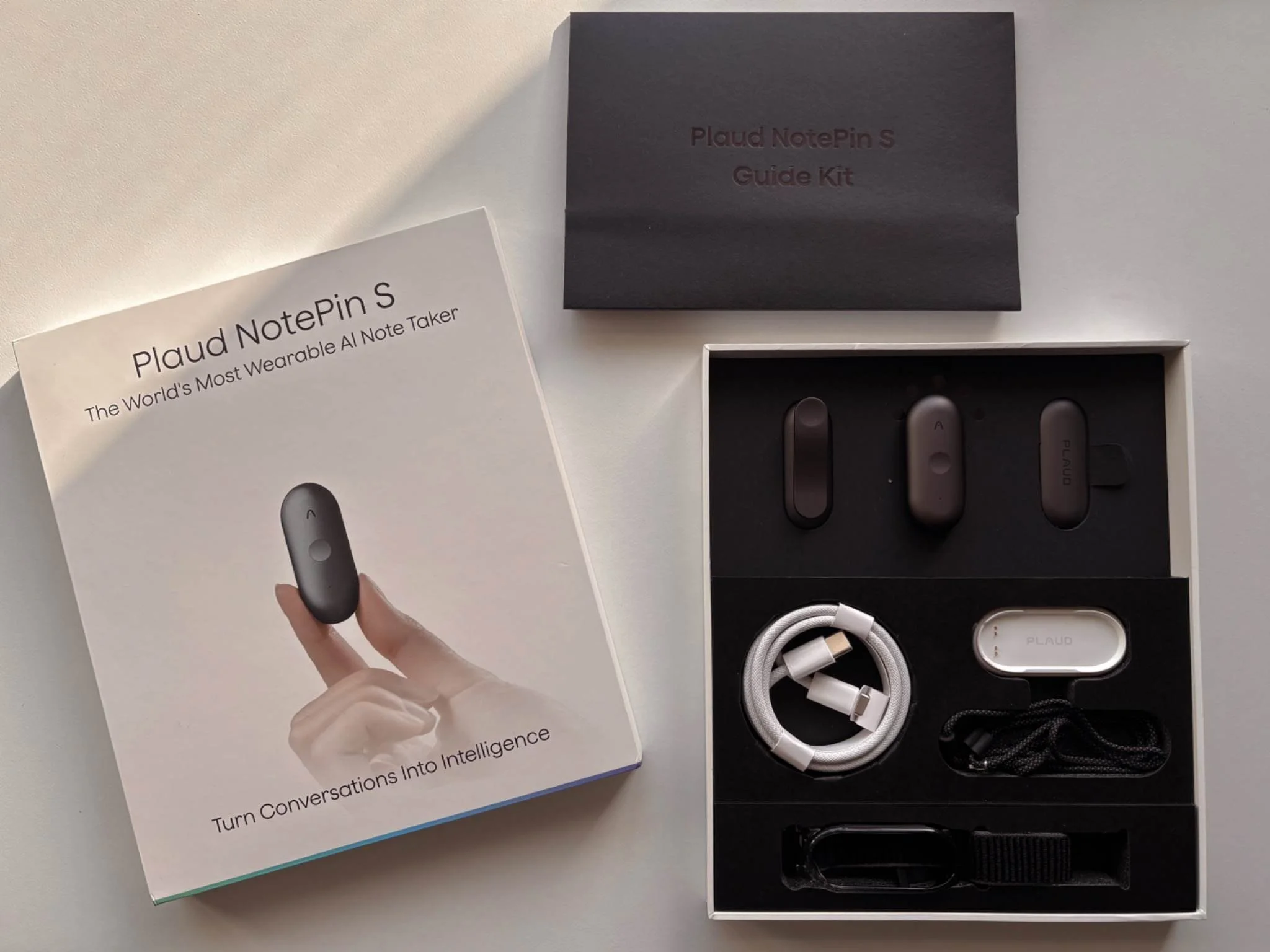
The original PLAUD Note already had a really good unboxing experience, but with the PLAUD NotePin S, it’s easy to see that PLAUD AI is taking things to the next level. The packaging is sleek, beautifully laid out, and it genuinely feels premium.
The whole unboxing experience screams “corporate world” in a good way. It actually reminds me of the BlackBerry Bold 9900 era, when a product felt like a serious tool for work. And that’s exactly what you want here, because this isn’t a gadget you buy for fun. It’s a productivity device, and PLAUD clearly wants you to feel that from the moment you open the box.
And the best part: you really do get everything you need to enjoy the NotePin S properly. Inside the box, you’ll find:
The PLAUD NotePin S
A magnetic clip
A magnetic pin
A lanyard
A wristband
A charging dock (which looks genuinely premium)
A USB-C cable
A very useful guide kit to get you set up quickly
I tested the NotePin S in black, although in real life it’s closer to an Apple “Space Grey” than a deep black, which I actually prefer.
My only “what a shame” moment? The charging dock and the USB-C cable are white. Imagine the whole setup in black or space grey, that would look absolutely insane and even more “executive”.
Setup and how to wear the PLAUD NotePin S
Setup is refreshingly simple. Charge it, install the PLAUD app, pair the NotePin S, and you’re basically ready to go. There’s no “tech headache” here — it feels more like setting up a premium accessory than a complicated gadget.
Once it’s connected, the controls are straightforward:
To start recording, long-press the button in the middle of the NotePin S for about 1 second until you feel one vibration.
To stop recording, long-press again and wait for two vibrations.
While recording, you can short-press the button to highlight a moment (which is brilliant for marking key points in a meeting or a “don’t forget this” idea).
The different ways to wear it (and what I preferred)
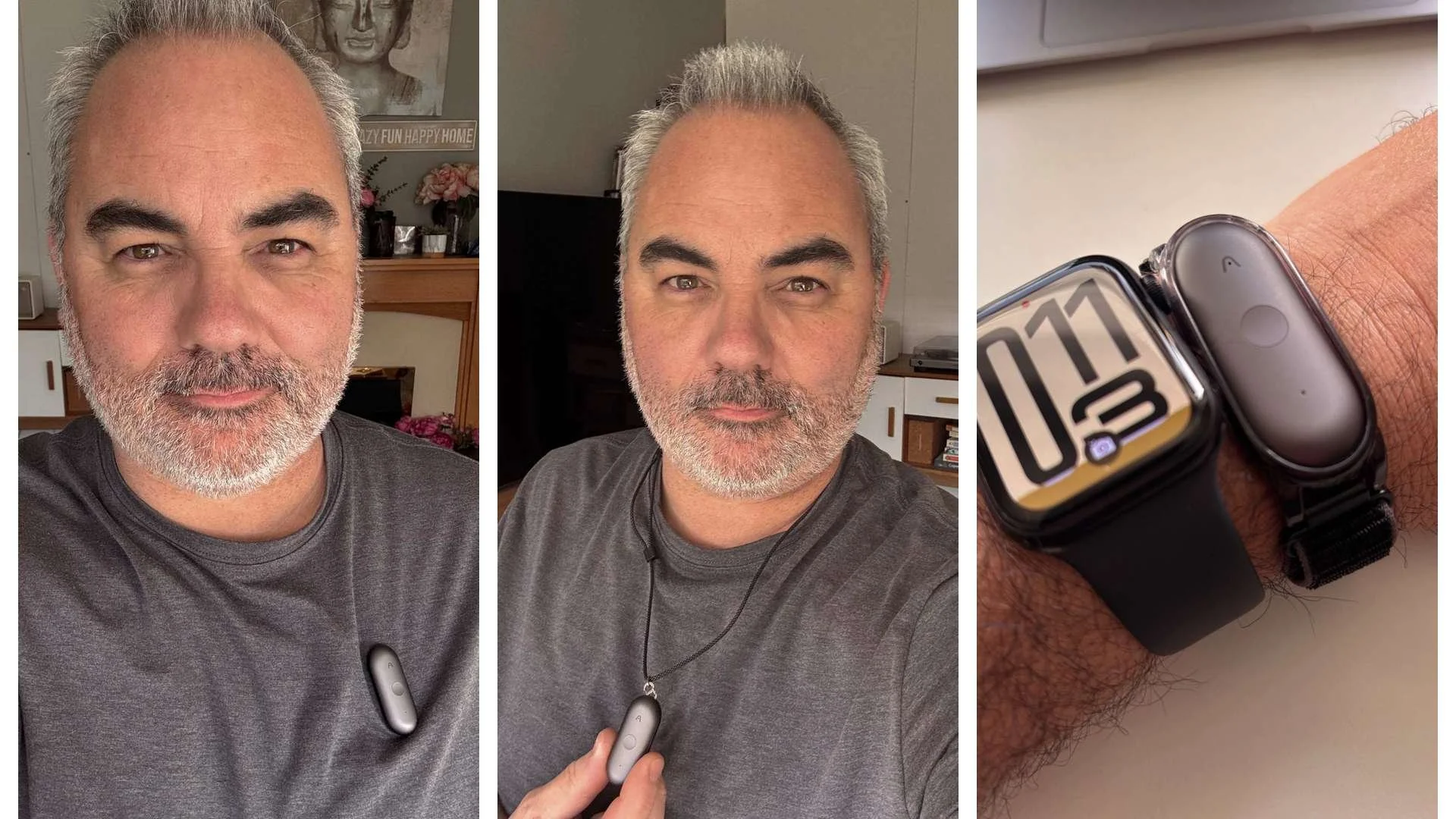
1) Magnetic clip
This is the most “work-friendly” solution. Clip it to a t-shirt, polo, shirt placket, hoodie, or even a jacket pocket. It’s discreet, stable, and it looks like it belongs there.
2) Magnetic pin
If you’re wearing something a bit more structured — a shirt, knitwear, blazer, coat — the pin option feels the most secure and “corporate”. This is the one that made me think: I really wish I’d had this in my old corporate job, especially during back-to-back meetings.
3) Lanyard (best for walking / commuting / hands-free days)
For walks, errands, or days when I’m in and out of the house, the lanyard is genuinely convenient. It’s also the easiest way to use the NotePin S without thinking about where to clip it.
4) Wristband (good idea, but I’m not convinced)
I like the idea on paper, but the wristband itself feels a bit cheap compared to the rest of the kit. And in real life, with most people already wearing a watch or a smartwatch, I just don’t see the wristband becoming “a thing”. For me, the clip and pin feel far more natural — and a lot more premium.
My quick tip
Wear placement matters more than you think. Too low and you’ll get more clothing rustle; too high and it can feel a bit intrusive. After a day or two, you find the sweet spot — and once you do, it becomes one of those tools you use without thinking.
How the PLAUD NotePin S works.
In day-to-day use, the PLAUD NotePin S is simple: you wear it, press to record, and let the app do the heavy lifting afterwards.
Start recording: long-press the middle button for about 1 second until you feel one vibration.
Stop recording: long-press again and wait for two vibrations.
Highlight a moment: while recording, short-press the button to mark an important point (this is genuinely useful in meetings and brainstorming sessions).
Once you’re done, the recording syncs to the PLAUD app where you can generate:
a full transcript
a summary
and more structured outputs depending on the templates/workflows you choose
The important bit: transcription minutes & subscription
Every NotePin S purchase comes with a free Starter plan that includes 300 minutes of AI transcription per month.
If you need more than that, PLAUD offers paid plans. The Pro Plan starts at around $8.33/month when billed annually and gives you 1,200 minutes per month. If you’re a power user, there’s also an Unlimited option — which is up to around £224/year here in the UK.
For some people, 300 minutes/month is plenty (especially if you’re mostly capturing quick ideas). But if you’re recording long meetings every day, you’ll probably want Pro or Unlimited.
What powers the summaries?
PLAUD says it uses a mix of leading AI models for transcription and summaries, including ChatGPT 5.2, Gemini 3 Pro, and Claude Sonnet 4.5.
Real-world tests: meetings, brainstorming, walks and café notes
1) Online meeting at home (English)
I first used the PLAUD NotePin S during an online meeting at home. I told the other person I was recording, and that’s worth saying clearly: this is a device designed for work and productivity, but you still need to respect privacy and common sense.
The meeting was in English and, honestly, it was straightforward. The transcription and summary worked extremely well, and the audio recording was impressively clear — the kind of clarity that makes you trust the transcript afterwards. I sent the summary to the person I was speaking with, and we both agreed it worked flawlessly. No drama, no awkward mistakes, just a clean, usable recap.
2) Brainstorming at home, walking Marlow, and coffee-shop ideas
But for me, this is where the NotePin S really shines.
When I’m brainstorming at home, walking Marlow, or sitting in a café with a coffee, my ideas come fast — and if I don’t capture them instantly, they’re gone. Having a device that’s sleek, discreet, and always ready makes a massive difference. You press a button, speak naturally, and later you get a transcript that’s accurate and a summary that’s actually organised. I also like how it adds clever hashtags to help you keep your notes structured — that sounds small, but it’s a real time saver when you’re juggling work and family life.
A simple example: I recorded a quick note about what I needed to do with the kids today, and the summary came back clean and actionable — basically a ready-made checklist. And again, the recording quality stayed strong even when I wasn’t in a quiet office environment.
It genuinely reminds me of those mini tape recorders corporate people used in the 80s and early 90s to dictate notes… except the NotePin S is that concept done in a much smarter way, with the “assistant brain” attached.
3) Where it’s not perfect: accents, names, and mixed languages
That said, it’s not perfect and like every AI transcription tool (or AI assistant), accents and languages can still trip it up.
I’m French, I’ve lived in England for years, and I still have a bit of a French accent (not strong, but it’s there sometimes). My kids also have Spanish names. For example, my eldest daughter is called Nerea, but the NotePin S transcribed it as “Neria”. Not a huge issue, but it’s worth mentioning because names matter.
I also had a funny one: I said “air bed” (we have a friend coming over and needed to find it), and the summary turned it into “rubbered bed”. Again, not the end of the world — but it shows that certain words can get misheard and then interpreted in a strange way.
And finally, when I mixed English sentences with French sentences in the same note, the summary came out 100% in French. It wasn’t “wrong”, but it wasn’t what I expected.
The good news? When my wife (she’s English) tested it in English, the accuracy was basically spot on. So yes — accents can be tricky, and it’s not unique to PLAUD. The same thing happens with Alexa, Siri, and Google.
Battery life and charging dock
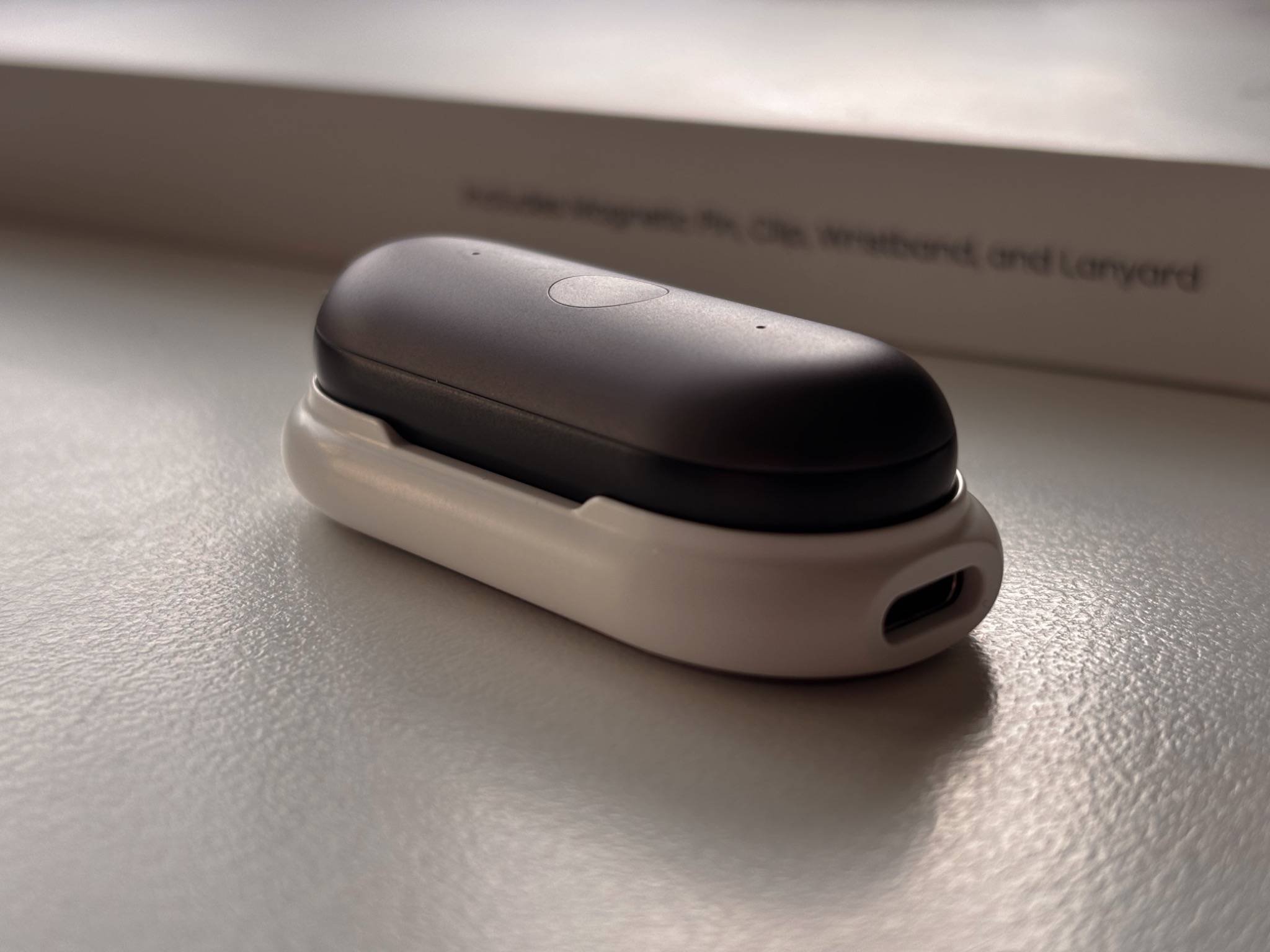
According to PLAUD AI, the NotePin S offers up to 60 hours of standby and around 20 hours of continuous recording. I haven’t tested a full 20-hour recording marathon (I’m not that brave), but in real-life use the battery feels genuinely solid. It’s the kind of device you can wear and use daily without constantly thinking, “I need to charge this tonight.” And that matters, because if a wearable note taker becomes another thing you need to babysit, you simply won’t use it.
Charging is done via the included charging dock, and I have to say it’s a really nice piece of kit — stylish, premium-looking, and it works perfectly. Drop the NotePin S on the dock and it just does its job.
But here’s the key point: don’t lose the dock.
Because the NotePin S depends on that dock for charging, if it disappears in a drawer somewhere (or gets left behind on a trip), your NotePin S will eventually become useless once the battery is dead. So if you’re someone who travels a lot, I’d treat that dock like you treat your laptop charger: it needs a “home” and it needs to stay there.
PLAUD NotePin S vs PLAUD Note: same brain, different approach
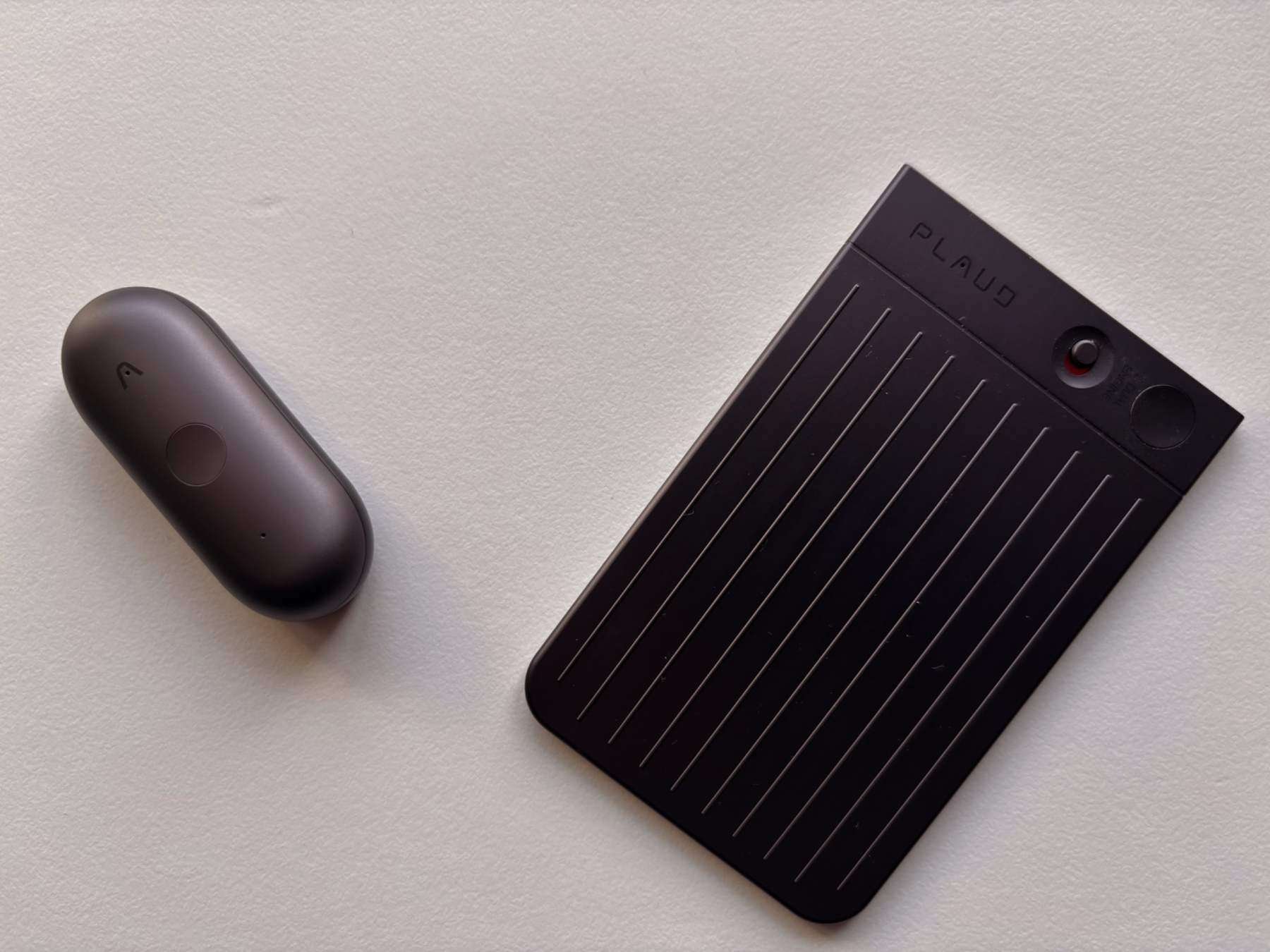
If you already know the PLAUD Note, the easiest way to explain the NotePin S is this: they offer the same core idea — record, transcribe, summarise — but the way you use them is completely different.
PLAUD Note: the “MagSafe card” approach
The PLAUD Note is still a brilliant concept. It looks like a credit card, and it fits perfectly into a MagSafe-compatible wallet / case setup, which makes it feel very integrated with your phone.
That said, one small annoyance with the official wallet case is that it can be a bit tricky to remove the PLAUD Notequickly. It’s not a dealbreaker, but it’s something you notice if you’re trying to grab it fast.
Where the PLAUD Note really shines is recording phone conversations. When it’s attached safely to your iPhone via MagSafe, it becomes a very natural tool for capturing calls, because the phone is already the centre of everything.
NotePin S: the “wear it and forget it” approach
After using the PLAUD NotePin S, I honestly think it’s superior for meetings. The fact that it’s wearable, discreet, and always in position makes it more natural for that use case. Add the excellent audio clarity, and it becomes a very reliable “meeting companion”.
What I personally love about the NotePin S is how flexible it is: you can wear it in different ways, use it at home, on walks, in cafés, or during calls, and it still feels like a normal part of your day — not something you have to consciously “set up”.
In my own routine, I now reach for the NotePin S more often — simply because it fits my daily life better.
Final thoughts
Overall, I genuinely think the PLAUD NotePin S is a terrific device. It’s well executed, it feels premium, and it proves (again) that PLAUD AI isn’t just chasing trends — they’re building products that actually make people more productive. In my opinion, they’re raising the bar once again with this release.
If I compare it to the PLAUD Note, the Note still feels slightly more “corporate premium” it has that sleek, card-like design and the MagSafe workflow that makes it feel very executive. But after using both, I also think the NotePin S will suit more people, simply because it’s super versatile. It fits work-from-home life, meetings, brainstorming, walking-and-talking notes, and even those moments when you’re sat in a café and you want to capture ideas without pulling out your phone.
If you want to see my full thoughts on the original device, here’s my review of the PLAUD Note:
https://www.dapperandgroomed.com/blog/plaud-note-review-this-ai-powered-voice-recorder-might-change-the-way-you-work
The PLAUD NotePin S is available on Amazon (check price here)
Jerome
FAQ: PLAUD NotePin S
What is the PLAUD NotePin S?
It’s a wearable AI note taker and voice recorder designed for meetings, calls, and capturing ideas on the go. You record with a button press, then the PLAUD app turns the audio into a transcript and summary.
How do you start and stop recording?
Once it’s connected, long-press the button in the middle for about 1 second until you feel one vibration to start recording. To stop, long-press again and wait for two vibrations.
What does the highlight feature do?
While recording, you can short-press the button to “highlight” a moment. It’s really handy in meetings and brainstorming sessions because you can mark key points without interrupting the flow.
Do I need a subscription?
It comes with 300 minutes of free transcription per month. If you need more minutes, you’ll need a paid plan. The Pro plan gives you more monthly minutes, and there’s also an Unlimited option for heavy users. Pricing and offers can change, so it’s best to check PLAUD AI directly for the latest details.
Is the NotePin S good for meetings?
Yes — it’s one of the best use cases. The audio is very clear, and the transcript + summary can genuinely save time after a call. Just remember to tell people you’re recording so you stay on the right side of privacy rules.
How accurate is transcription?
In clear English, it can be very accurate. Like most AI transcription tools, it may occasionally struggle with accents, unusual words, or names. In my tests, some names and specific phrases needed small corrections, but the overall results were still very usable.
Can it work in different languages?
Yes, it can handle multiple languages. However, if you mix languages in the same recording, the summary may sometimes choose one language and stick to it. If you want predictable results, keep one recording per language.
How do you wear the NotePin S?
You can wear it in different ways depending on your day: magnetic clip, magnetic pin, lanyard, or wristband. Personally, I found the clip and pin the most natural and premium-looking for daily use.
What about battery life and charging?
PLAUD AI claims up to 60 hours standby and up to 20 hours of continuous recording. I didn’t test a full 20-hour marathon, but in real-world use the battery feels strong. Charging is done via the included dock — just don’t lose it, because you’ll need it to recharge the device.
Where can I buy the PLAUD NotePin S?
It’s available directly from PLAUD AI (US and UK), and it’s also available on Amazon US and Amazon UK if that’s more convenient for you.