
Plaud Note Review 2026: I Used It Every Day for a Year
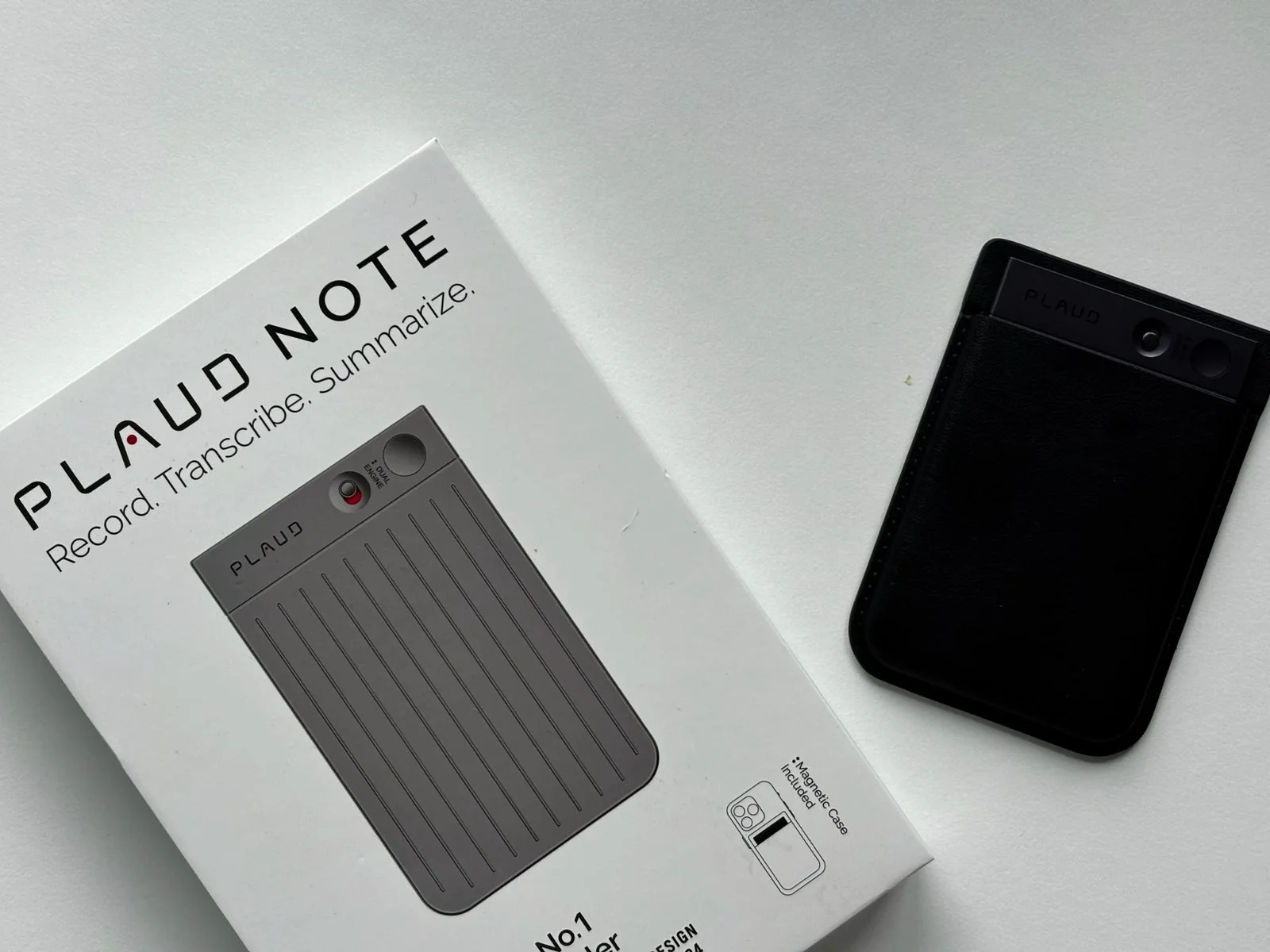
Plaud sent me the Note for review purposes. This post contains affiliate links. As an Amazon Associate, I earn from qualifying purchases. All opinions are my own and based on almost a year of daily real-world use.
UPDATED 28th of June 2026.
I used the Plaud Note for almost a year. Not as a quick test. Not an unboxing. A real working tool I reached for nearly every day as a content creator — voice notes, brand calls, content planning, ideas caught on the move.
I've since moved to the Plaud Note Pro. But here's the thing: I upgraded because my needs grew, not because the Note let me down. It didn't.
After a year of daily use I know this device properly. What it does well, where it hits its ceiling, and exactly who it makes sense for. If you're trying to decide whether the Plaud Note is worth buying in 2026, this is the review I'd have wanted before spending my own money.
Quick Verdict
The Plaud Note is one of the most genuinely useful AI gadgets I've tested. It records meetings, calls, and voice notes, then turns them into transcripts and summaries inside the Plaud app — and it does that job reliably and well. The design is exceptional for the price. The AI output saves real time if you record regularly.
Its limitations are real but honest: the microphones struggle in larger, noisier rooms, there's no display so you're always guessing at battery and recording status, and the subscription adds up for heavy users. But as an entry point into AI-assisted note taking, it remains a strong choice.
Best for: Content creators, freelancers, and professionals who record voice notes, calls, and meetings regularly.
Not ideal for: Anyone who needs to record in large rooms or group settings frequently — the Note Pro handles those situations better.
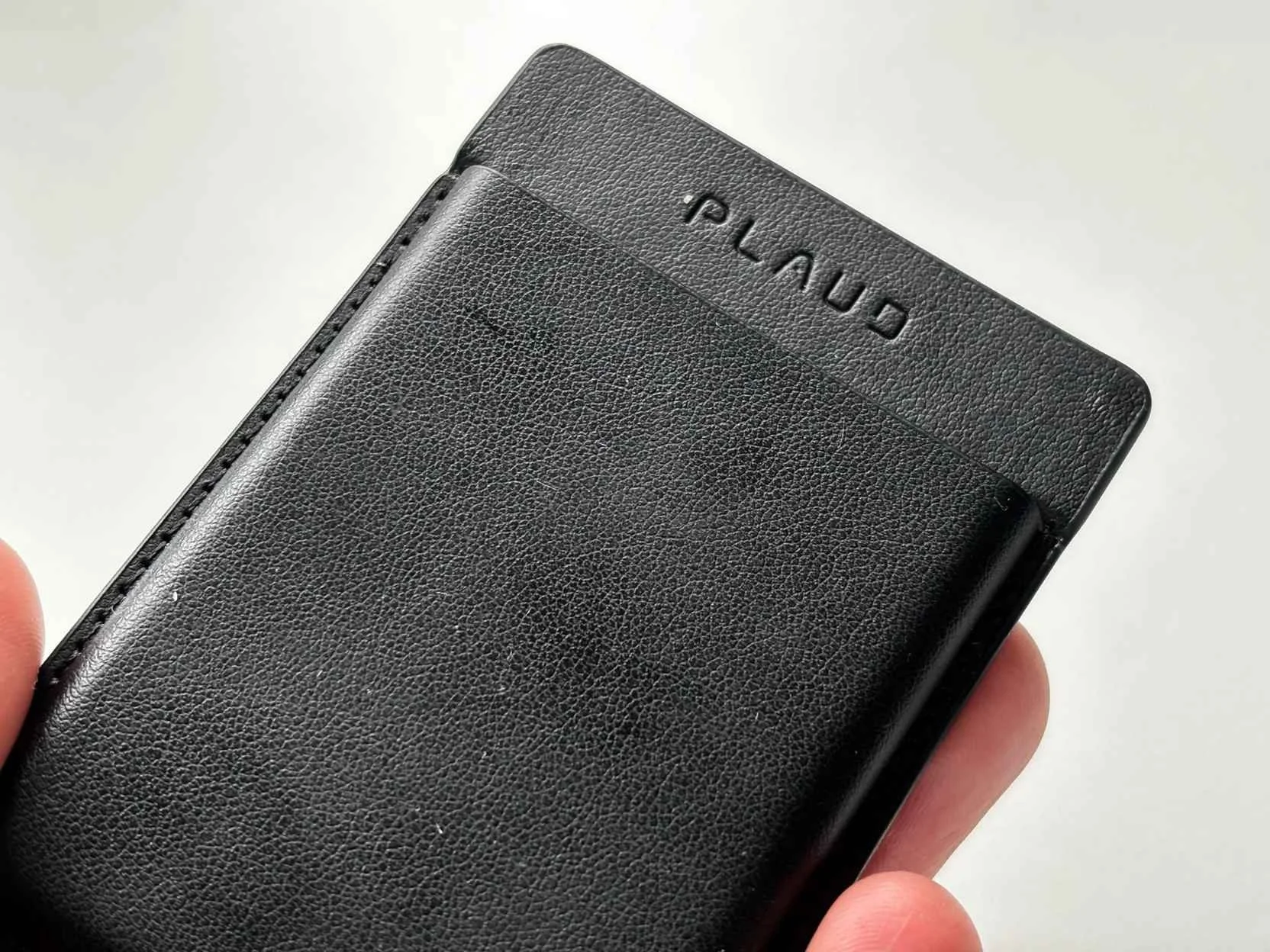
What Is the Plaud Note?
The Plaud Note is an AI-powered voice recorder and note taker from Plaud AI. It's roughly the size of a credit card( slim enough to slip into a pocket or attach magnetically to the back of your phone) and it pairs with the Plaud app to turn recordings into transcripts, summaries, and structured notes.
The idea behind it is simple, and that simplicity is part of what makes it work. You press a button, it records. When you're done, the app processes the audio and gives you back something useful: a summary of a meeting, a transcript of a call, an organised set of ideas from a voice note you recorded while walking the dog.
It launched as one of the first dedicated AI note takers on the market, and with over 1.5 million devices sold globally, it's fair to say it landed on a genuine need.
How I Used It for Almost a Year
I came to the Plaud Note as a content creator looking for a better way to capture the ideas, calls, and planning sessions that make up a working week. What I found was a tool that quietly became part of how I work — not because it was flashy, but because it solved a real friction point.
These were the three ways I used it most:
Voice notes and ideas on the go. This was probably the biggest one for me. I think through content ideas while walking, making coffee, driving: moments when I can't type. The Plaud Note meant I could record a full brain dump and come back to a structured summary rather than a raw rambling audio file nobody wants to listen to. Over a year, this alone saved me a significant amount of time.
Content planning. I'd record myself thinking through a post, a video concept, or a campaign idea out loud: talking through the angles, the structure, what I wanted to say. The summary that came back from the app gave me a working outline to build from rather than a blank page.
Brand calls and briefings. Instead of scrambling to write down every deliverable and deadline while someone was talking, I could focus on the conversation. The transcript and summary handled the note-taking, and the key details were there waiting for me afterwards.
After almost a year of using it this way, the Plaud Note had become one of those tools I stopped thinking about and just used. That's the best thing I can say about any piece of kit.
Design and Build: Genuinely Impressive
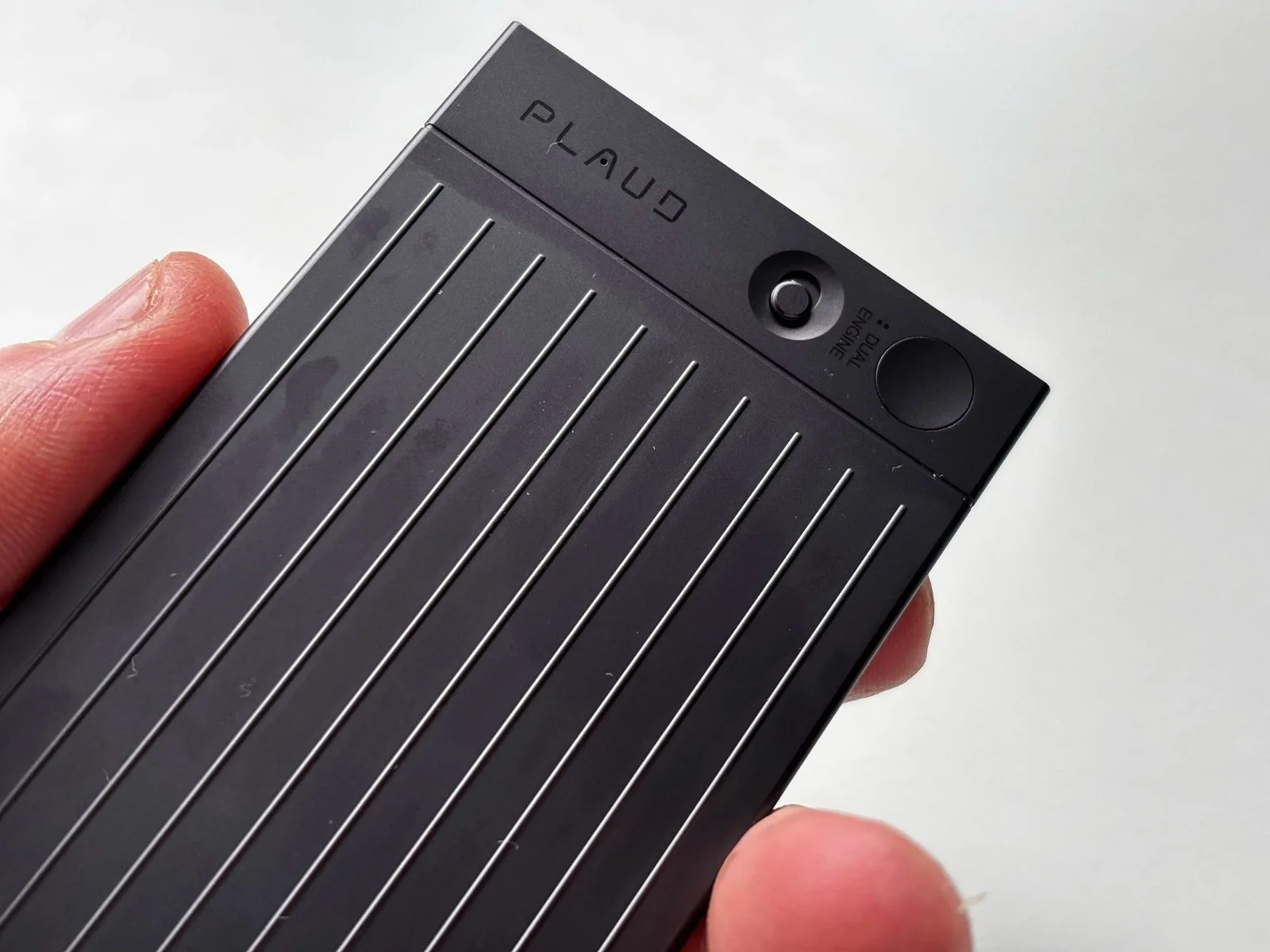
The Plaud Note is one of the best-looking small tech products I own. At 6.8mm thin and 30 grams, it is remarkably small for what it does — roughly the size of a credit card and light enough to carry in a pocket without noticing it's there.
The build feels considered and premium. There's a satisfying click to the button, a smooth slider for switching between recording modes, and the magnetic charging system keeps the body clean and uncluttered. It comes in black, silver, starlight, and navy blue — all of them understated and well-finished.
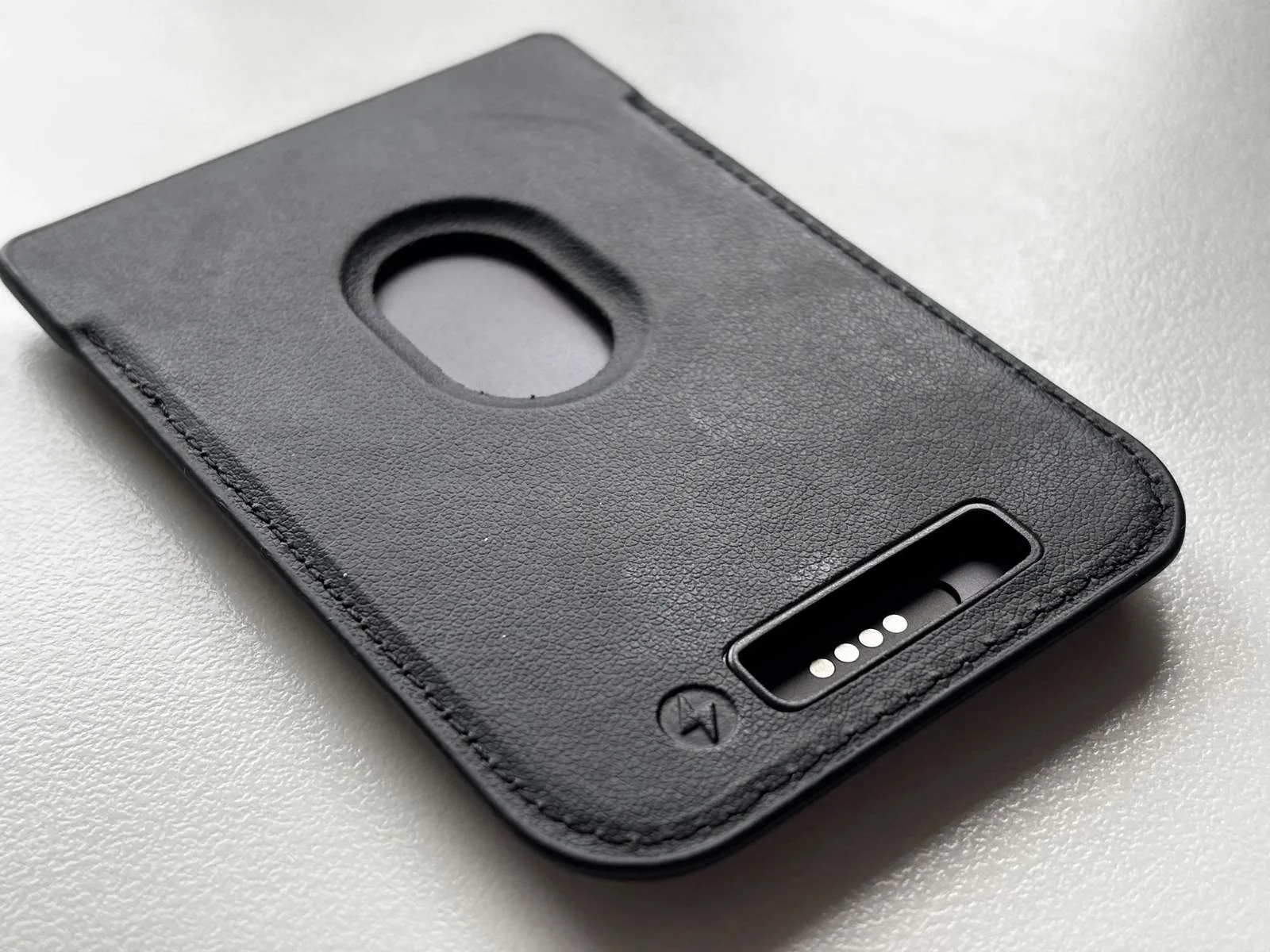
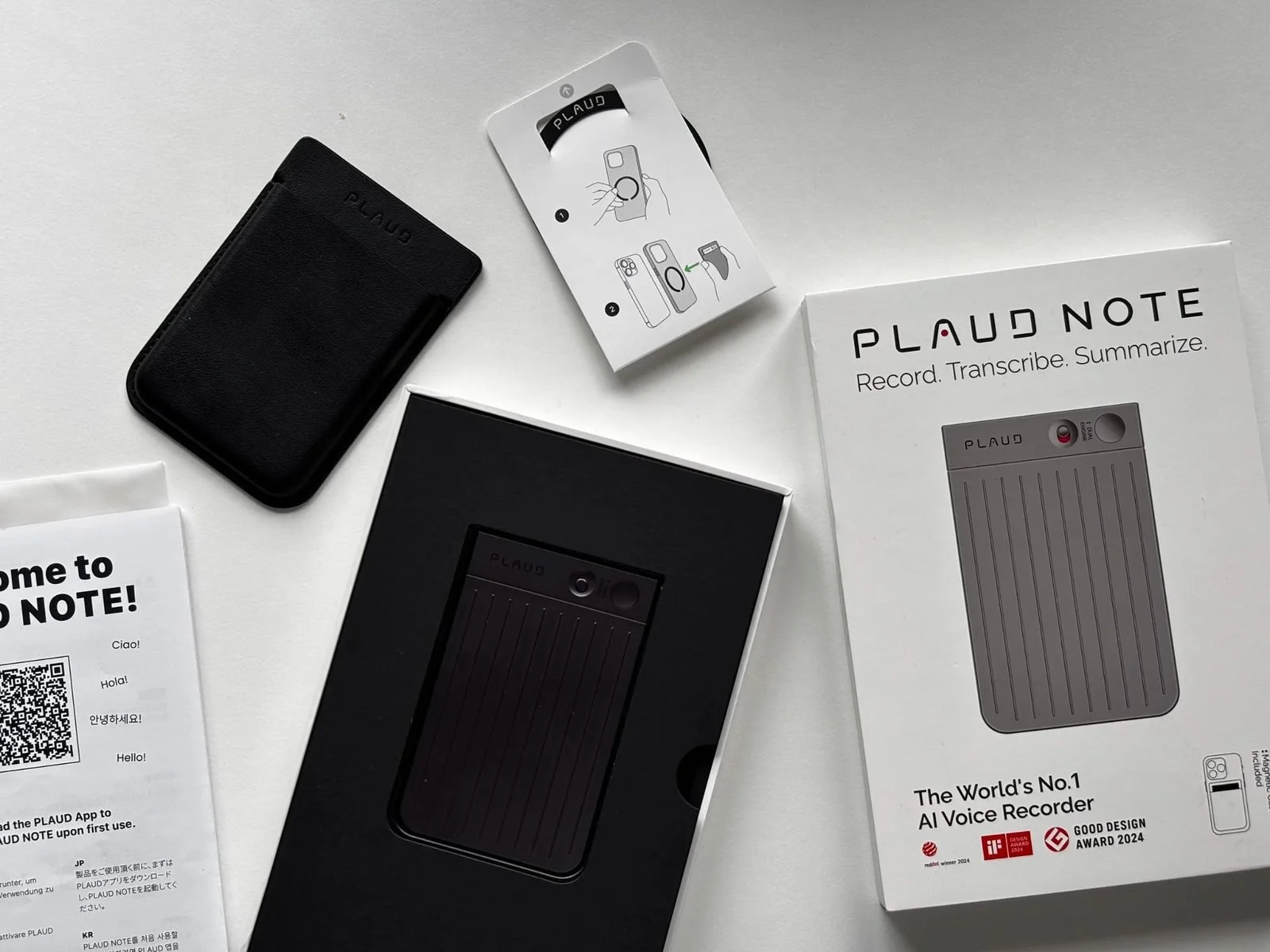
In the box you get a magnetic case that lets you attach the Note to the back of your phone MagSafe-style, a magnetic ring for phones that aren't MagSafe-compatible, and the charging cable. That magnetic charging cable is the one consistent complaint I'd make — it's proprietary, which means if you lose it you're stuck until a replacement arrives. The reason Plaud went this route is to preserve the slim profile of the device, which makes sense, but it's something worth knowing before you buy.
One thing I noticed after a year of use: the device holds up well physically. No scratches, no looseness in the button, no degradation in build quality. It genuinely feels as good on day 365 as it did on day one.
Plaud Note — Official Website
For full details on cloud plans, transcription minutes, and the latest pricing, you can also buy directly from Plaud.
What the Plaud Note Actually Does
At its core, the Plaud Note does two things: it records, and it processes.
The recording side is handled by two MEMS microphones and a voice processing unit. It captures up to 30 hours of audio on a single charge, stores up to 64GB locally, and has a standby time of up to 60 days. In everyday use — one-to-one conversations, voice notes, phone calls in a quiet environment — the audio quality is clean and reliable.
The processing side happens in the Plaud app once the recording syncs. The AI transcribes the audio in your chosen language (112 languages are supported), identifies different speakers, and then generates a summary based on whichever template you've selected. There are over 10,000 templates available — meeting minutes, action points, interview summaries, content outlines, sales notes — and you can build custom ones if none of the existing options fits your workflow.
In my experience, the transcription accuracy is very good in clean conditions. It handles multiple speakers well, it picks up names and specific terminology better than I expected, and the summaries are genuinely useful rather than vague paraphrases of what was said. Like any AI transcription tool, accuracy drops in noisy environments or when audio quality is compromised, but in normal everyday use it performs well.
Phone Call Recording
The Plaud Note can record phone calls, which was one of the features I used most regularly over the year.
It works via Bluetooth. You connect the device to your phone, slide the switch into Phone Call Mode, and make or receive the call as normal. The Note records both sides of the conversation through its own hardware. Afterwards, the recording syncs to the app and goes through the same transcription and summary process as any other recording.
The process is straightforward once you've set it up. The main thing to keep in mind is that call recording laws vary depending on where you are and who you're calling. In the UK, recording your own calls for personal use is generally allowed, but you should always check the rules for your specific situation and inform the other party where required.
For brand calls, briefings, and any conversation where you need an accurate record of what was agreed, I found this feature genuinely useful.
The Plaud App
The hardware is only half of what you're buying. The Plaud app is where the real value is created, and it's worth spending a moment on how it works.
Once a recording syncs — via Bluetooth or Wi-Fi — the app processes it and returns a transcript and summary. You choose the output format from the template library, and the AI structures the content accordingly. The "Ask Plaud" feature lets you search across your recordings and query specific details, with answers referenced back to the original audio so you can verify them.
The app is clean, well-organised, and has improved consistently over the time I've used it. Plaud pushes regular updates and the platform genuinely gets better — new templates, improved accuracy, new features like the document capture that came with the Note Pro.
One limitation worth knowing: there's no real-time transcription. You record, sync, and then receive your output. If live transcription as someone speaks is important to your workflow, Plaud isn't designed for that. For the way I use it — capturing first, processing after — it's never been an issue.
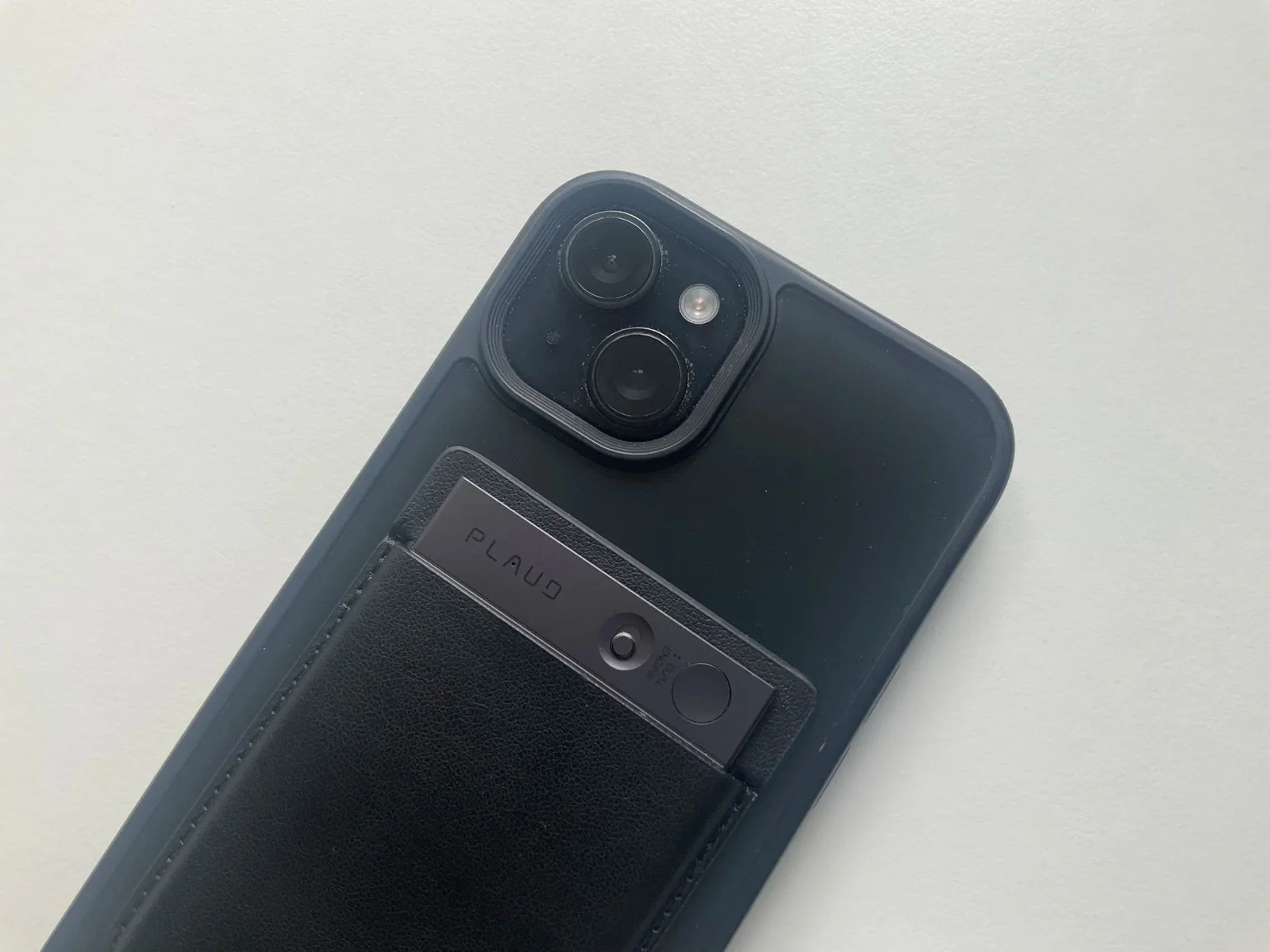
iPhone 15 plus and Plaud note
Pros and Cons
What I Like
- •Beautiful, slim design — credit card sized, 30 grams
- •Reliable recording quality in everyday conditions
- •AI summaries save real time — genuinely useful output
- •Extensive template library — over 10,000 options
- •Phone call recording works smoothly
- •MagSafe integration — always with you
- •App keeps improving with regular updates
What Could Be Better
- •No display — guessing at battery and recording status
- •Microphones struggle in larger rooms and group settings
- •Proprietary charging cable — lose it, you're stuck
- •Subscription adds up for heavy users
Plaud Note vs. Plaud Note Pro: Should You Upgrade?
The honest answer to whether you should upgrade depends entirely on how you use it.
If you mainly use the Note for voice notes, solo content planning, and one-to-one calls in everyday environments, the original Note is fine. You'll get the same AI transcription quality, the same app, the same core workflow. The Pro is better, but you may not feel the difference in your specific use case.
If you're recording in group settings, larger rooms, or noisier environments regularly, the Pro's improved microphone array and 5-metre range make a meaningful real-world difference. That was the main reason the Note Pro replaced the original for me.
The other Pro features — the AMOLED display, the automatic mode switching, the document capture via the app — are all genuine improvements that I notice and use. But the microphones were the deciding factor.
If you're buying new and the $30-£20 price difference between the Note (£149) and the Note Pro (£169) isn't a barrier, I'd recommend starting with the Pro. If budget is a consideration, the Note is still a strong device that will serve you well.
FAQ: Plaud Note
What is the Plaud Note? The Plaud Note is an AI-powered voice recorder and note taker. It records meetings, calls, and voice notes, then uses AI in the Plaud app to turn those recordings into transcripts, summaries, and structured notes.
Is the Plaud Note worth buying in 2026? Yes, if you regularly record meetings, calls, or voice notes as part of your work. It's a well-designed device with reliable AI transcription and a genuinely useful app. If you only record occasionally, the free transcription allowance may cover your needs without requiring a subscription.
What is the difference between the Plaud Note and the Plaud Note Pro? The Pro has a better microphone array (four MEMS vs two), a longer effective recording range (5 metres vs 3 metres), an AMOLED display, automatic mode-switching, a larger battery, and document capture via the app. The Note Pro costs $189
Do you need a subscription to use the Plaud Note? No — but you may want one. Every device comes with a free Starter Plan that includes 300 transcription minutes per month. Light users may find this enough. Regular users will likely need the Pro plan or the Unlimited plan.
How accurate is the Plaud Note transcription? Very accurate in good conditions — clean audio, quiet environment, clear speech. Like all AI transcription tools, accuracy drops in noisy environments or with heavy accents. In everyday use, I found it consistently reliable.
Can the Plaud Note record phone calls? Yes. It connects to your phone via Bluetooth and records both sides of a call in Phone Call Mode. Always check the call recording laws in your country and inform the other party where required.
How long does the battery last on the Plaud Note? Up to 30 hours of continuous recording and up to 60 days of standby. In everyday use, charging once a week is typically enough unless you're recording for extended periods daily.
Buy the PLAUD Note
You can buy the PLAUD Note directly from PLAUD AI or through Amazon. Buying direct is useful if you want to check the latest membership plans, while Amazon may be more convenient for Prime delivery and returns.
Affiliate links: I may earn a commission if you buy through these links, at no extra cost to you. As an Amazon associate I earn from qualifying purchase.
Final Thoughts
Almost a year with the Plaud Note taught me that it's one of the genuinely useful AI tools currently available — not because it does something flashy, but because it solves a real problem quietly and consistently. Ideas don't get lost. Calls become useful records. Planning sessions turn into working outlines rather than vague memories.
Its limitations are real — no display, microphones that have a ceiling in group settings, a subscription that adds to the cost — but none of them are dealbreakers for the audience this device is built for. Check my Plaud Note Pro Review.
If your work involves regular voice notes, calls, or meetings, and you want something that turns spoken information into something you can actually use — the Plaud Note does that job well. It did it for me, every day, for almost a year.
Jerome
Why You Can Trust This Review
I used the Plaud Note for almost a year as my daily AI note taker — not as a quick test, not as a weekend review. Every observation in this article comes from real, repeated use: voice notes, brand calls, content planning, and the hundreds of small moments where I needed to capture something quickly.
I've been reviewing tech and productivity tools on Dapper & Groomed since 2013. Plaud did not pay for this review and had no input on it before publication. I bought the device myself and used it long before writing a single word.


Hi, I’m Jerome. I’ve been reviewing men’s skincare, grooming products and tech gadgets for over 12 years, testing everything myself and sharing honest, experience-based recommendations on Dapper & Groomed.
I tested the Comu Action Pro AI recorder for interviews, calls and everyday notes. Here’s how its transcription, AI tools and design compare with Plaud Note