
Charmast 20000mAh Power Bank Review: The One That Stays in My Bag
I used to think power banks were boring.
You charge one, throw it in a drawer or the bottom of a backpack, and forget it exists until your phone is on 8% and you're suddenly hunting for it.
The Charmast 20000mAh Power Bank has been different. Since I started using it, it has pretty much stayed in my bag. If I'm leaving the house for more than a couple of hours, it comes with me. If I'm filming or taking photos, it comes with me. And if I'm taking my MacBook Air to a coffee shop, I don't really think twice about bringing it.
The reason is simple. It has taken away a worry I'd almost stopped noticing I had: constantly watching the battery percentage on my devices.
I use an iPhone 17, which has better battery life than some of my previous iPhones, but spend a few hours filming and taking photos and that percentage can still drop surprisingly quickly.
With the Charmast in my bag, I don't really worry about it anymore.
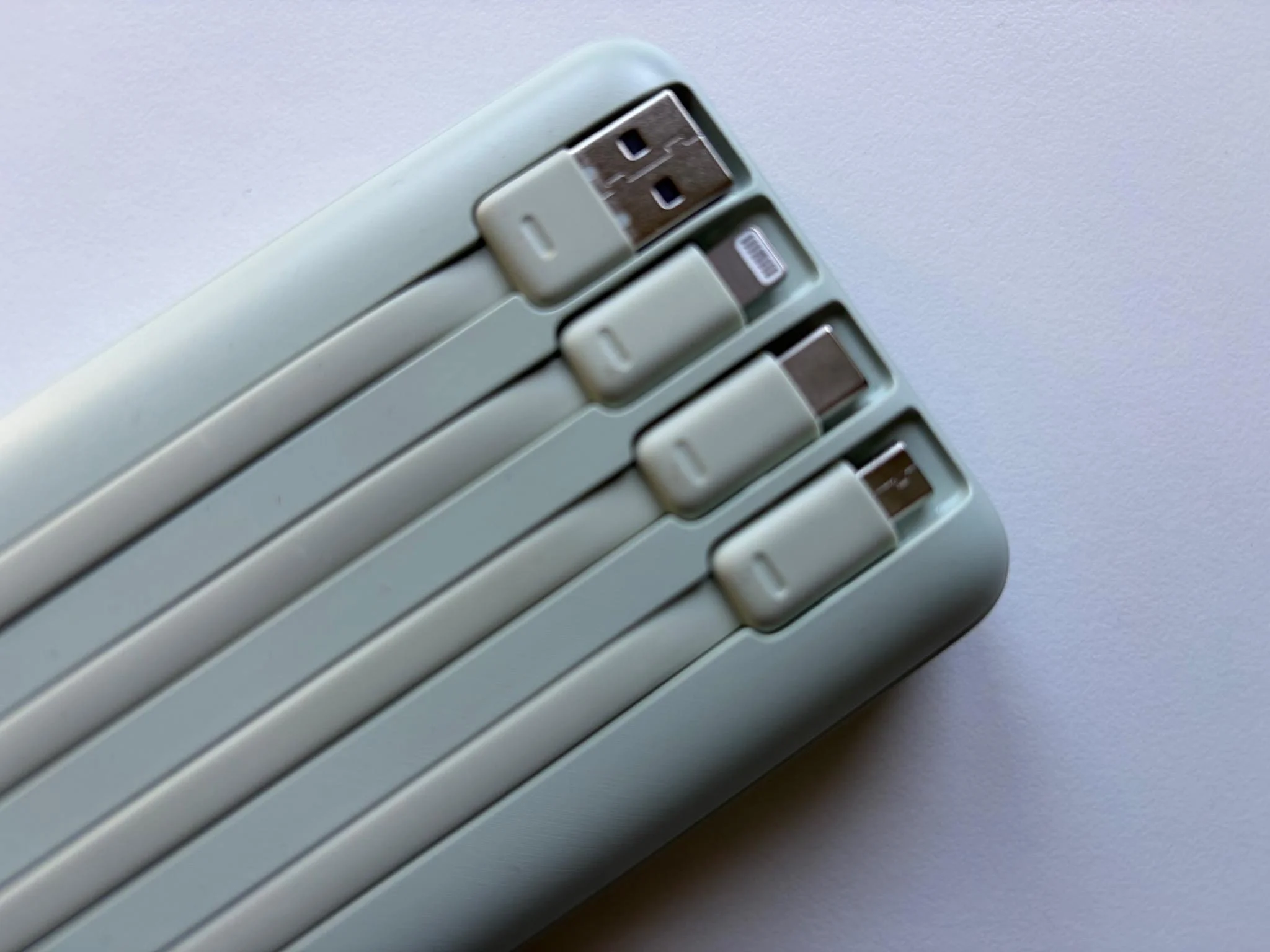
One of the Charmast’s best features is its selection of built-in cables, so I rarely need to carry an extra one
Design and Build Quality
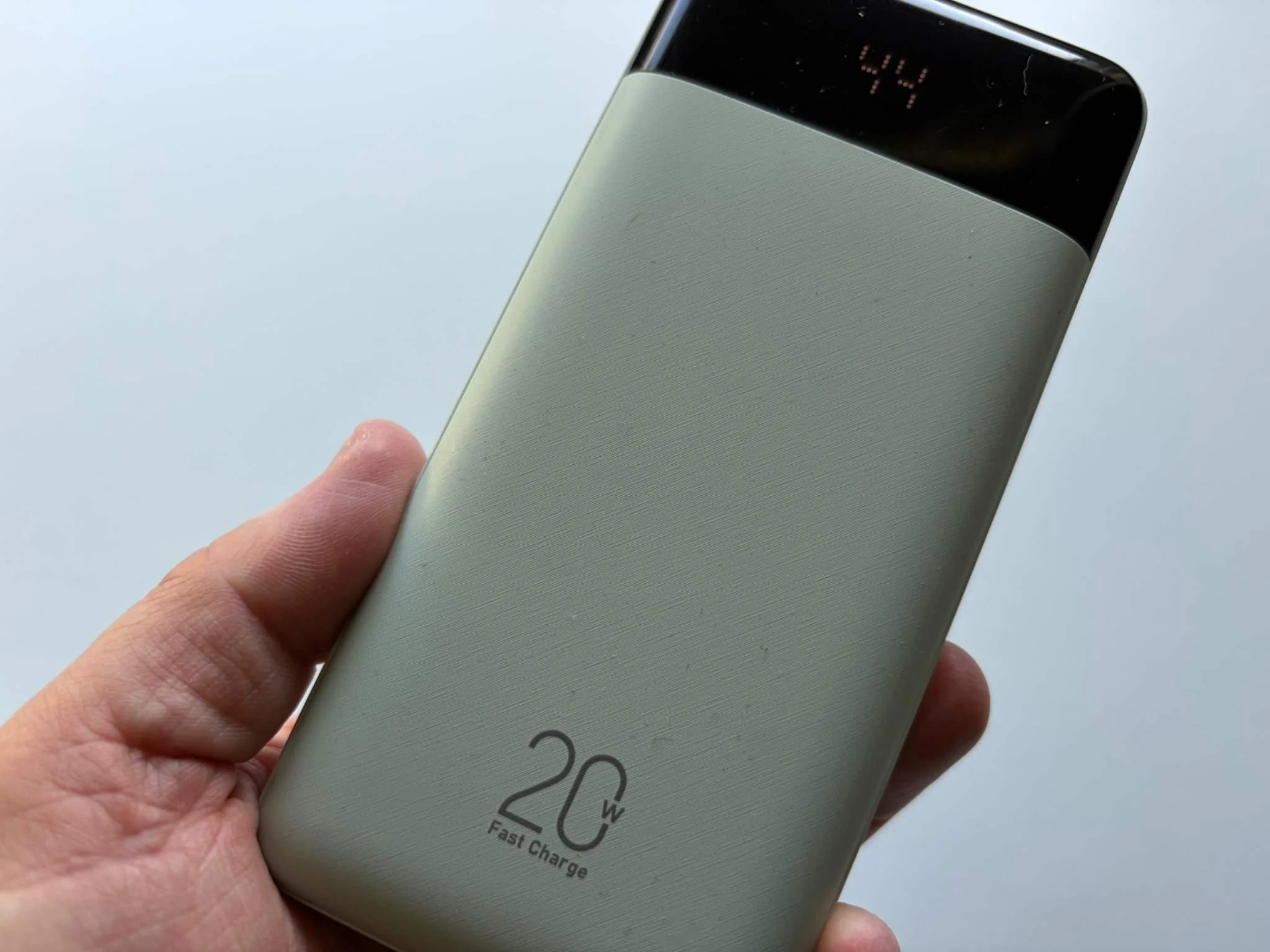
Mine is the Matcha Green version. I picked it because the colour immediately reminded me of my old Google Pixel 6a, and I really like it.
Most power banks are black plastic bricks. There isn't necessarily anything wrong with that, but the green gives the Charmast a little more personality without making it look cheap.
And the build quality is genuinely impressive.
I expected something fairly generic and got something much better. The casing feels solid, the cables fold neatly against the body when you aren't using them, and the whole thing feels well put together.
It's also relatively slim considering there is a 20,000mAh battery inside. At around 160mm long and only 19mm thick, it slides easily into the same compartment of my bag as my other tech.
But I won't pretend otherwise: it's heavy.
At around 340g, you can feel it.
Then again, this isn't a tiny 5,000mAh emergency power bank designed for an evening out. There is a huge battery inside, and personally, I would rather take the extra capacity.
The Built-In Cables Might Be My Favourite Feature
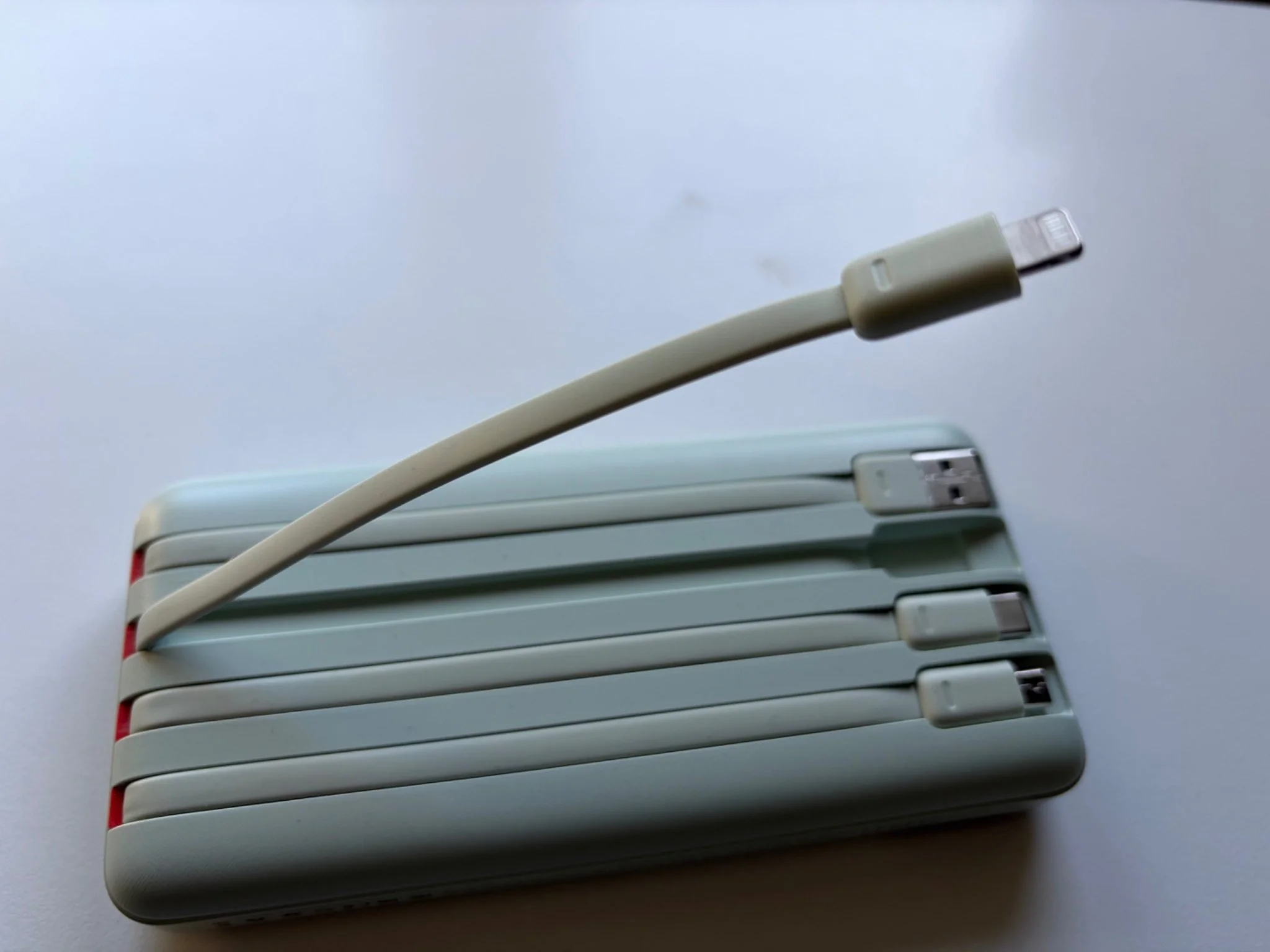
The integrated Lightning cable is useful for older iPhones and other Apple devices that still use the connection.
This is probably the feature I appreciate most.
I've owned power banks where I've remembered to pack the battery and left the charging cable sitting on my desk.
At that point, you're essentially carrying a fairly heavy brick around all day.
The Charmast solves that problem.
There are three charging cables integrated into the power bank: USB-C, Lightning and Micro-USB. There is also a built-in USB-A lead used for recharging the power bank itself, along with additional ports if you prefer to use your own cable.
USB-C is obviously the connection I use most now.
My iPhone 17 uses USB-C, as does an increasing amount of the technology I review. Lightning is still useful if someone in the family has an older iPhone.
And then there's Micro-USB.
Who still uses Micro-USB?
That was genuinely my first reaction.
But then I remembered the boxes of older headphones, cameras and accessories I have accumulated over the years. Plenty of those still use it.
So while Micro-USB looks slightly strange on a new product in 2026, I can actually understand why Charmast kept it.
Most importantly, I can pick up the power bank and leave the house without thinking about which cable I need.
That simplicity is one of the reasons I use it so often.
Real-World Use
Filming and Photography With My iPhone 17
This is probably the best example of why the Charmast has become part of my everyday carry.
The iPhone 17 has good battery life. On a normal day, I don't worry about it very much.
Filming is different.
Spend a few hours shooting video, taking photos, checking maps and using different apps and the battery can disappear surprisingly quickly.
And when I'm filming content, the last thing I want to be thinking about is whether I can afford to shoot another clip because my phone battery is getting low.
With the Charmast in my bag, I simply connect the built-in USB-C cable and carry on. That is really what I want from a power bank.
I haven't sat there with a stopwatch measuring every percentage point because that isn't how I normally use these products. What matters to me is that the iPhone starts charging quickly and I can carry on filming without worrying about finding a socket.
In everyday use, it has been fast enough that I simply stop thinking about the battery.
And that, for me, is a much more useful test than a laboratory figure.
Working From a Coffee Shop With My MacBook Air M1
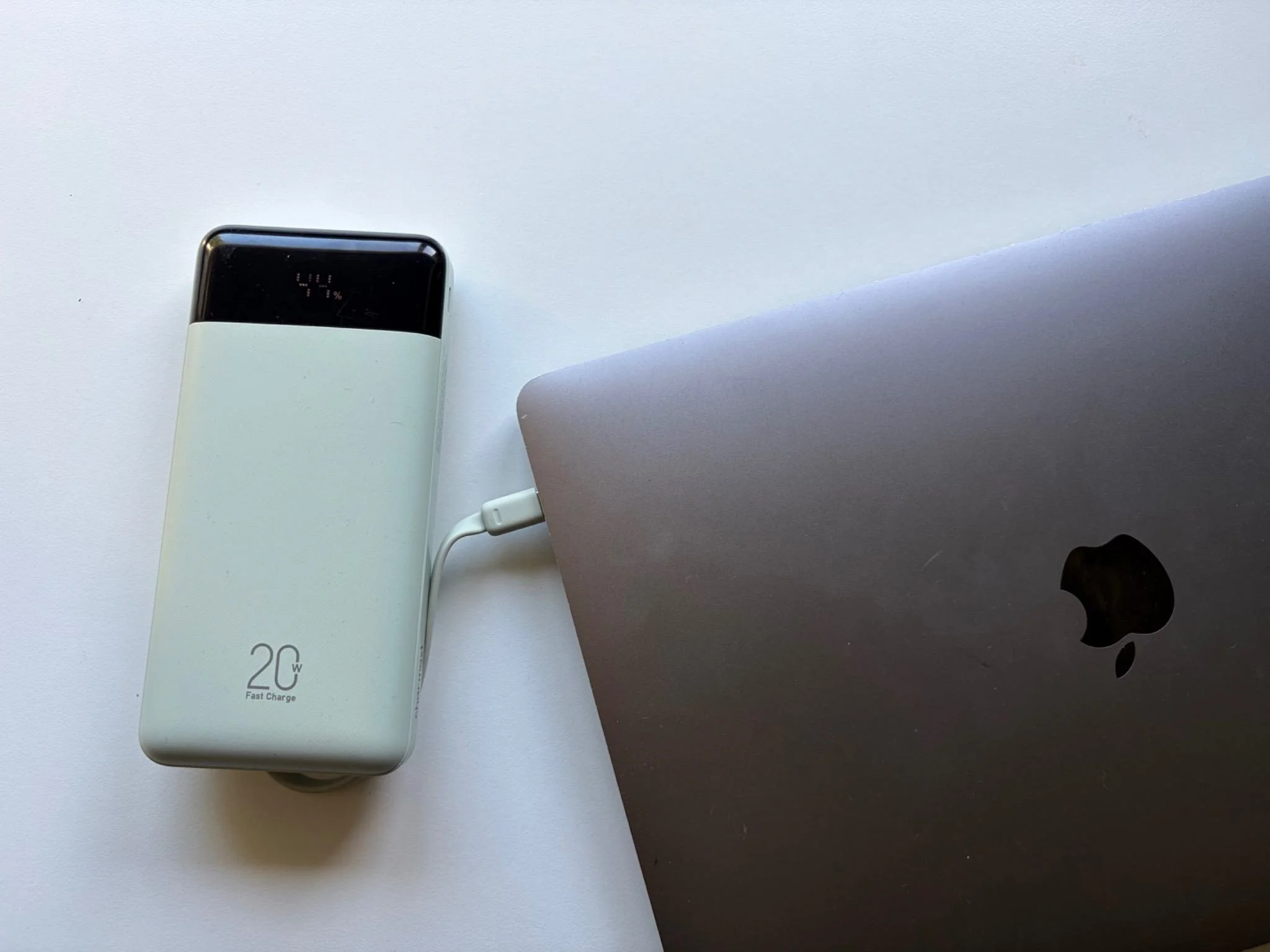
I also use the Charmast as backup power for my MacBook Air M1 when I’m working away from home.
I work from home most of the time, but occasionally I like taking my MacBook Air to a coffee shop for a few hours. But my M1 MacBook Air is getting older now.
It is still a fantastic laptop and does everything I need for the blog, but the battery isn't quite what it was when I first bought it.
And anyone who has worked from a coffee shop will probably recognise the routine: finding a table, checking whether there is a socket nearby and then keeping an eye on the battery percentage while you're working.
Now, I just put the Charmast in my bag.
There is an important distinction here, though.
The Charmast is not a replacement for a proper MacBook charger.
Its USB-C output tops out at around 20W, which is much lower than the power normally supplied by a MacBook Air charger.
I think of it as backup power rather than a laptop charger.
If my MacBook is starting to run low while I'm writing or editing something, I can connect it and keep working for longer rather than immediately looking for a plug socket.
That is exactly what I need from it.
If I were travelling specifically to work on the MacBook all day, I would still bring the proper Apple charger.
For a few hours working in Starbucks, however, having 20,000mAh of backup power sitting in my bag is incredibly reassuring.
Battery Life, Display and Recharging
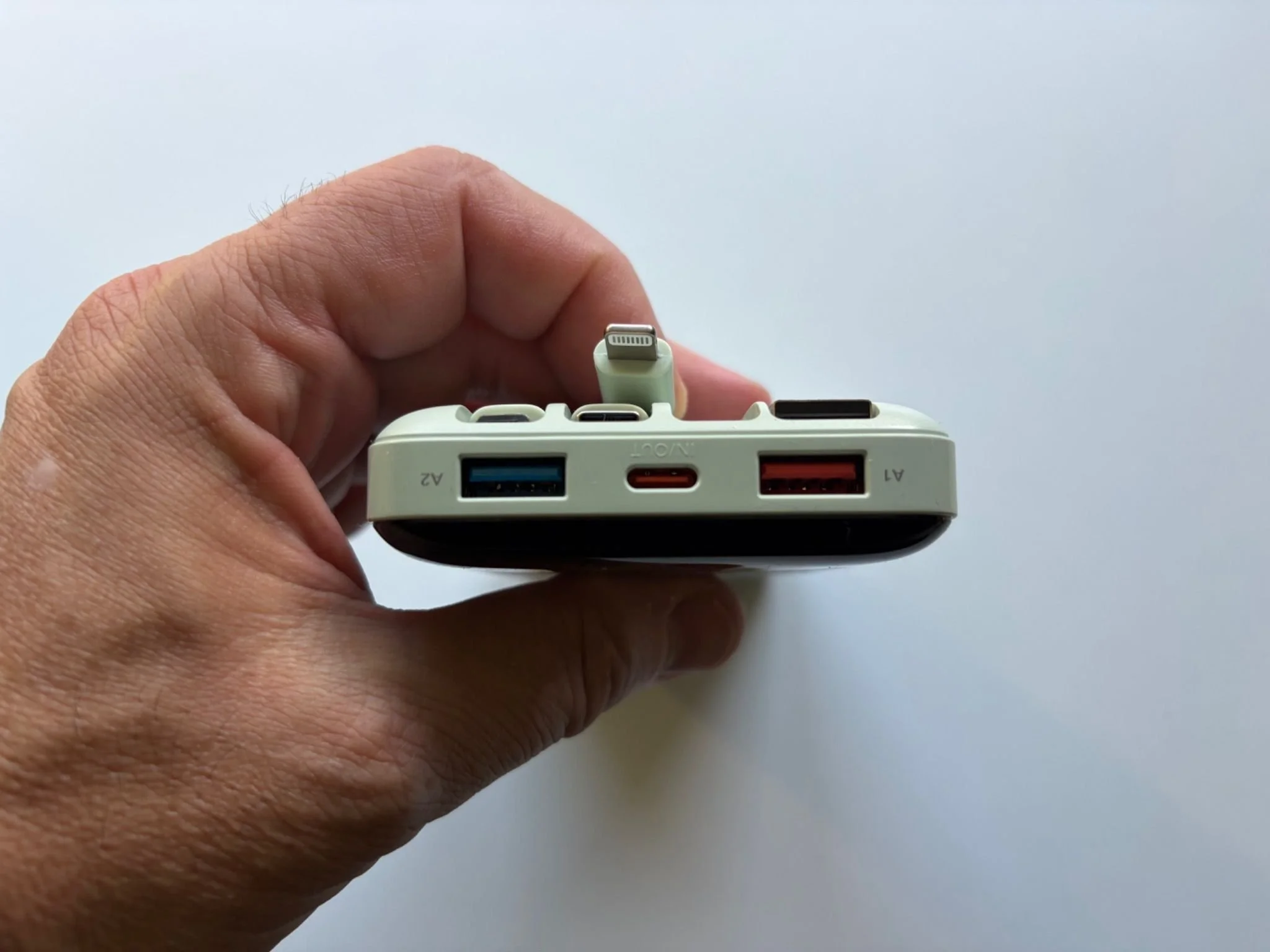
Alongside the built-in cables, the Charmast includes additional USB-A and USB-C connections for even more flexibility.
The 20,000mAh capacity is one of the main reasons I like this power bank so much.
A smaller battery is fine for emergencies, but the Charmast gives me enough power to charge my iPhone, put it back in my bag and use it again later without worrying that it will be empty. Charmast says it can provide around three to four full smartphone charges, depending on the device and normal charging losses.
In my own use, the battery simply seems to last a very long time. I regularly check the display expecting it to be nearly empty and find there is still plenty left.
The percentage display helps too. Instead of four vague LEDs, you get an actual number, so I can immediately see whether I have 78%, 42% or 12% remaining.
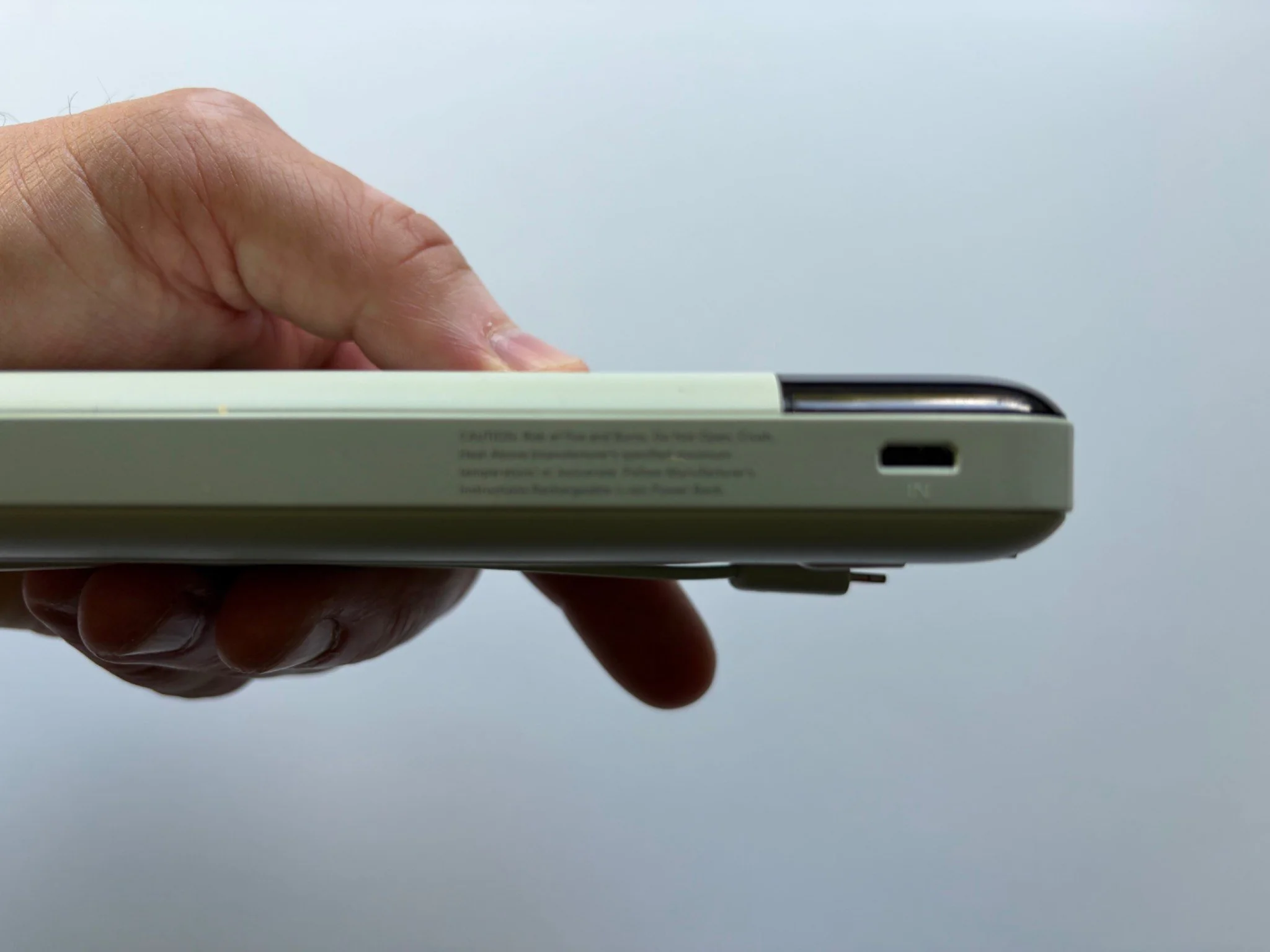
Recharging takes around six hours through USB-C. That sounds quite long, but with a battery this large I don't find it particularly inconvenient. I normally charge it at home when I don't need it, and because I'm not refilling it every day, it hasn't been an issue.
Final Verdict
The Charmast 20000mAh has become part of my everyday carry because it solves a simple problem: I no longer worry about running out of battery when I’m away from home.
It is a little heavy and it won’t replace a proper laptop charger, but the huge capacity, built-in cables and useful display make it incredibly practical. If I’m filming with my iPhone 17 or heading to a coffee shop with my MacBook Air, it goes in the bag.
That probably tells you everything you need to know.
Jerome.

I tested the Charmast 20000mAh Power Bank with my iPhone 17 and MacBook Air. Here’s how its built-in cables, battery and 20W charging perform.