
Epomaker TH87 Review: The Keyboard That Transformed My Daily Work
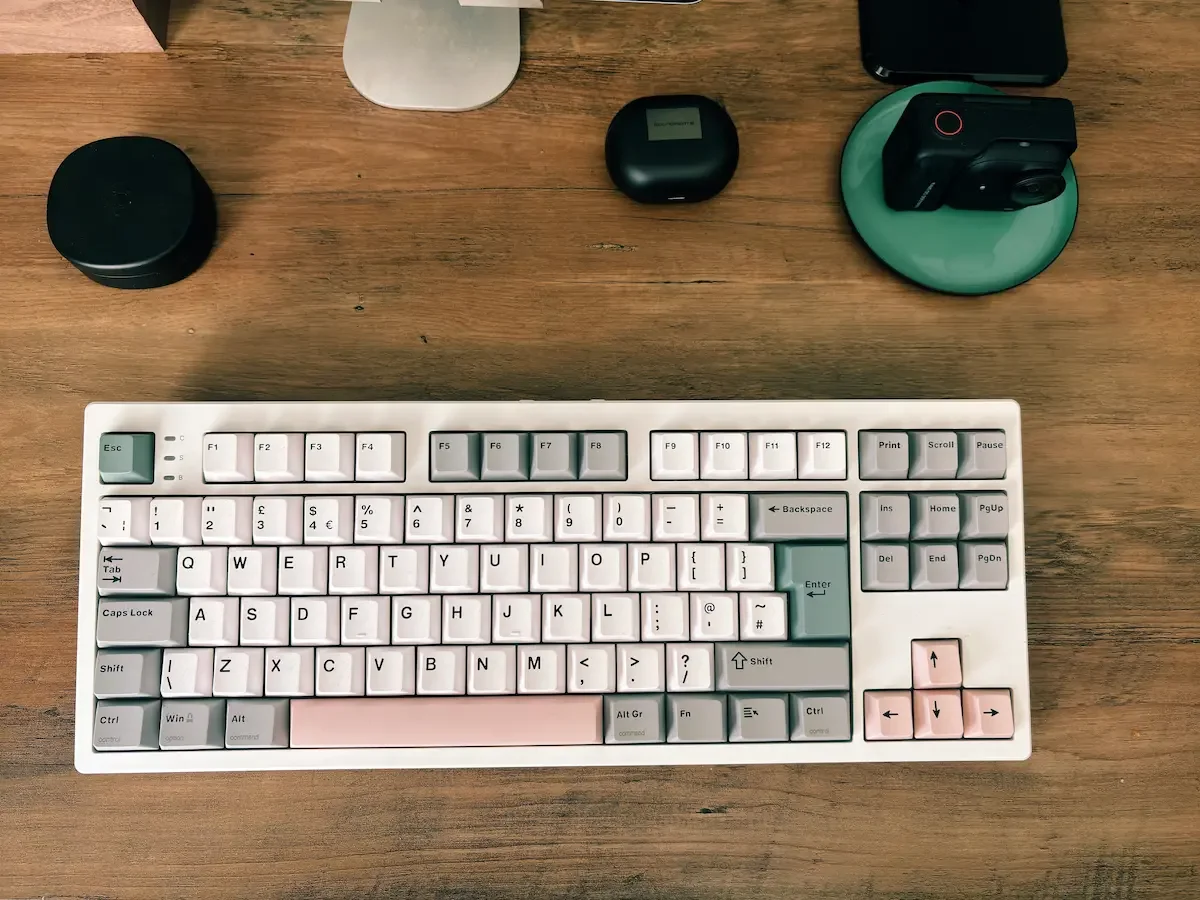
The TH87 feels more like a proper desk keyboard than a portable accessory, and that is exactly why I enjoyed using it.
Disclaimer
Epomaker sent me the TH87 keyboard for review purposes. They have not seen this review before publication and all opinions are my own. This post contains affiliate links. As an Amazon Associate, I earn from qualifying purchases.
I didn’t expect a keyboard to change the way I work at my desk.
That sounds a little dramatic, I know. But after spending proper time with the Epomaker TH87, connected to my MacBook Air M1 and my iPad Air, I have started to understand why people get so attached to mechanical keyboards.
This is my first Epomaker keyboard review, and I actually took longer than expected to write it. Not because I didn’t know what to say, but because I wanted to answer one simple question properly:
When I sit at my desk, do I still prefer typing on my standard MacBook Air keyboard, or do I reach for the Epomaker TH87 instead?
After several weeks of daily use, the answer is quite clear.
I keep reaching for the TH87.
And more than that, I think I am slowly falling in love with the typing experience.
Quick Verdict
The keyboard that made me enjoy typing at my desk again.
The Epomaker TH87 is smooth, quiet, comfortable and far more satisfying than I expected from my first Epomaker keyboard. I tested it with my MacBook Air M1 and iPad Air, and it quickly became my preferred keyboard for writing, editing and daily blog work.
It is not a keyboard I would carry around every day, but as a desk keyboard, it is excellent. The creamy typing feel is the real reason to buy it.
Where to buy
Epomaker TH87 Mechanical Keyboard
Check Price on AmazonAs an Amazon Associate, I earn from qualifying purchases.
What Is the Epomaker TH87?
The Epomaker TH87 is a tenkeyless mechanical keyboard. That means it keeps the main keyboard layout, the function row, the arrow keys and the navigation keys, but removes the number pad on the right side.
For me, this layout makes a lot of sense. I write, edit photos, manage this blog, answer emails and move between different devices during the day. I don’t really need a full-size keyboard with a number pad, but I also don’t want something so compact that I spend half my time looking for missing keys.
The TH87 feels like a good middle ground. It saves space on the desk, but it still feels like a proper keyboard.
It has 87 keys, a tenkeyless layout, and is available in different layouts, including ANSI, ISO-DE, ISO-UK and JIS. Epomaker also lists it as compatible with Mac, Windows and Android, with Bluetooth, 2.4GHz wireless and USB A-to-C wired connection.
That flexibility is important. I used it with my MacBook Air M1 and iPad Air, but this is clearly designed as a keyboard that can sit at the centre of different setups, not just one machine.
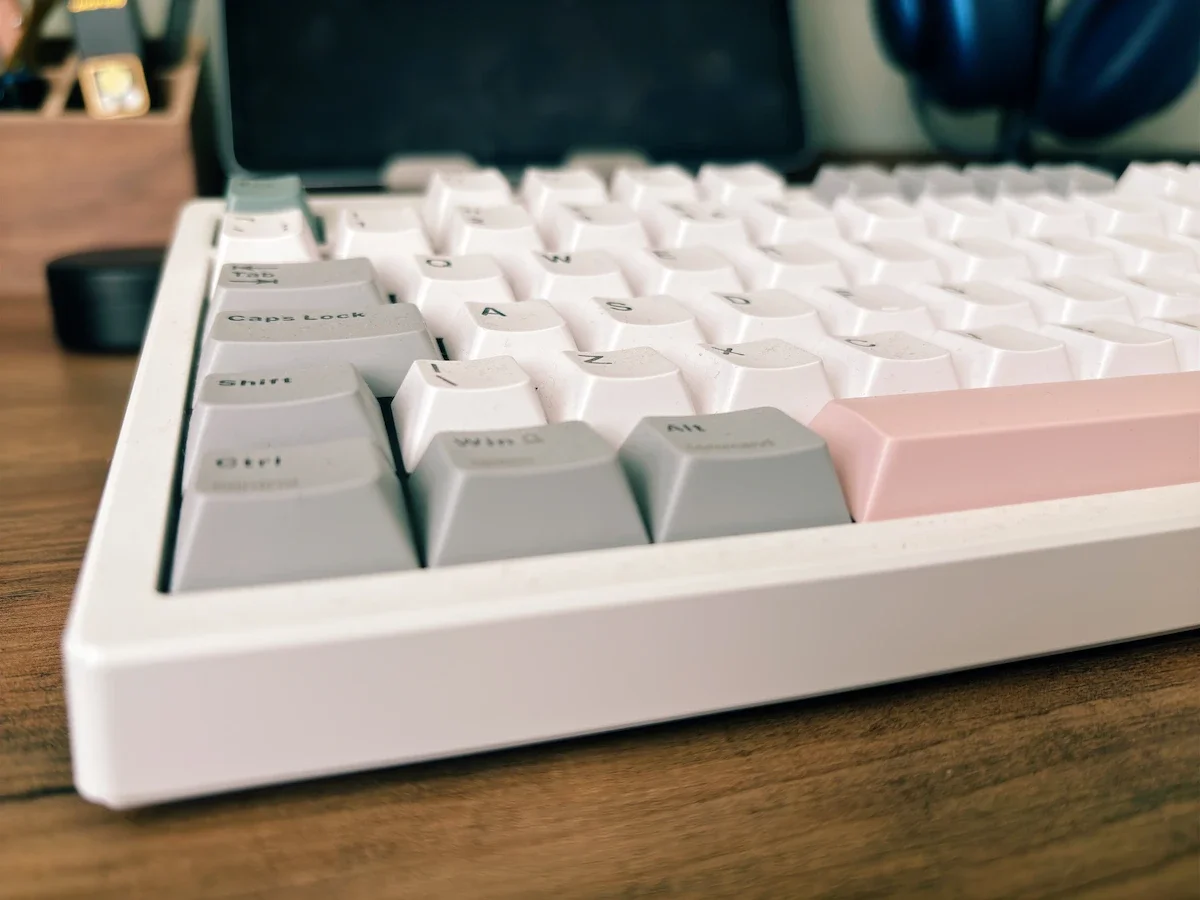
The Epomaker TH87 has a soft, creamy typing feel with a clean colour design that looks great on a desk.
How I Tested the Epomaker TH87
I tested the Epomaker TH87 as part of my normal daily work setup, not just for a few quick typing tests.
Most of my testing was done with my MacBook Air M1, which is the laptop I use every day for writing blog posts, editing articles, replying to emails, checking affiliate platforms and managing Dapper & Groomed. I also connected the keyboard to my iPad Air to see how it performed as part of a cleaner, more focused writing setup.
I wanted to know whether this keyboard would actually change my desk routine. That was the real test for me.
The MacBook Air already has a very good keyboard, so the question was not whether the Epomaker TH87 worked. Of course it worked. The question was whether I would genuinely prefer using it when sitting at my desk.
Over several weeks, I used it for long writing sessions, shorter emails, editing existing posts, planning content and general daily admin. I paid attention to comfort, key feel, sound, connection stability, battery life, desk presence and whether the keyboard made the writing process feel better in real life.
That last point matters. A keyboard can look impressive on paper, but if you do not want to use it every day, it is not doing its job.
With the Epomaker TH87, I kept going back to it.
My Setup: MacBook Air M1 and iPad Air
I used the Epomaker TH87 mainly with my MacBook Air M1, but I also connected it to my iPad Air.
This is where the keyboard started to make sense for me. The MacBook Air keyboard is already very good. Apple makes excellent laptop keyboards, especially if you like short travel, quick response and a clean typing feel. I have used mine for years without any real complaint.
But the Epomaker TH87 offers something different.
It gives typing more rhythm. There is more movement under the fingers. The keys feel softer, more cushioned and more satisfying. Instead of tapping on a laptop surface, you feel like you are actually typing.
For short emails, that may not matter much. But when you are writing a review, editing a long post, or spending a full morning at the desk, it starts to matter a lot.
With the iPad Air, it also turns the tablet into a much more serious writing setup. I wouldn’t carry the TH87 around like a slim keyboard case, but on a desk it makes the iPad feel far more capable. It becomes less of a tablet and more of a clean, focused writing machine.
The Typing Experience Is the Main Reason to Buy It
The biggest compliment I can give the Epomaker TH87 is this: it makes me want to type more.
That is not something I say often about tech products. A lot of gadgets promise to improve productivity, but in real life they add friction. Another app. Another setting. Another battery to manage. Another cable on the desk.
This keyboard is different.
The improvement is immediate and very physical. You feel it through your fingers.
The keys are smooth. Very smooth. There is no harsh click, no cheap rattling feeling, and no unpleasant scratchiness. Every key press feels controlled and soft, but not weak. It has a quiet confidence to it.
The word many keyboard enthusiasts use for this kind of feel is “creamy”. I used to think that sounded a bit ridiculous, but now I understand it.
A creamy keyboard is one that feels smooth, dampened and rounded when you type. It is not the loud, sharp, clicky sound some people associate with old mechanical keyboards. It is more muted. More refined. The sound has a soft “thock” rather than a hard clack. The key press feels cushioned, and the keyboard does not sound hollow or metallic.
Epomaker describes the TH87 as having a gasket-mounted structure and a five-layer sound-optimising system designed to absorb shock, reduce hollow noise and remove metallic ping. The brand also mentions pre-lubed switches, which helps explain why the typing feels so smooth straight out of the box.
In normal words, the keyboard has been built to soften the sound and feel of typing. That is what gives it this smoother, creamier character.
And for daily work, I think that matters more than people realise.
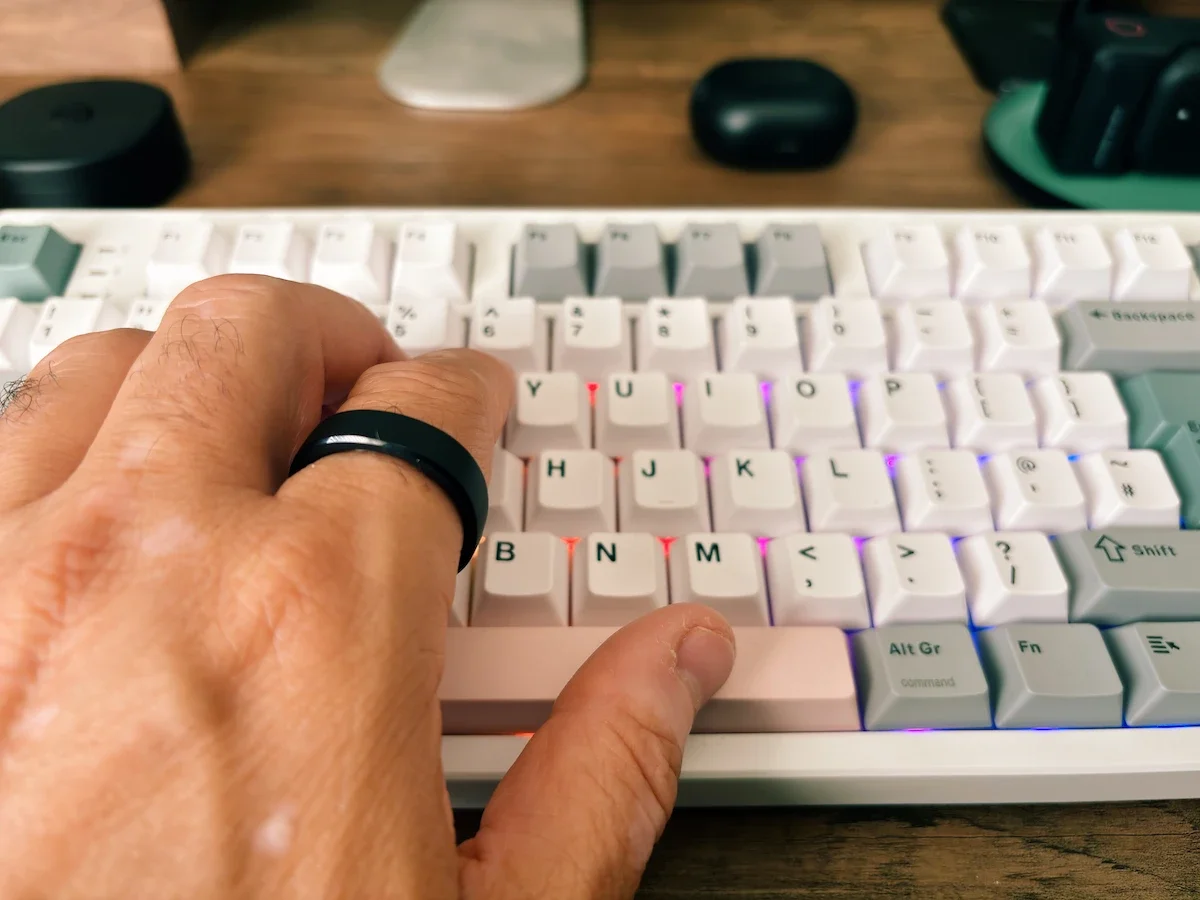
I tested the Epomaker TH87 during my normal writing sessions with my MacBook Air M1 and iPad Air.
Is It Really Silent?
I would not call it completely silent, because no mechanical keyboard is truly silent.
But compared with many mechanical keyboards, the Epomaker TH87 is impressively quiet.
It does not have that aggressive gaming keyboard noise. It does not feel like you are disturbing the entire room every time you write a sentence. The sound is controlled and pleasant, especially if you enjoy that soft mechanical keyboard feel without wanting something loud.
For me, this is one of the biggest strengths of the TH87.
I work from home. I write a lot. I often type early in the morning or later in the evening. A keyboard that feels good but sounds too loud would become annoying quite quickly.
This one gives me the mechanical keyboard experience without making my desk feel like an arcade.
The Colour and Design
I also really like the colour.
A lot of mechanical keyboards look too aggressive for my taste. Too much black plastic. Too many sharp gamer lines. Too many lights trying too hard.
The Epomaker TH87 looks softer and more stylish. It has a clean, slightly playful look without becoming childish. The colour gives the keyboard personality, but it still feels tidy and grown-up on the desk.
That balance is not always easy to get right.
On my desk, it feels modern but not silly. It adds character. It looks good next to a MacBook Air, and that is not always easy. Apple products have such a clean design language that many accessories look cheap beside them.
The TH87 does not.
It has enough personality to stand out, but it still feels like something I would happily keep on my desk every day.
It is not a tiny keyboard. It feels solid and planted, which I personally like. This is not the keyboard I would throw into a backpack for daily travel, but for a desk setup, that extra presence is a good thing.
It does not slide around. It feels stable. It feels like a proper piece of kit.
RGB Lighting Without Looking Ridiculous
The Epomaker TH87 also has customisable RGB lighting.
I know RGB can be a bit divisive. Some people love it. Some people immediately think of gaming setups with flashing lights everywhere. Personally, I don’t want my desk to look like a nightclub.
But the TH87 handles it well.
Epomaker says the keyboard has per-key RGB backlights that can be adjusted in saturation, brightness and speed. In real life, that means you can keep it subtle. You don’t have to use wild rainbow effects. You can choose something softer, reduce the brightness, or simply turn the lighting off when you want a calmer setup.
For me, the RGB is not the main reason to buy this keyboard, but it does add to the overall experience.
In the evening, with a softer light setting, it makes the desk feel warmer and more enjoyable to use.
And when you spend as much time at a desk as I do, that small detail matters.
Why It Feels Better Than My MacBook Air Keyboard
This was the real test.
The MacBook Air M1 keyboard is practical, fast and familiar. I still like it. If I am working on the sofa, travelling, or quickly editing something, I have no issue using it.
But at the desk, the Epomaker TH87 has started to replace it.
The reason is comfort and feel. The Apple keyboard is very shallow. That is part of why it works so well in a thin laptop. But after using the TH87, the MacBook keyboard starts to feel a little flat in comparison.
The TH87 gives my fingers more travel. The keys have more shape. The sound is more satisfying. The whole experience feels more deliberate.
I don’t think it makes me magically write better. But it does make the process more enjoyable. And when your job involves writing every day, that is not a small thing.
There is also something about using a separate keyboard that changes the posture of the desk setup. The MacBook can sit slightly higher, the keyboard can sit where my hands naturally fall, and the whole setup feels more like a proper workstation.
That is when the TH87 started to make sense for me.
It is not just a nice accessory. It changes the way the desk feels.
Works Well With Mac, PC and iPad
One of the reasons the Epomaker TH87 fitted so easily into my setup is its connectivity.
I used it mainly with my MacBook Air M1 and iPad Air, but the keyboard is designed to work across different systems, including Mac, Windows and Android. It also offers three connection options: Bluetooth, 2.4GHz wireless and USB A-to-C wired connection.
For my own use, Bluetooth made the most sense. It kept the desk clean, and switching between devices felt natural enough for the way I work. I could use it with the MacBook for longer writing sessions, then connect it to the iPad Air when I wanted a more minimal setup.
That flexibility is important.
The TH87 does not feel locked to one machine. It feels like a proper desk keyboard that can move between different devices depending on how you work.
And that is exactly how I used it.
Battery Life and Connectivity
Battery life has not been something I have had to worry about much.
Epomaker lists the TH87 with a 10,000mAh battery, with up to around 45 hours of use with the backlight at full brightness or around 200 hours with the backlight off. Of course, real-world battery life will always depend on how bright you keep the RGB lights and how you connect it.
For my use, the key point is simple: it does not feel like another device constantly asking to be charged.
I also like the flexibility of the connectivity. Bluetooth makes sense with the MacBook and iPad. The 2.4GHz dongle is useful if you want a more responsive wireless connection, and the wired option is there when you want the most reliable setup.
That flexibility is one of the reasons the TH87 feels more useful than I expected.
It is not locked to one device or one way of working.
What I Like Most
What I like most about the Epomaker TH87 is not one feature. It is the way everything comes together.
The smooth typing.
The quiet sound.
The soft, creamy feel.
The colour.
The solid weight.
The fact that it works with my MacBook Air and my iPad Air.
The RGB lighting when I want a bit of atmosphere, and the clean desk feel when I want to focus.
It is one of those products that sounds simple until you use it every day.
Then you realise it has changed a small but important part of your routine.
I sit at my desk, open the MacBook, place my hands on the TH87, and the work feels a little more inviting.
That is not something every tech product can do.
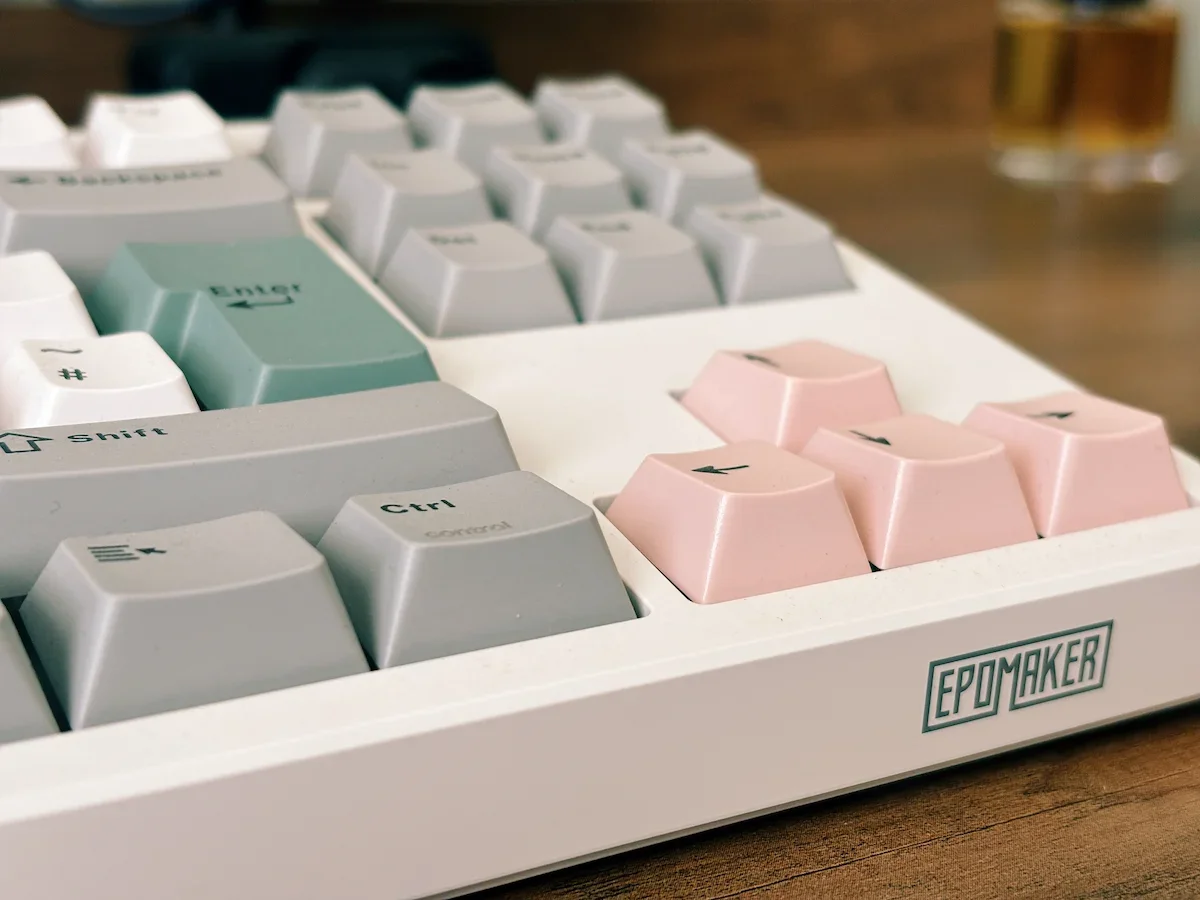
I really like the colour combination on the TH87. It has personality without looking too loud or too “gaming”.
What Could Be Better?
The Epomaker TH87 is not perfect for everyone.
First, it is not really a travel keyboard. It feels solid and stable on a desk, which I like, but it is not something I would carry around every day with my MacBook or iPad.
Second, if you are coming from a laptop keyboard, the height and feel will take a little adjustment. The TH87 is a proper mechanical keyboard, so your hands sit differently and the keys have more travel. Personally, I enjoyed that change, but some people may prefer adding a wrist rest for longer typing sessions.
Third, the RGB lighting is very good, but not everyone will care about it. I like being able to customise the lights and keep them subtle, but for me the real reason to buy this keyboard is the typing experience, not the lighting.
None of these points would stop me recommending it.
They are just worth knowing before buying.
Who Is the Epomaker TH87 For?
I think the Epomaker TH87 makes most sense for people who spend real time at a desk.
If you write a lot, edit documents, work from home, code, game, or simply want a better typing experience than a standard laptop keyboard, this keyboard is easy to recommend.
It is especially interesting if you want a mechanical keyboard that feels smooth and satisfying without being too loud. That is where the TH87 gets the balance right.
It has enough personality to make your desk look better, but it does not feel like a toy. It has RGB lighting, but it does not force you into a loud gaming look.
It is comfortable, quiet, and genuinely enjoyable to use.
For bloggers, writers and content creators, that matters.
Where to buy
Epomaker TH87 Mechanical Keyboard
Check Price on AmazonAs an Amazon Associate, I earn from qualifying purchases.
Epomaker TH87 FAQ
What does a creamy keyboard mean?
A creamy keyboard is one that feels smooth, soft and slightly cushioned when you type. It does not have the sharp, loud click of some mechanical keyboards. Instead, the sound is more muted and rounded, with a deeper “thock” rather than a hard clack.
With the Epomaker TH87, this is one of the things I noticed straight away. The keys feel smooth under the fingers, and the sound is pleasant without being too loud. It makes long writing sessions feel calmer and more comfortable.
Is the Epomaker TH87 good for writing and blogging?
Yes, I think this is where the Epomaker TH87 makes the most sense.
I used it mainly for writing blog posts, editing articles, replying to emails and managing my daily work. The keyboard made typing feel more enjoyable than using the built-in MacBook Air keyboard at my desk. It does not write the words for you, of course, but it makes the process feel better.
For writers, bloggers and anyone who spends a lot of time typing, that matters.
Is the Epomaker TH87 too loud for home office use?
No, I did not find it too loud.
It is not completely silent, because it is still a mechanical keyboard, but it is much quieter than the loud, clacky keyboards many people imagine when they think of mechanical keyboards. The sound is soft and controlled, which makes it suitable for a home office or a shared room, as long as the person next to you is not extremely sensitive to typing noise.
Is the Epomaker TH87 better than the MacBook Air keyboard?
For desk use, I now prefer the Epomaker TH87.
The MacBook Air keyboard is still excellent. It is fast, slim and practical, especially when travelling or working away from the desk. But when I am writing for longer periods, the TH87 feels more comfortable and more satisfying.
The keys have more travel, the sound is softer, and the whole typing experience feels more deliberate. It makes the desk setup feel more like a proper workstation.
Can you use the Epomaker TH87 with an iPad?
Yes, I used the Epomaker TH87 with my iPad Air, and it worked well as part of a clean writing setup.
I would not call it a portable iPad keyboard, because it is too solid and desk-focused for that. But if you use your iPad at a desk, it can make the tablet feel much more like a proper writing machine. For distraction-free writing, I really liked that combination.
Is the Epomaker TH87 worth it?
If you spend a lot of time typing at a desk, yes.
The Epomaker TH87 is not just about RGB lights or mechanical keyboard hype. The real reason to buy it is the typing experience. It feels smooth, quiet, stable and genuinely enjoyable to use.
For me, it became the keyboard I wanted to use every day, and that is usually the best sign that a product has earned its place on the desk.
Final Verdict
The Epomaker TH87 surprised me.
I expected a nice mechanical keyboard. I did not expect it to change the way I feel about typing at my desk.
But after using it with my MacBook Air M1 and iPad Air, I can say this clearly: when I am sitting at my desk, I now prefer the Epomaker TH87 over the standard MacBook Air keyboard.
That is the real verdict.
The MacBook keyboard is still excellent for what it is. But the TH87 gives me something different. It gives me a smoother, softer, quieter and more enjoyable typing experience. It makes long writing sessions feel better. It makes my desk setup feel more complete.
And yes, I finally understand what people mean when they talk about a creamy keyboard.
The Epomaker TH87 is not just another keyboard on my desk.
It has become part of how I work.
And I think that says a lot.
Jerome
About the Author
Written by Jerome
Jerome is the founder of Dapper & Groomed, a men’s lifestyle blog covering grooming, fragrance, style and everyday tech. He has been reviewing products for over a decade, with a focus on honest, real-world testing rather than quick impressions. For this review, he used the Epomaker TH87 as part of his daily desk setup with a MacBook Air M1 and iPad Air.
I use Roborock vacuums in my own home. Here’s why I rate them so highly, plus the Roborock Prime Day deals I think are genuinely worth considering.