
I Tested the Insta360 Mic Pro: Honest Review for Creators
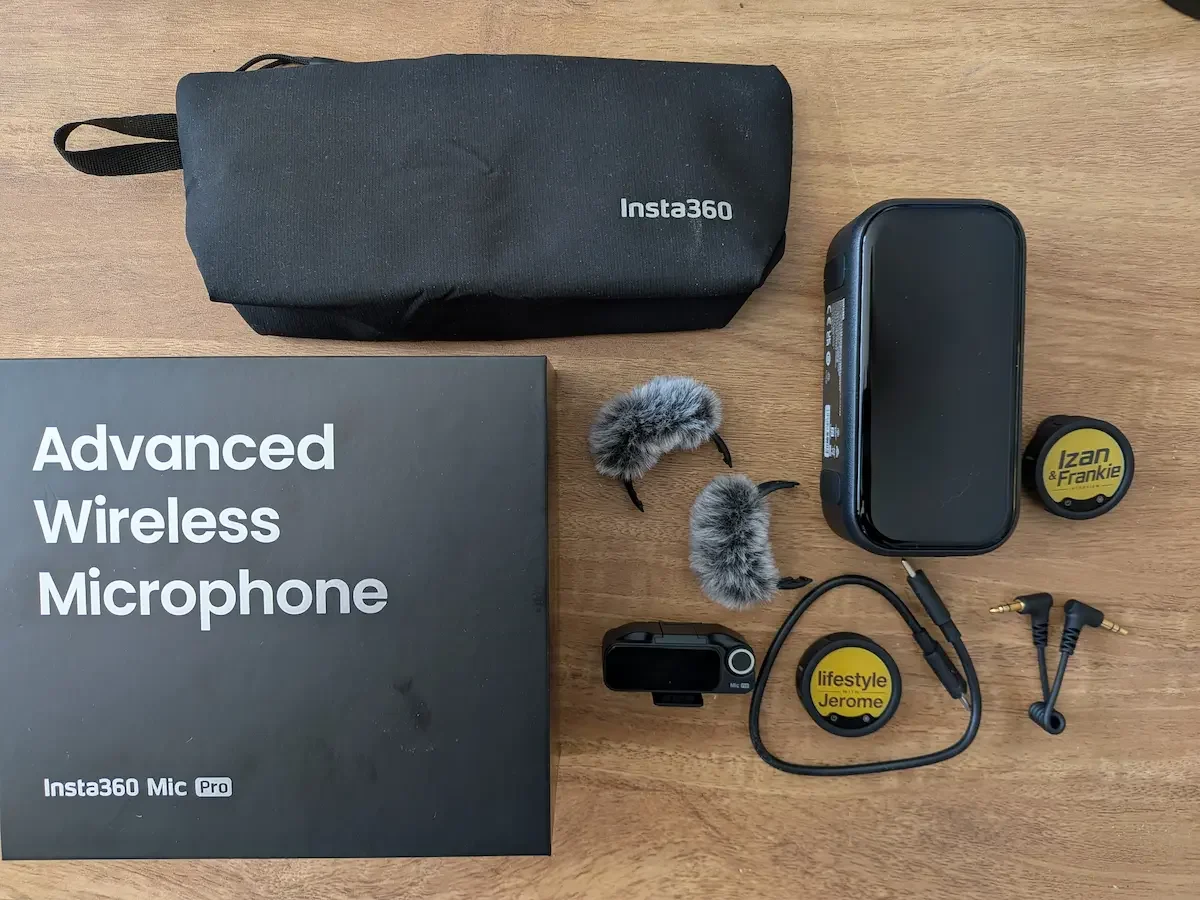
The Insta360 Mic Pro kit feels like a proper creator microphone system, with the receiver, transmitter, accessories and personalised E-Ink displays included.
Disclosure: Insta360 sent me the Mic Pro for review purposes, but they have not seen or approved this review before publication. As always, my opinion is my own. This post contains affiliate links, and as an Amazon Associate, I earn from qualifying purchases.
There are products that are easy to review because they do one simple thing.
Then there are products like the Insta360 Mic Pro.
This is not just a small wireless microphone you clip to your shirt before filming a YouTube video. It is much more advanced than that. It has a 3-mic array, directional pickup modes, advanced gain settings, 32-bit float internal recording, noise cancelling, timecode support, direct connection with compatible Insta360 cameras, and even a personalised E-Ink display.
On paper, it is extremely impressive.
But here is the real question: do most creators actually need all of this?
That is where this review becomes interesting.
I create content from home most of the time. I film face-to-camera videos, product reviews, unboxings, voiceovers, and the occasional outdoor clip. I am not running a film crew. I am not recording a documentary with multiple cameras and timecode. I am not working with a team of editors in a professional studio.
So I wanted to look at the Insta360 Mic Pro in two ways.
First, I wanted to understand what it can really do as a professional creator microphone. Then I wanted to look at the reality for people like me: content creators who want excellent sound, but who do not necessarily need every advanced feature.
And after using it with my iPhone 15 Plus, MacBook Air, and Insta360 GO Ultra, I have a clear feeling about it.
The Insta360 Mic Pro is seriously impressive. The sound quality can be excellent. The personal E-Ink display is one of the coolest features I have seen on a microphone. But it is also not as simple as the Insta360 Mic Air.
This is a more advanced product. And whether that is a good thing depends on the kind of creator you are.
Quick Verdict
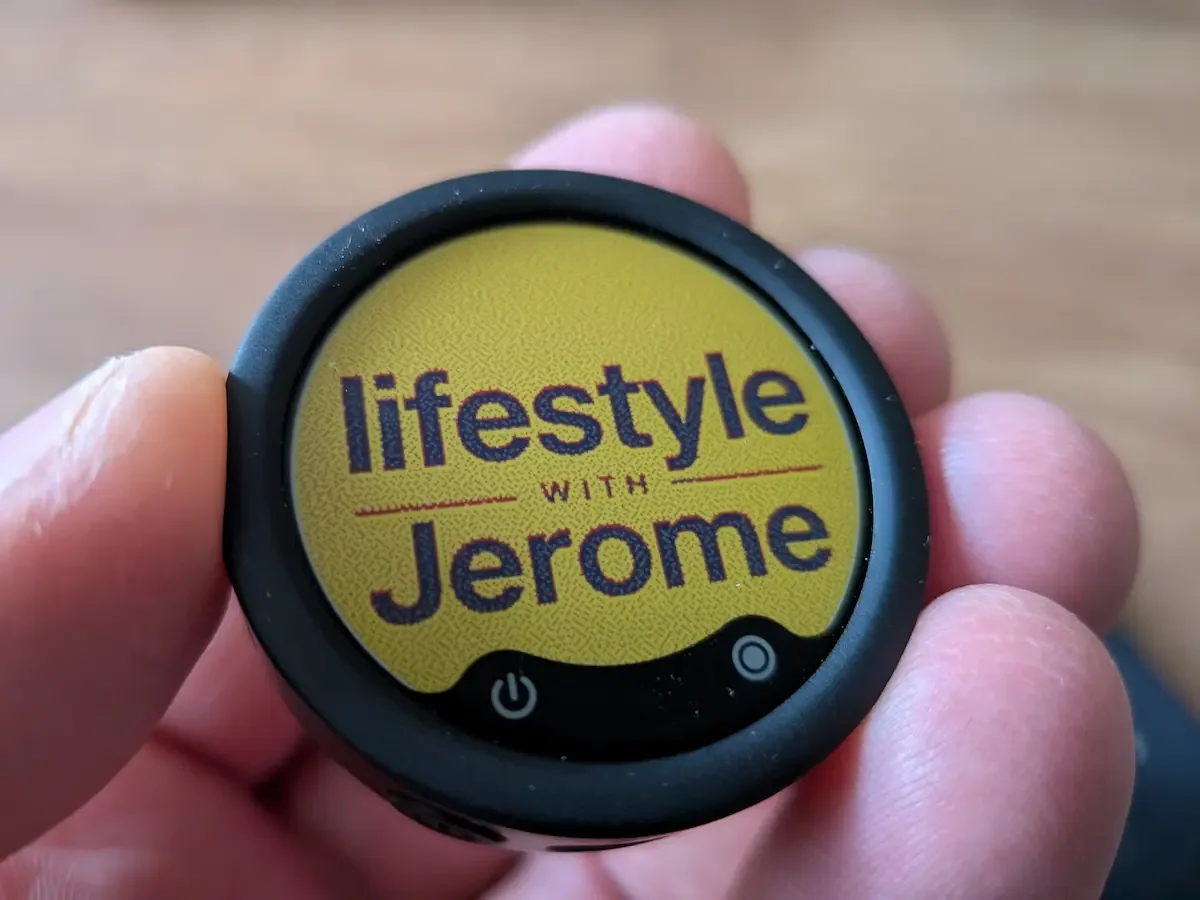
The personalised E-Ink display is one of my favourite features. I uploaded my own Youtube Channel logo through the Insta360 app.
The Insta360 Mic Pro is one of the most advanced wireless microphones I have tested, and the sound quality is excellent when you use the right settings.
For advanced creators, vloggers, interviewers, filmmakers, and anyone already using Insta360 cameras, this is a very serious piece of kit. It gives you proper control, clever features, and a lot of flexibility.
For occasional creators, home-based YouTubers, and people who mainly film simple face-to-camera videos, it may be more microphone than you really need. The Insta360 Mic Air is easier, simpler, and still very good.
But if you have the budget, want better sound, and love the idea of the personalised E-Ink display, the Mic Pro is a beautiful upgrade.
First Impressions: Insta360 Still Knows How To Do An Unboxing
I have to say this first: I love the unboxing experience with Insta360 products.
There is something very clean and modern about the way Insta360 presents its gear. It feels cool without trying too hard. The Mic Pro packaging has that same polished creator-tech feeling.
When you open the box, it feels like you are dealing with a serious product. Everything has its place. The accessories are neatly arranged. The charging case, transmitters, receiver, windshields, clips, and small extras all give the impression that this is not just a basic wireless mic.
It feels like a proper creator system.
That matters because microphones can be boring products visually. They are usually small, black, and functional. But Insta360 has managed to make the Mic Pro feel like something with personality.
And that personality becomes even clearer when you start using the E-Ink display.
The Personalised E-Ink Display Is Brilliant
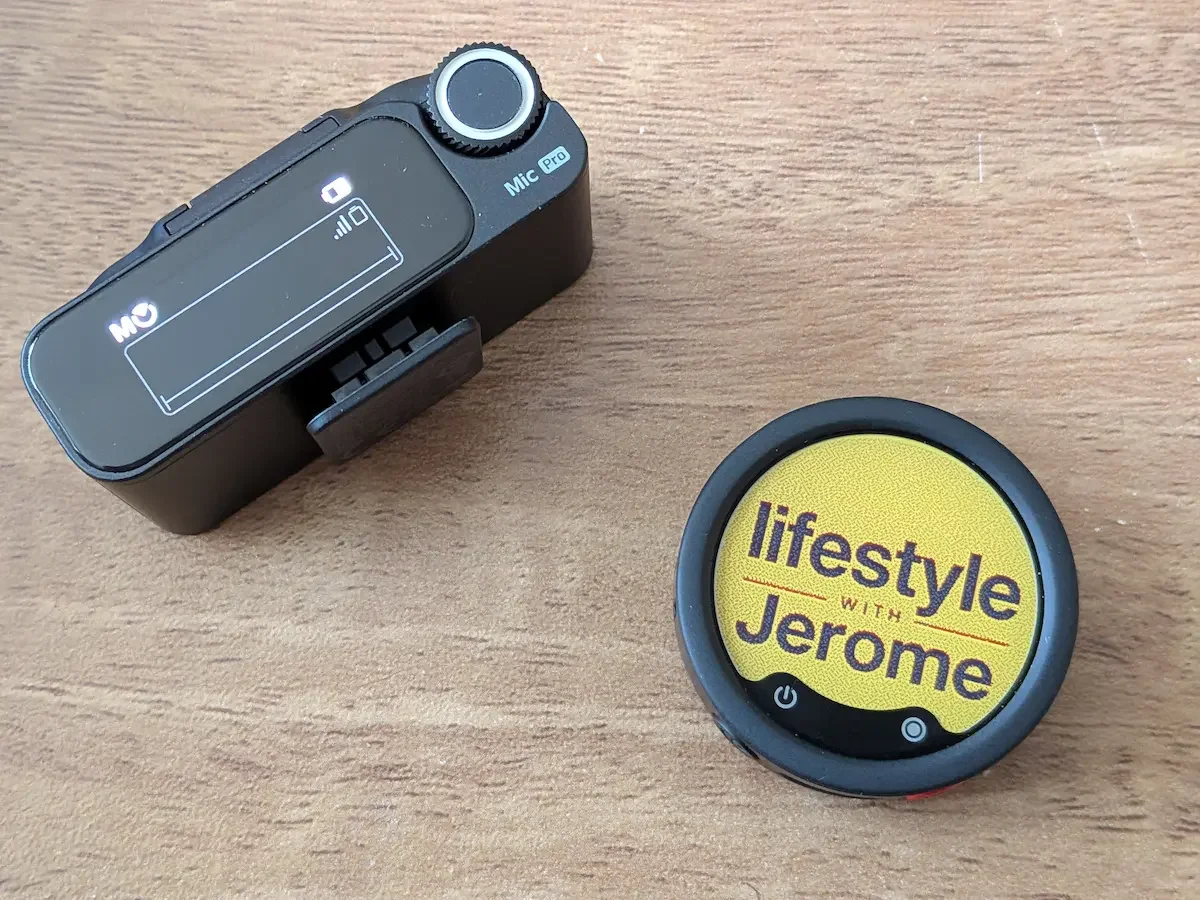
The Mic Pro gives you proper audio control, but the custom E-Ink display also adds a personal creator touch.
Let’s talk about my favourite feature first.
The personalised E-Ink display is genuinely brilliant.
I know some people may look at it and think it is a gimmick. I do not agree. For creators, branding matters. If you film product reviews, interviews, behind-the-scenes clips, or YouTube videos where the microphone appears on camera, having your own logo on the mic is a very clever touch.
I tested it by asking ChatGPT to create a small logo for me. I then uploaded it through the Insta360 app, and after a short process, it appeared on the Mic Pro display.
It is not instant. The process is a little slow. You upload the image, wait for it to refresh, and then the logo appears. But it works well, and when it appears, it feels strangely satisfying.
There is something almost magical about seeing your own logo on such a small device.
For me, this feature makes the Mic Pro feel personal. It is no longer just another black wireless microphone. It becomes part of your setup. Part of your content identity.
And for creators who care about how their gear looks on camera, that is a real advantage.
The E-Ink display also makes sense technically. It does not need constant power to keep the image visible, which is one of the reasons E-Ink is such a smart choice here. It is also readable and distinctive in a way a normal tiny screen would not be.
Would I buy the Mic Pro only for the E-Ink display? Probably not.
But is it one of the features that makes me love the product more? Absolutely.
Sound Quality: Excellent, But Settings Matter
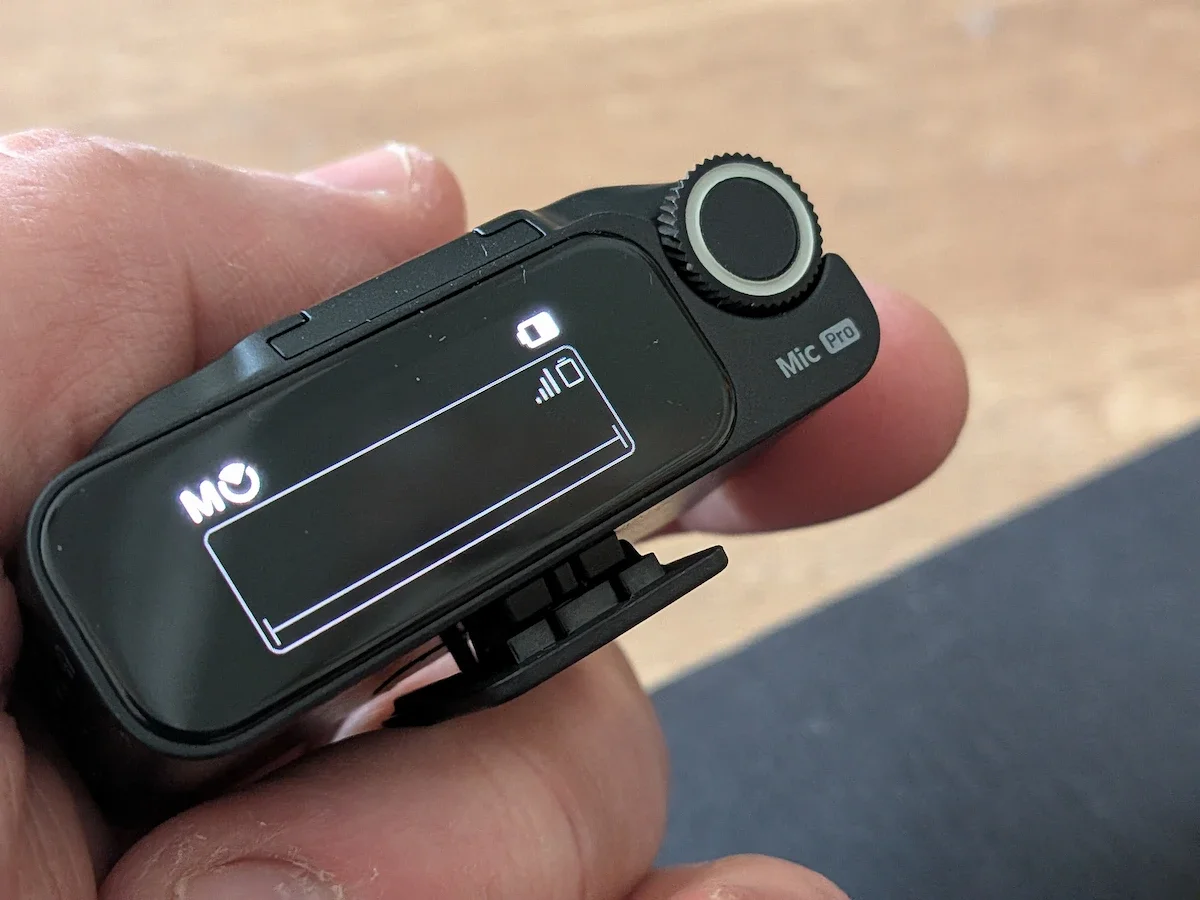
The receiver screen and control dial make the Mic Pro feel far more advanced than a simple clip-on wireless microphone.
The most important thing with any microphone is simple: does it sound good?
With the Insta360 Mic Pro, the answer is yes.
But there is a small warning here. It sounds excellent with the right settings. I did not love every voice preset.
For example, I tried the Bright voice tone preset, and I did not like how my voice sounded with it. It made my voice feel less natural to me. Maybe it will work for some people, especially if they want a sharper or more lifted vocal sound, but it was not for me.
Where the Mic Pro sounded best for my voice was with the cardioid setting.
That is where the audio felt cleaner, more focused, and more professional. My voice had better presence without sounding too artificial. It gave me the feeling that I was recording with a serious microphone rather than just a small wireless clip-on mic.
I tested it for face-to-camera filming, outdoor clips, and voiceovers connected to my MacBook Air. In all three situations, the Mic Pro gave me a very strong result.
For YouTube reviews, voiceovers, and product videos, good sound makes a huge difference. Viewers can forgive average video quality more easily than poor audio. If your sound is thin, noisy, harsh, or inconsistent, people notice very quickly.
The Mic Pro helps solve that.
It gives your voice a more polished, controlled sound. It also gives you more room to adjust the result depending on your recording environment.
And that is where the Mic Pro starts to separate itself from simpler wireless mics.
Noise Cancelling: Surprisingly Good By The River Severn
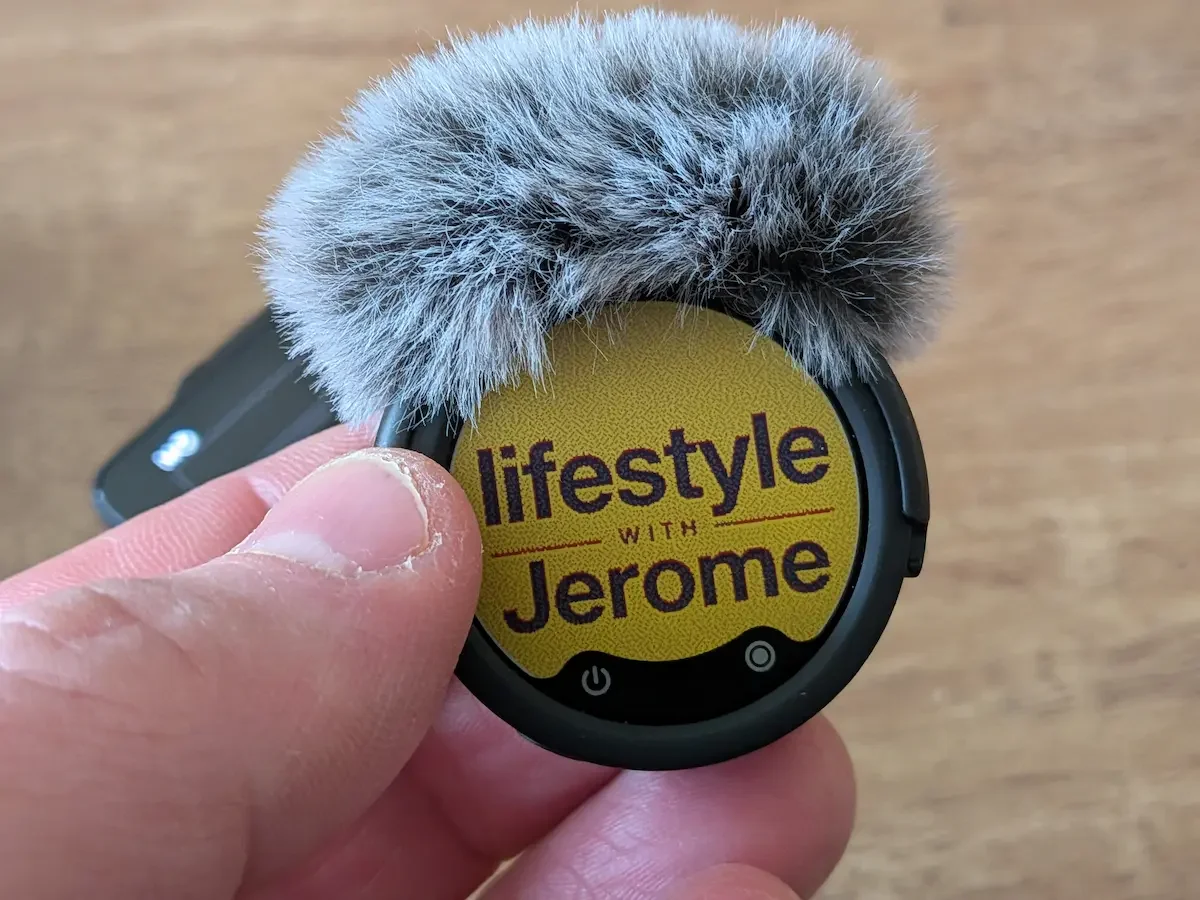
The E-Ink display still looks sharp with the windshield attached, making the Mic Pro feel both practical and personal.
I tested the noise cancelling while filming near the River Severn.
That is a useful place to test a microphone because it is often windy there. Wind is one of the worst enemies of outdoor audio. It can ruin a clip very quickly, especially if you are vlogging or filming a quick talking-head piece outside.
The Mic Pro handled it very well.
I used the wind protection and tested the noise cancelling, and the result was genuinely impressive. It reduced the wind noise without making my voice sound completely destroyed or robotic.
That is the balance I always look for with noise cancelling.
Some microphones and earbuds remove background noise aggressively, but they also damage the voice. You end up sounding processed, thin, or artificial. That may be acceptable for a quick call, but it is not ideal for a video review or content you want to publish.
With the Mic Pro, the noise cancelling felt useful rather than overdone.
For outdoor creators, that matters. If you film travel videos, walking videos, car content, family trips, street interviews, or outdoor product shots, reliable noise control is not a luxury. It can be the difference between usable footage and a clip you have to delete.
This is one of the areas where the Mic Pro starts to justify its more professional positioning.
The Receiver Screen And Gain Settings Feel Properly Advanced
Another feature I really liked is the receiver screen and the advanced gain settings.
This is where the Mic Pro starts to feel less like a simple creator microphone and more like a compact professional audio system.
You can see what is going on. You can adjust settings. You can control the microphone more precisely. You are not just hoping everything is working in the background.
That reassurance is important.
When I film, especially if I am alone, I do not want to discover later that the audio was too low, too loud, or ruined by clipping. Good visual feedback helps you feel more in control.
The advanced gain settings are also a big step up if you care about audio. They give you more flexibility depending on your environment, voice level, and recording style.
For a beginner, this may feel like too much.
For someone who already understands audio, or who wants to improve the quality of their videos, this is where the Mic Pro becomes really interesting.
It gives you room to grow.
Mic Pro Versus Mic Air: Simple Camera App Versus Pro Camera App
This is probably the easiest way I can explain the difference between the Insta360 Mic Air and the Insta360 Mic Pro.
Using the Mic Air is like using the Apple Camera app.
It is simple. It is easy. You open it, film, and you are done. For many creators, that is perfect. There is very little friction.
Using the Mic Pro is more like using a professional camera app.
You get more settings, more control, more features, and more possibilities. But you also need more time to understand what everything does.
The Mic Pro is definitely more complicated than the Mic Air.
That is not necessarily a criticism. It is just the nature of the product. Insta360 has created something much more advanced, and with advanced products, there is usually a learning curve.
If you are the kind of person who loves settings, testing modes, adjusting gain, comparing sound profiles, and understanding how your gear works, the Mic Pro is very rewarding.
If you just want to clip on a mic, press record, and not think about anything else, the Mic Air may be a better fit.
I think this distinction is important because not every creator needs professional-level control. Sometimes simplicity is more valuable than having every feature available.
The Professional Side: What The Insta360 Mic Pro Can Really Do
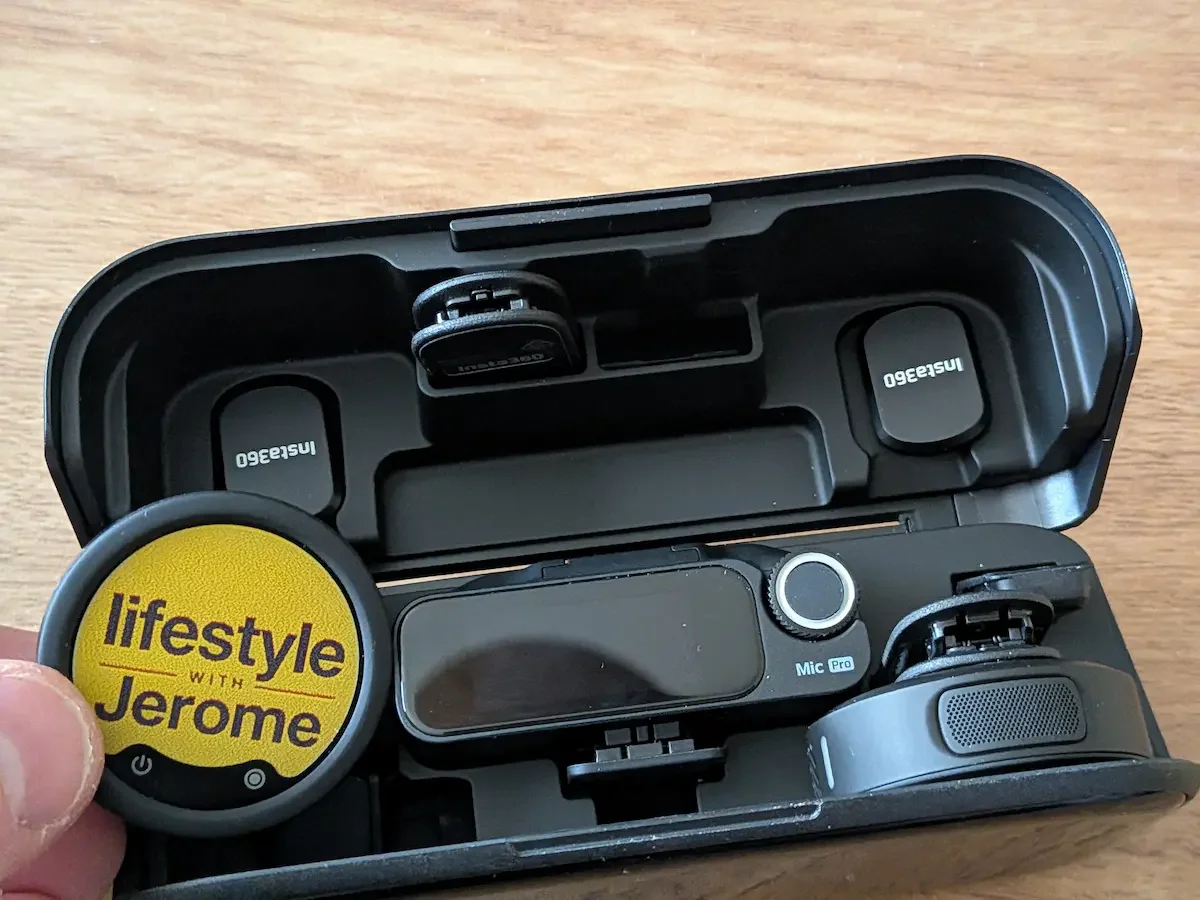
The charging case keeps the Mic Pro system organised and makes the whole setup feel neat, portable and professional.
If you look at the Mic Pro as a professional microphone system, it is very impressive.
It offers features that go beyond basic wireless audio. The 3-mic array and directional pickup modes make it more flexible than a standard lavalier mic. You can use it in different recording scenarios, including face-to-camera, interviews, and on-camera use.
That last part is important.
The Mic Pro can work not only as a clip-on lavalier-style microphone but also as an on-camera microphone in certain setups. That gives it more flexibility if you film different kinds of content.
Then you have 32-bit float internal recording, which is one of those features that serious creators will appreciate more than casual users. In simple terms, it gives you more safety when recording audio with unpredictable volume changes. If something gets suddenly loud, you have more chance of saving the audio later.
There is also timecode support, which is useful for professional editing and multi-camera workflows.
Again, this is not something I personally need for most of my content. But if you are filming interviews, commercial work, multi-camera productions, or more advanced YouTube projects, it becomes much more relevant.
Direct Connection With Insta360 Cameras: A Big Advantage If You Are Already In The Ecosystem
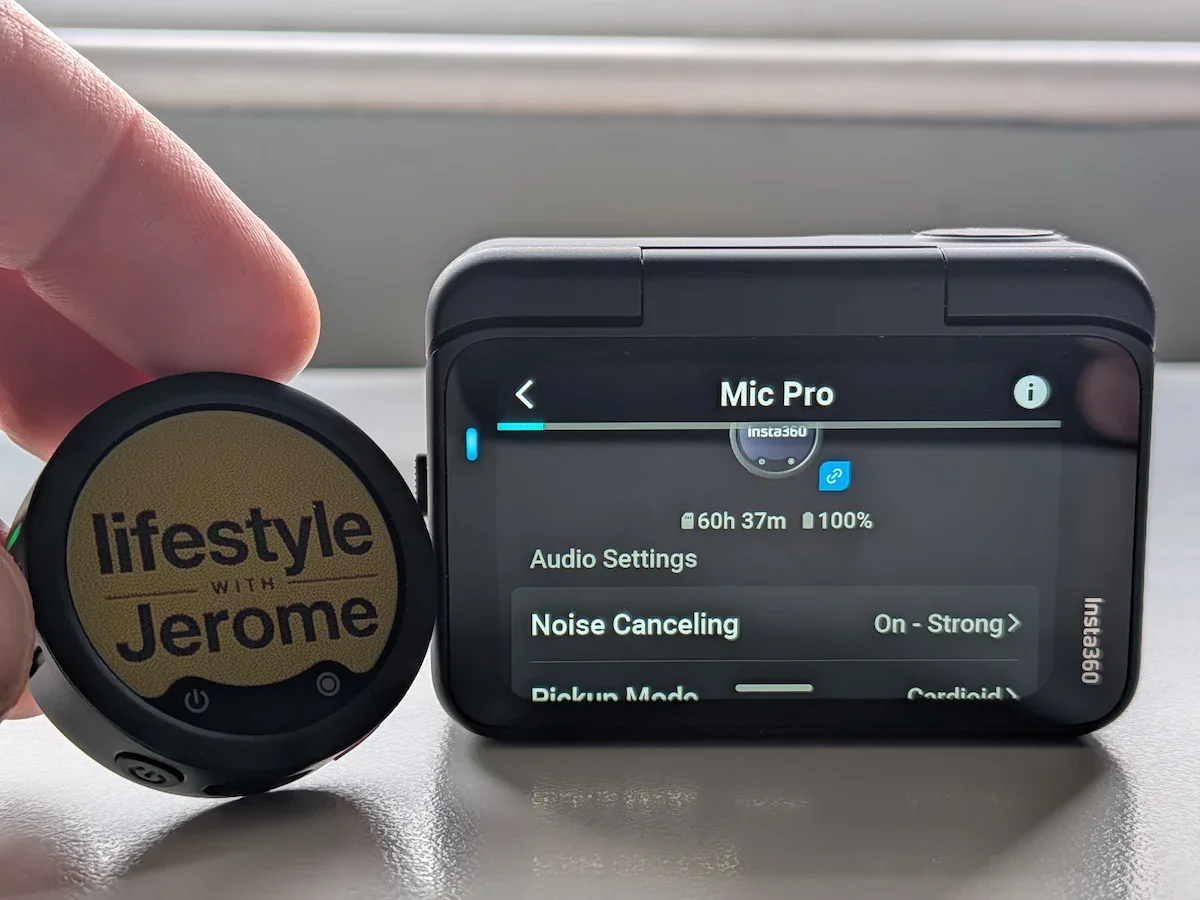
If you are already in the Insta360 ecosystem, the Mic Pro connects neatly with cameras like my Insta360 GO Ultra, making the setup cleaner and the settings easier to manage on the bigger screen.
One of the most useful things about the Insta360 Mic Pro is how well it fits into the wider Insta360 ecosystem.
If you already use an Insta360 camera, this becomes a much more interesting microphone. I tested it with my Insta360 GO Ultra, and the experience made a lot of sense. You can connect the Mic Pro directly to the camera, which means you do not need to make the setup more complicated than it has to be.
For me, this is one of those features that sounds simple on paper but makes a real difference in daily use.
The big advantage is not only the cleaner setup. It is also the way you can control and manage the microphone through the camera. Personally, I find it much easier to navigate settings on the bigger camera display than on a small receiver screen or through tiny menus. Everything feels clearer, easier to read, and more comfortable to adjust.
That matters when you are filming.
When I am preparing a video, I do not want to spend too much time fighting with settings. I want to check that the mic is connected, make sure the audio mode is right, and start filming. With the Mic Pro connected to the GO Ultra, the process feels well thought out. It feels like the camera and microphone are designed to work together rather than just being two separate bits of gear forced into the same setup.
For a lot of creators, I think this could be a huge difference.
If you already own an Insta360 camera, the Mic Pro becomes more than just another wireless microphone. It becomes part of the system. Fewer cables. Less faff. Cleaner setup. Easier control. That is exactly the kind of thing that makes filming feel smoother.
For an advanced creator, this is a big advantage. It gives you a microphone that can grow with your work, but still fits neatly into a compact camera setup.
And even for someone like me, who is not using every advanced feature every day, this direct connection is one of the reasons the Mic Pro feels so polished.
Check the Latest Price
You can check the current price and availability below.
Check price on Insta360(here) →The Reality For Home-Based Creators
Now let’s be honest.
A lot of creators are not using timecode.
A lot of creators are not recording multi-camera interviews.
A lot of creators are not using 32-bit float internal recording every day.
Many of us are filming at home, at a desk, in a bedroom, in a small studio corner, or in the kitchen when the house is finally quiet.
That is my reality most of the time.
For this kind of content, the Mic Pro still works very well. The sound quality is excellent. The cardioid mode worked beautifully for my voice. The receiver screen is useful. The E-Ink display is lovely. The direct connection with my iPhone 15 Plus and my MacBook Air made it useful for both video and voiceover work.
But did it completely transform my workflow compared with the Mic Air?
Not really.
It improved the quality of the video. The audio sounded better. The product feels more advanced. But in terms of daily workflow, I was already able to film easily with the Mic Air.
And that is the honest point.
For simple face-to-camera videos, the Mic Pro may be more than you need. It gives you better sound and more control, but it also asks more from you. You need to understand the settings. You need to spend time with it. You need to decide which modes work best for your voice and your filming environment.
That is fine if you enjoy the process.
But if your main priority is speed and simplicity, you may prefer a simpler mic.
What I Like

Testing the Insta360 Mic Pro in a real creator setup. The personalised E-Ink display is a small detail, but it makes the mic feel much more personal on camera.
The sound quality is the main reason to consider the Insta360 Mic Pro. When set up properly, it sounds excellent. My voice sounded best in cardioid mode, and for YouTube work, product reviews, and voiceovers, I could absolutely hear the improvement.
The personalised E-Ink display is also a standout feature. I love it. It gives the microphone a personality and makes it feel more connected to your brand. It is a small detail, but it makes the product feel special.
The receiver screen and advanced gain settings are also excellent. They give you more control and confidence while filming. If you are serious about improving your audio, this matters.
The noise cancelling worked very well in my outdoor test by the River Severn. Wind can easily ruin outdoor footage, so this was good to see.
I also like how well the Mic Pro fits into the Insta360 ecosystem. If you already use cameras like the GO Ultra, this becomes more appealing.
What Might Not Be For You
The Mic Pro is not as simple as the Mic Air.
That is probably the biggest thing to understand before buying it. This is not a basic clip-on-and-go microphone. You can use it simply, of course, but to get the best from it, you need to spend time with the settings.
Some features may also be unnecessary for casual creators. Timecode, internal recording, and 32-bit float recording are impressive, but I probably will not use them much right now.
I also did not like every voice tone preset. The Bright preset did not suit my voice, so I would recommend testing the different sound settings before judging the mic.
And finally, if you only film occasional videos at home, this may be more microphone than you need.
That does not make it bad. It just means you should buy it for the right reasons.
My real-world scorecard
Who Should Buy The Insta360 Mic Pro?
You should seriously consider the Insta360 Mic Pro if you are an advanced content creator, YouTuber, interviewer, filmmaker, vlogger, or someone who wants more control over audio.
If you film outdoors, record interviews, use Insta360 cameras, care about sound quality, or want a microphone system that can handle more demanding situations, the Mic Pro makes a lot of sense.
I would also recommend it to creators who are growing and want gear that gives them room to improve. This is not a microphone you will outgrow quickly.
It is also a great choice if you care about visual branding. The E-Ink display is not just fun. It genuinely makes the mic feel more personal and professional.
Who Should Consider The Insta360 Mic Air Instead?
If you are more of an occasional vlogger, a casual YouTuber, or a face-to-camera creator who wants something simple, the Insta360 Mic Air may be the better choice.
It is easier to use. It feels more straightforward. It gets the job done with less thinking.
For many creators, that is exactly what they need.
The Mic Air is the one I would recommend to someone who says, “I just want better audio without learning too much about microphones.”
The Mic Pro is the one I would recommend to someone who says, “I want the best sound, more control, and I am happy to spend time learning the settings.”
That is the real difference.
Check the Latest Price
You can check the current price and availability below.
Check price on Insta360(here) →Final Verdict: A Brilliant Mic, But Not A Basic One
The Insta360 Mic Pro is a seriously impressive wireless microphone.
The sound quality is excellent, especially when using the right settings. The cardioid mode worked best for my voice, the noise cancelling handled windy outdoor filming very well, and the receiver screen gives you proper control while recording.
The personalised E-Ink display is my favourite feature. I love the fact that I can upload my own logo through the Insta360 app and make the microphone feel like part of my own creator setup.
But this is not the simplest microphone Insta360 makes.
Compared with the Mic Air, the Mic Pro is more advanced, more flexible, and more powerful. It is also more complicated. It takes more time to understand, and some of its best features will probably be unnecessary for casual creators.
So my advice is simple.
If you are an advanced creator, or if you want a microphone that gives you professional features in a small package, the Insta360 Mic Pro is a fantastic choice. Insta360 has done something genuinely impressive here.
If you are an occasional vlogger or mainly film simple face-to-camera videos at home, the Mic Air may already be enough.
But if you have the budget, want better sound, enjoy having more control, and love that adorable personalised E-Ink display, then yes — the Insta360 Mic Pro is a very tempting upgrade.
It is not the mic everyone needs.
But it may be the mic a lot of serious creators will want.
Jerome
About the author: I'm Jerome, founder of Dapper & Groomed. I've spent the past 13 years testing and reviewing tech,speakers, earbuds, headphones, skincare products, fragrances, grooming products, and men's lifestyle gear on this blog and on my YouTube channel. My reviews are never approved or previewed by brands — just honest, real-world testing from a dad who's been at this since 2013.
I tested the Charmast 20000mAh Power Bank with my iPhone 17 and MacBook Air. Here’s how its built-in cables, battery and 20W charging perform.