
Timekettle LiveTalk AI Translation Earbuds Review: Clever Technology, But Do You Really Need Them?
Reviewing AI translation earbuds is a slightly unusual experience for me. I speak and understand five languages, and I've always believed that learning another language is about much more than communication. It's about discovering new cultures and connecting with people.
But I also understand that not everyone has the time or opportunity to learn another language. And this is where AI technology can make a real difference.
I've been testing the new Timekettle LiveTalk AI Translation Earbuds with French YouTube videos and Hindi-speaking friends. The translations were surprisingly accurate, but one question kept coming back to me.
Do we really need dedicated translation earbuds when our smartphones can already do something similar?
Let's find out.
What's Inside the Box and My First Impressions
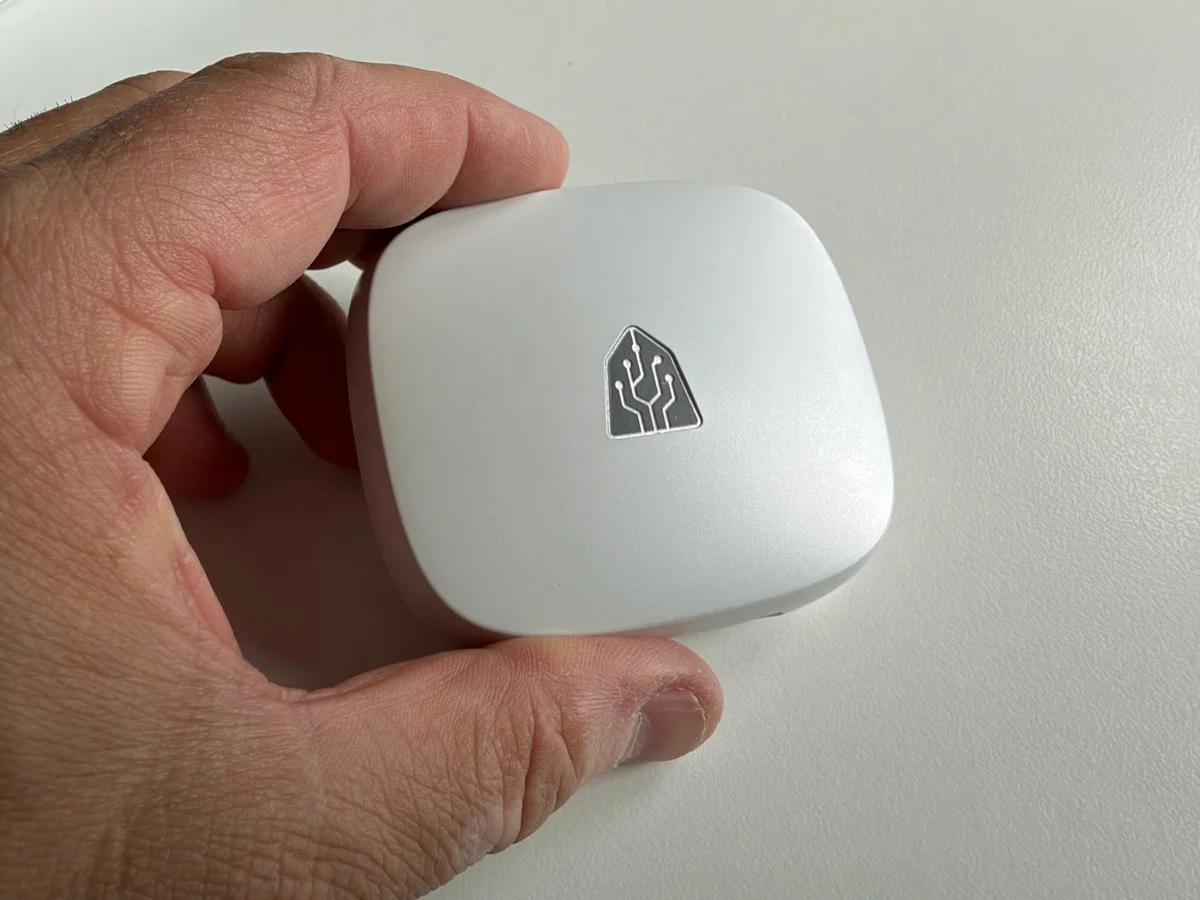
The LiveTalk charging case is quite large, but I really like its clean design and finish.
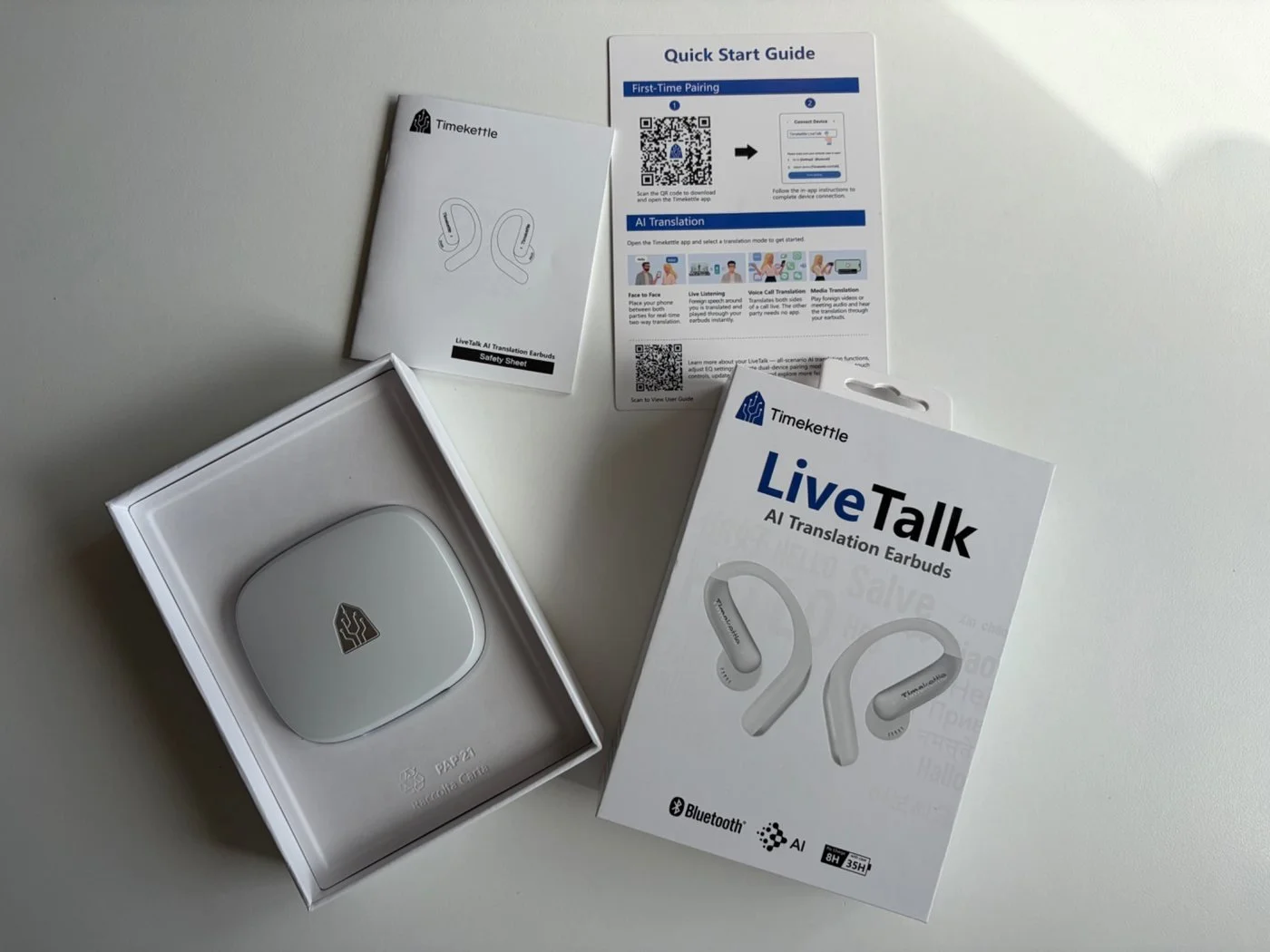
The packaging is fairly simple. Inside, you get the LiveTalk earbuds, their charging case, a very short USB charging cable and some documentation.
The charging case is quite large compared with regular wireless earbuds, but I actually like the design. It looks modern, feels nicely finished and certainly doesn't look cheap.
The earbuds have an open-ear design, meaning they sit around your ears rather than inside your ear canal. And I have to say, they're extremely comfortable.
They're incredibly light, and after a while, you almost forget you're wearing them. I also think they look rather stylish.
Of course, there's no Active Noise Cancelling here, but that's not really the point. These earbuds are designed primarily for communication, and being able to hear what's happening around you while listening to a translation makes sense.
Overall, I think Timekettle has done a great job with the design and comfort.
Connecting the LiveTalk to My iPhone and Sound Quality
Connecting the earbuds to my iPhone was incredibly straightforward.
I downloaded the Timekettle app, followed the setup instructions, and the earbuds connected almost immediately. No complicated pairing process or frustrating connection issues.
That's a good start.
The Timekettle app is where you access the different translation features, choose your languages and control how the earbuds work.
However, if you simply want to listen to music, you don't need to open the app every time. They work like regular Bluetooth earbuds.
But How Do They Sound?
Well, they're OK.
And I don't mean that in a particularly negative way.
The sound is pleasant enough for casual listening, although I didn't find them especially loud. You don't get particularly powerful bass or the sort of detailed sound you'd expect from a good pair of dedicated music earbuds.
But that's fairly typical of this type of open-ear design.
I've tested quite a few headphones and earbuds over the years, and open-ear models usually involve some compromises when it comes to sound quality.
For listening to a podcast, a YouTube video or a little background music, they're perfectly acceptable.
But I certainly wouldn't recommend buying the LiveTalk earbuds primarily for listening to music.
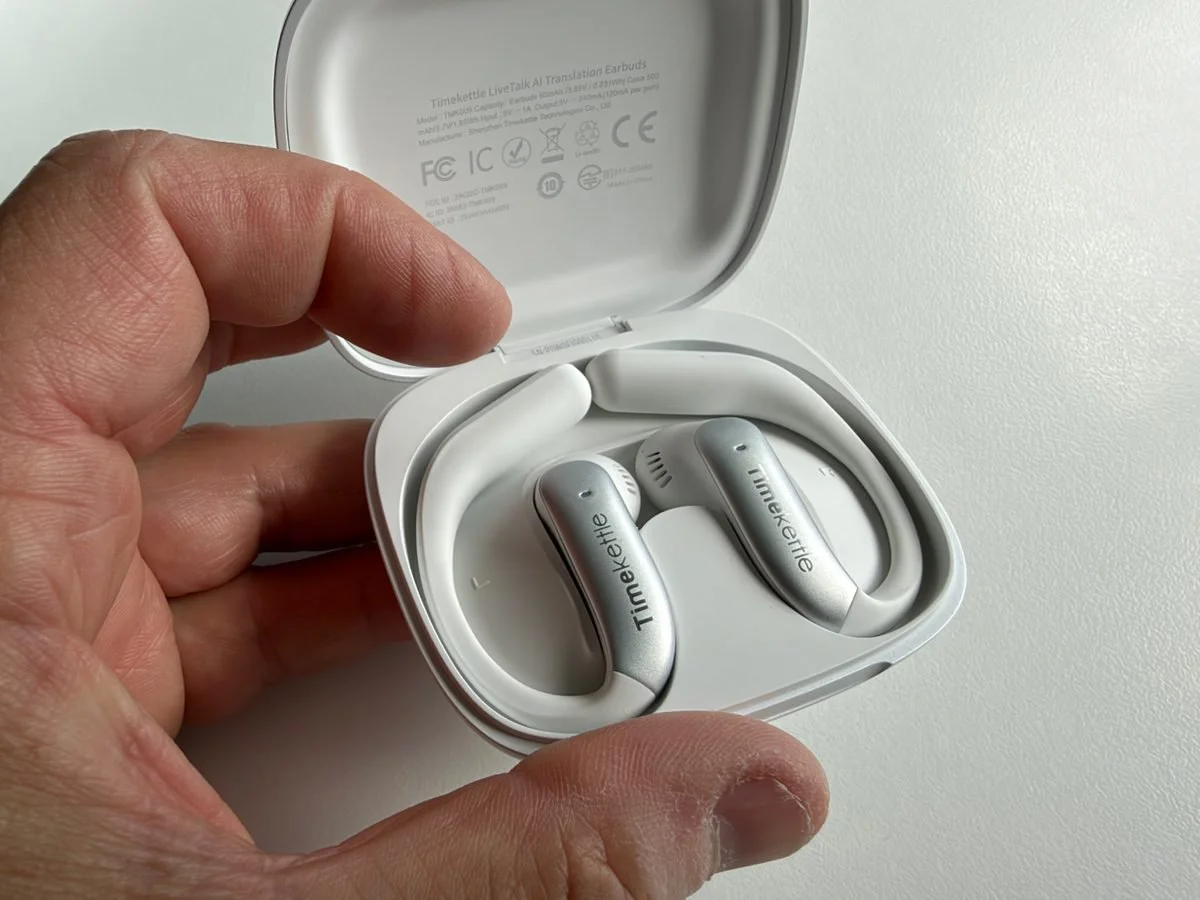
The LiveTalk earbuds inside their charging case. The open-ear design is both lightweight and comfortable.
How I Tested the Timekettle LiveTalk Translation Features
This is obviously the most important part of the review.
Timekettle advertises support for 54 languages and 108 regional accents, along with offline translation for 25 language pairs.
That's impressive on paper, but what matters is how well the translation actually works.
I decided to test the earbuds in two different situations.
First, I watched French-language YouTube videos and listened to the English translation. Since French is my native language, I could judge whether the translation accurately reflected what the speaker was saying.
Secondly, I tested the earbuds with friends from India who speak Hindi.
I wanted to see how the LiveTalk performed with actual conversations rather than just recorded videos.
And the results were interesting.
Multimedia Translation: Watching French YouTube Videos
The first feature I tested was Multimedia Translation.
To use this feature, you need to open the Timekettle app and select the multimedia translation option.
I decided to watch a YouTube video in French and listen to the English translation through the earbuds.
The app allows you to adjust the volume of the original audio and the translated voice separately.
That's useful because you don't necessarily want the original speaker talking loudly in the background while you're trying to concentrate on the translation.
However, finding the right balance took me a little time.
I had to adjust both volume levels before I found something comfortable enough to follow the video properly.
Once everything was set up, the translation worked.
And I have to say, the accuracy was good.
Because I understood everything being said in French, I could compare the original conversation with the translated version.
I didn't notice any major problems with the meaning of what was being said.
But there is one issue.
The translation isn't quite as immediate as I would have liked.
There is a noticeable delay between the original speech and the translated audio. Sometimes it works smoothly, but at other times the translation feels a little slow.
It's not necessarily a deal-breaker, but it does affect the experience, particularly when someone is speaking quickly.
And this is where I started questioning the usefulness of the feature.
YouTube already offers translated audio tracks on certain videos, and those are often more convenient when they're available.
So why would I want to use a separate app and earbuds to achieve something similar?
Of course, YouTube's translation features aren't available on every video, and Timekettle can potentially help with content that doesn't offer translated audio.
The LiveTalk multimedia feature is also designed to work with other types of video content, including streaming platforms.
But in my own testing with YouTube, I wasn't completely convinced.
The accuracy was there, but the experience still felt like it needed some refinement.

Testing the Timekettle LiveTalk at home. Even with glasses, I found the earbuds extremely comfortable.
Face-to-Face Translation: Testing With My Hindi-Speaking Friends
This was one of the most interesting parts of my testing because it involved real conversations.
I've always found it fascinating how people who don't speak the same language still manage to communicate. Children are particularly good at this. Put two children together who speak completely different languages, and somehow they'll find a way to play. As adults, I think we're sometimes a little too shy or worried about making mistakes.
And this is where technology like the LiveTalk can genuinely help.
I tested the face-to-face translation with my Hindi-speaking friends using the Timekettle app. You simply select the languages, speak, and the translation appears on your phone. You can also listen through the earbuds.
The translations were generally accurate, according to my friends, and the whole process was straightforward.
I can see this being particularly useful when travelling abroad, especially when you need to have a proper conversation rather than simply ask for directions or order a coffee.
It's a useful feature, and one that worked well during my testing. Although, once again, I think it's worth considering whether you need dedicated translation earbuds or if your smartphone could do the job just as well.
Sharing One Earbud With Another Person: Does It Work?
This is probably one of the most interesting features of the LiveTalk.
The idea is simple: you wear one earbud, give the other to the person you're talking to, and the conversation is translated between the two languages.
I tested it with my friends, and yes, it works surprisingly well.
I have to admit, though, that sharing an earbud with someone you've just met might feel a little awkward, particularly from a hygiene point of view. I'm not sure everyone would be comfortable with that.
But with friends, colleagues or family members, it's a completely different story.
And I can see how useful this could be when two people want to have a proper conversation but don't speak the same language.
For a quick exchange with a stranger, I'd probably stick to the translation app on my phone. But for longer, more personal conversations, I think this feature makes a lot of sense.
Where I Think the Shared-Earbud Feature Could Make a Real Difference: My Own Family
Now, having said all that, there is one situation where I genuinely think the LiveTalk could be incredibly useful. And it's actually within my own family.
My parents are French and don't speak English. My wife speaks some French, but her level is fairly basic. So, although they can communicate, having a proper conversation isn't always easy.
And this is exactly where I think the shared-earbud feature could make a real difference.
Imagine my wife wearing one earbud and my mum or dad wearing the other. They could have a proper conversation, ask each other questions, share stories and perhaps understand each other in a way that isn't always possible now.
I think that would be wonderful.
Unfortunately, I haven't been able to test this particular situation yet, as we'll have to wait until we next visit my parents in France.
But based on how accurately the LiveTalk translated during my tests, I'm quite optimistic.
And it made me reconsider my initial criticism of the shared-earbud feature.
Sharing an earbud with a complete stranger might feel a little awkward, but sharing one with a family member is completely different.
This is also a good reminder that translation technology isn't just about ordering food abroad or attending international business meetings.
Sometimes it's about helping two people who have known each other for years finally have a conversation without struggling to find the right words.
And for me, that's probably one of the most meaningful reasons to use something like the Timekettle LiveTalk.
What About Live Listening and Phone Call Translation?
The LiveTalk offers a few other translation features worth mentioning.
One is Live Listening, designed for situations where you need to understand someone speaking another language for an extended period.
For example, imagine attending a conference, university lecture or business presentation where the main speaker is using a language you don't understand.
The earbuds can listen to the speaker and translate what is being said.
This is where I start seeing more potential for the LiveTalk.
Rather than constantly looking down at your phone, you could listen to the translation while concentrating on the person speaking.
For business travellers, international students or people working in multilingual environments, that could be quite useful.
However, I didn't test this feature during an actual conference or business meeting, so I can't comment on how well it performs in a crowded room or with several people speaking.
The LiveTalk also supports translation during phone calls.
Again, this is something I haven't personally tested, so I don't want to pretend otherwise.
It's an interesting feature, particularly for people who regularly communicate with international clients, but I would need more time with it before judging its performance.
Transcripts, AI Features and Touch Controls
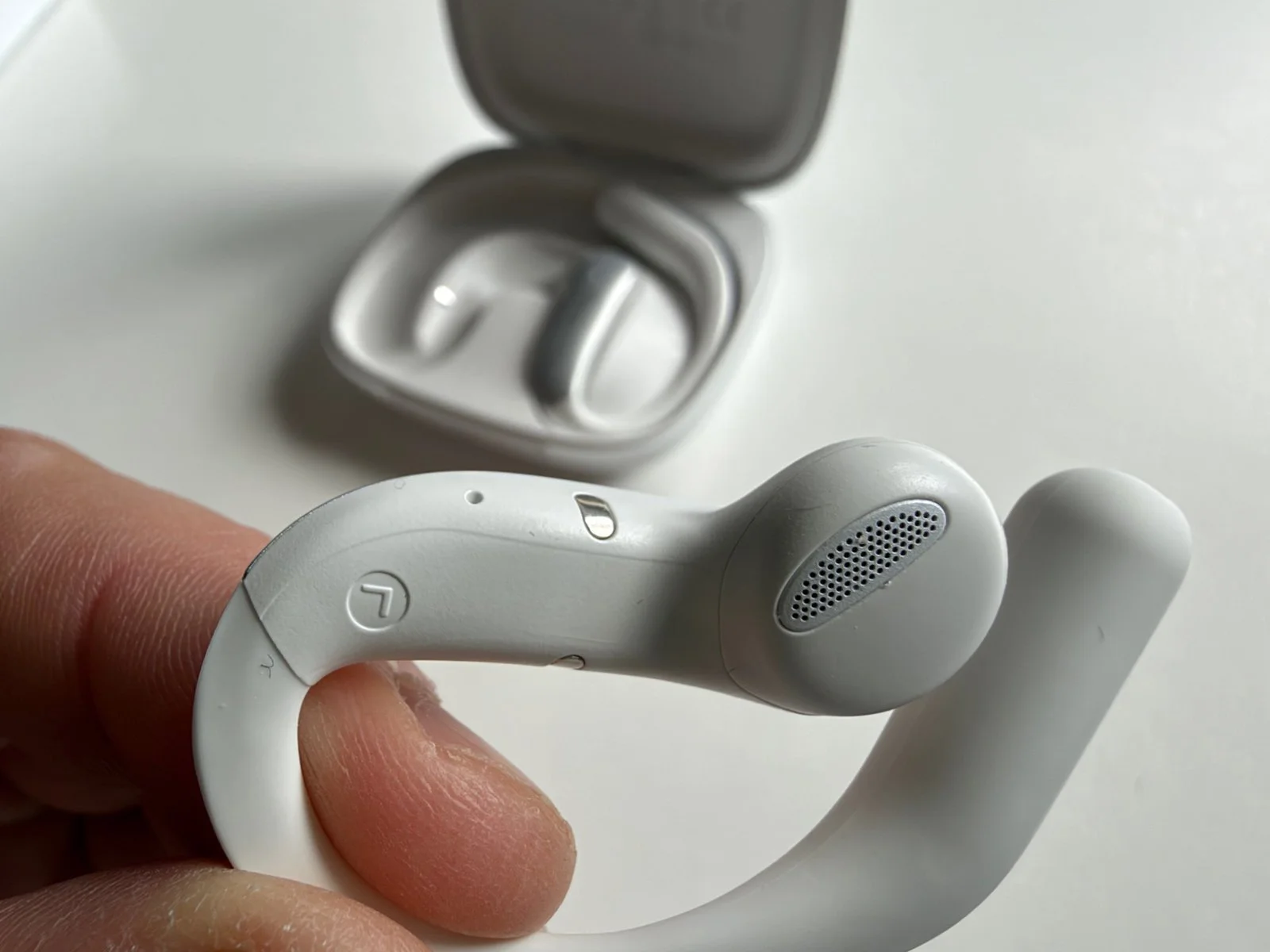
A closer look at the LiveTalk's open-ear design, which allows you to hear your surroundings while listening to translations
Another interesting feature is the ability to access a transcript after a translation session. I can see this being particularly useful for business meetings or lectures, where having a written record of the conversation could make a real difference.
Timekettle also offers AI-powered summaries, although, as with any AI-generated content, I would always recommend checking important information for accuracy.
The earbuds also have touch controls, which worked perfectly well during my testing. Nothing complicated here.
Finally, the LiveTalk supports offline translation for 25 language pairs. This could be useful when travelling somewhere with limited internet access, although I haven't personally tested this feature.
The Subscription: Something You Need to Consider
Now, this is where things get a little more complicated.
The LiveTalk earbuds cost $129 in the US, which I think is a reasonable starting price for a dedicated translation product.
However, the price of the earbuds isn't necessarily the end of the story.
Timekettle includes 200 minutes of online translation for free every month.
For occasional use, that might be enough.
If you're only using the translation feature during a holiday or for a few short conversations, you may never need to pay anything extra.
But trust me, 200 minutes can disappear surprisingly quickly if you start watching longer videos or regularly using the translation features.
Timekettle offers additional subscription options.
Free Plan: 200 minutes of online translation per month.
Pro Plan: £5.99 per month for an additional 300 minutes, giving you 500 minutes alongside the monthly free allowance.
Unlimited Plan: £9.99 per month for unlimited translation.
The paid plan prices above are listed in the UK App Store. In the US, the corresponding monthly prices are $5.99 and $9.99.
And this is something I would definitely consider before buying.
If you use the LiveTalk regularly and need unlimited translation, the ongoing subscription becomes part of the overall cost.
Of course, if the earbuds are genuinely helping you with your work or studies, that might be perfectly reasonable.
But if you're an occasional traveller, paying for another subscription might be difficult to justify.
At least the free monthly allowance gives you the opportunity to use the product without immediately committing to a paid plan.
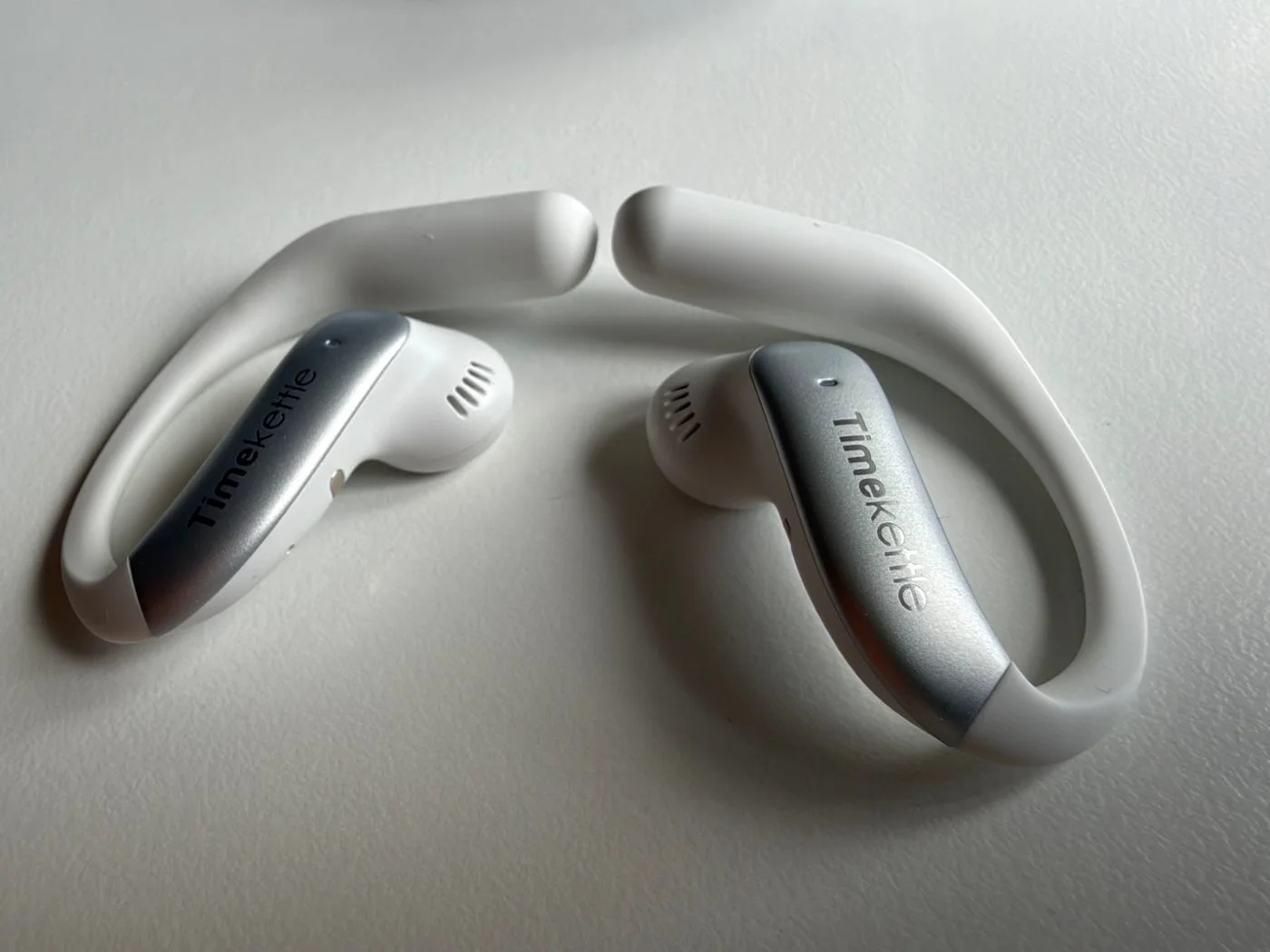
The Timekettle LiveTalk earbuds are incredibly light, stylish and comfortable enough to wear for hours.
Do You Really Need AI Translation Earbuds?
I think any technology that helps people communicate and understand each other is a good thing. And the fact that AI can recognise different accents is particularly interesting.
Take French, for example. I'm French, but Canadian French can sometimes be surprisingly difficult to understand, especially with strong regional accents and local expressions. Timekettle supports 108 accents, which is impressive, although I haven't tested all those variations myself.
But here's the problem. Smartphones are already becoming very good at translation. Samsung has been promoting AI translation for years, and there are plenty of apps available for both iPhone and Android.
So what makes the LiveTalk different?
Having translations delivered directly into your ears is convenient, particularly during longer conversations. The open-ear design is comfortable, and you don't have to keep looking at your phone.
But if you're travelling to Spain, France or Italy for a week's holiday, do you really need another pair of earbuds?
Personally, I don't think so.
For occasional conversations, I would probably recommend using your smartphone first. It's already in your pocket and, for most everyday situations, it will do the job perfectly well.
Where I See More Potential: Businesses and Organisations
Interestingly, the more I used the LiveTalk, the more I felt that its potential might be greater in professional environments than for occasional personal use.
Think about companies working with international suppliers, businesses with employees from different countries, or organisations regularly dealing with foreign-language presentations.
In these environments, being able to listen to a translation and review a transcript afterwards could be genuinely useful.
And I don't necessarily think companies would need to buy dozens of these earbuds.
Depending on how they're used, a company could potentially keep one or two sets available for occasional meetings or situations where translation is required.
The comfortable design would also make them suitable for longer listening sessions.
Of course, I would want to test them in a proper multilingual business environment before making a firm recommendation.
And for anything involving confidential conversations or sensitive information, organisations would need to consider their own privacy requirements.
But I do think this is where the LiveTalk has an interesting opportunity.
- Accurate translations in my French and Hindi tests.
- Extremely comfortable and lightweight open-ear design.
- Quick and easy connection to my iPhone.
- Shared-earbud translation could be particularly useful for multilingual families.
- Transcripts and AI summaries offer potential for professional use.
- 200 free translation minutes every month.
- Noticeable delays during multimedia translation.
- Adjusting audio and translation volumes takes some time.
- Music sound quality is only average.
- Sharing earbuds with strangers can feel awkward.
- Heavy users may need a paid subscription.
My Final Verdict: Are the Timekettle LiveTalk AI Translation Earbuds Worth Buying?
After spending time with the Timekettle LiveTalk, I have mixed feelings.
Not because the product is bad. It isn't.
In fact, I think Timekettle has developed a clever piece of technology that does what it's supposed to do.
The translations were generally accurate in my tests, the earbuds are incredibly comfortable, and the overall experience is straightforward once you've familiarised yourself with the app.
I particularly appreciate how technology like this can help people connect when they don't share a common language.
As someone who speaks several languages, that's something I care about.
But I also believe that learning another language offers something technology cannot completely replace.
When you learn a language, you don't just learn words. You start understanding the culture, the humour and the way people express themselves.
And that's something I hope people will continue to appreciate, even as AI translation becomes more sophisticated.
However, not everyone has the opportunity to learn several languages, and I certainly wouldn't expect someone to spend months studying a language just to enjoy a two-week holiday.
That's where tools like the LiveTalk can help.
Would I recommend them?
For someone who regularly needs translation, particularly at work, in meetings or during longer conversations, I think they're worth considering.
For a business or organisation, the ability to combine translation with transcripts and AI summaries could make them particularly interesting.
But for someone who travels occasionally and simply wants help communicating abroad, I would probably suggest trying the translation features already available on their smartphone before spending $129 on another pair of earbuds.
In fact, one of the situations where I'm most looking forward to using the LiveTalk is with my own family. If these earbuds can help my wife and my French parents communicate more naturally, that alone would make them a genuinely valuable piece of technology for us.
Ultimately, I think the Timekettle LiveTalk is a good example of how far AI translation technology has come.
The technology works, and that's impressive.
I'm just not completely convinced that everyone needs a dedicated gadget to take advantage of it.
And perhaps that's the biggest challenge for Timekettle: the LiveTalk needs to offer not just good translations, but a more convenient experience than the phone we already carry everywhere.
Jerome
I’ve tested these Edifier headphones and speakers myself. Here are 5 Prime Big Deal Days 2026 deals worth checking out, with discounts up to 33%.