
What Is PLAUD? The Complete Guide to the AI Note Taker for Meetings, Notes and Summaries
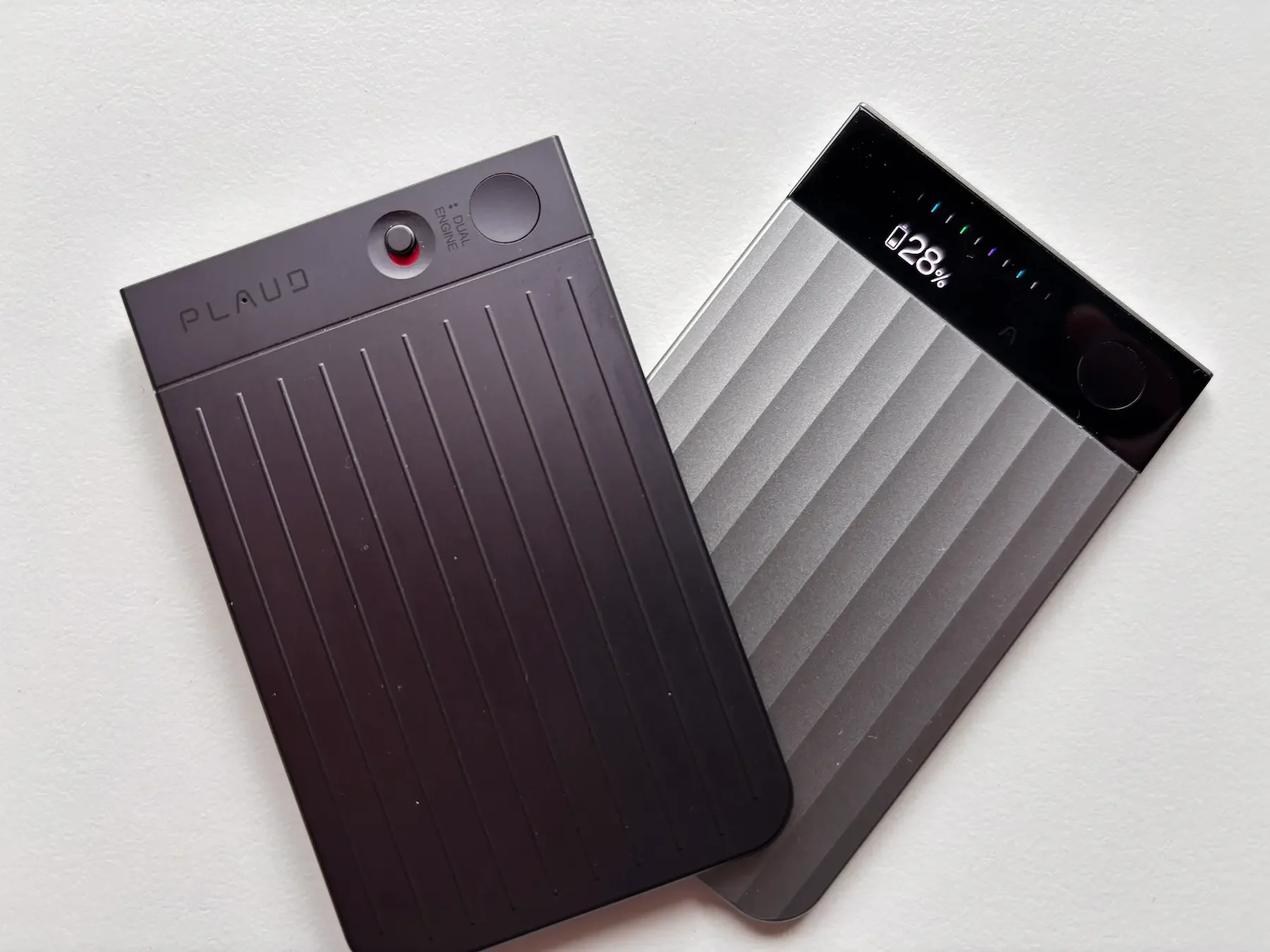
Disclosure
PLAUD sent me the devices featured in this article for review purposes. They did not read or approve this post before publication, and all opinions are entirely my own. This article may also contain affiliate links, which means I may earn a commission if you choose to buy through them, at no extra cost to you.As an Amazon associate I earn from qualifying purchase.
I've been using PLAUD devices for well over a year now. The original Note. Then the Note Pro. Then the NotePin S landed on my desk. At this point I've probably put more hours into this ecosystem than almost any other tech product I've reviewed here on Dapper & Groomed — and yet, almost every week, I still see the same question come up: What is PLAUD, exactly?
It's a fair question. The category of AI note takers barely existed three years ago, and the marketing around PLAUD doesn't always make it obvious what you're actually buying. Is it a dictaphone? A transcription service? A productivity app? A gadget for tech people?
None of those answers are quite right. And all of them are partly right.
So this is the post I should have written earlier — a complete, honest explanation of what PLAUD AI is, what it does, who it's for, how the pricing works, and which product makes sense for which kind of person. Whether you've never heard of it or you've been hovering over the buy button for a month, this is the guide.
Quick answer
PLAUD is an AI note-taking system made of small recording devices and an app. You record meetings, calls, lectures or voice notes, and the app turns the audio into transcripts, summaries, action points and searchable notes.
What is PLAUD AI?
PLAUD AI is a San Francisco-based company founded in 2023 that makes AI-powered note-taking devices. Not software. Not an app you download and forget about. Actual hardware — slim, elegant little recording devices — combined with an AI app that turns everything you record into transcripts, summaries, and structured notes.
The core idea is simple and genuinely useful: you press a button, it captures the conversation, and within minutes you have a clean written record of what was said — who said what, what was decided, what needs to happen next.
As of 2026, PLAUD has sold over 1.5 million devices worldwide. They've won a Red Dot Design Award. They've been featured at CES. And for what it's worth, they're one of the few AI companies that Forbes has described as genuinely profitable — which, in the current landscape of AI startups burning cash at alarming speed, is actually quite remarkable.
But none of that matters as much as the simpler question: does it actually work in real life?
After more than a year of daily use, my honest answer is yes. With caveats I'll get to.
The problem PLAUD solves (and why it matters more than you think)
We've all been in a meeting, or on a call, or sitting across from someone important, and we've tried to do two things at once: listen properly and take notes. You can't do both well. You either half-listen while scribbling things down, or you listen fully and trust your memory — which, unless you're exceptional, will have lost half the detail by the next morning.
The note-taking problem is old. But the modern version of it is worse than it used to be. Calls are longer. Meetings are back-to-back. Ideas come to you in the middle of a dog walk. Hybrid work means you're switching between in-person conversations and screen calls constantly. The old method — a notebook, a pen, a tidy table — doesn't map onto how people actually work in 2025 and 2026.
PLAUD's answer to this is to remove the friction entirely. You don't type notes. You don't run a transcription app on your laptop and hope the microphone picks things up. You carry a small device, press one button, and it handles everything else. The recording goes to the app. The app processes it with AI. You get back something useful.
That's the pitch. And in my experience, it largely delivers on it.
How PLAUD actually works — step by step
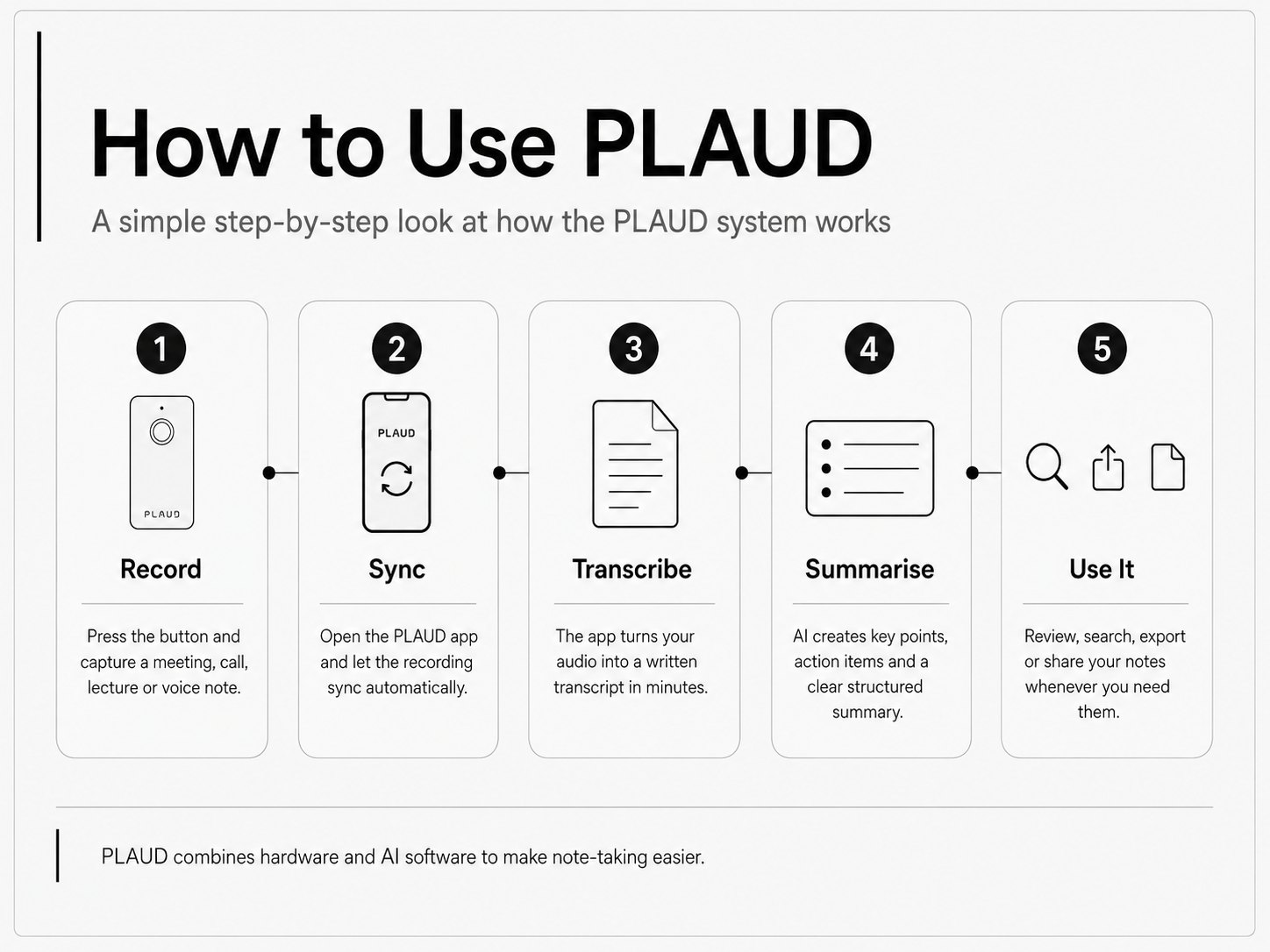
The workflow is worth explaining in detail because it's one of those things that sounds more complicated than it is.
Step one: you record. You press the button on the device. That's it. Depending on which PLAUD product you have, you can record a face-to-face meeting, a phone call via Bluetooth, a quick voice note, or an online meeting via the Desktop app. The device stores the audio locally, which matters for privacy — more on that shortly.
Step two: syncing. When you open the PLAUD app on your phone, the audio syncs automatically over Bluetooth or Wi-Fi. This is seamless. I've never had a recording fail to appear.
Step three: transcription. The PLAUD app supports transcription in 112 languages. This is handled by AI models on their servers, not on your phone. Transcription is genuinely fast — a one-hour meeting typically comes back in two to three minutes. The accuracy is excellent for standard conversational English, and I've found it handles accents better than most transcription tools I've tried. It also does speaker identification, meaning it labels who said what in the transcript. Not perfectly, but well enough to be useful.
Step four: AI summary. This is where PLAUD earns its keep. Once transcribed, the app uses AI to generate a structured summary. Depending on your templates, this could be a list of key points, a set of action items, a decision log, or a narrative summary. You can choose different summary formats depending on the type of recording — meeting, interview, lecture, voice note, medical consultation.
Step five: you act on it. The final output can be exported to Notion, Obsidian, email, PDF, or copied as plain text. You can share it, file it, paste it into a document, or just search it later. Everything is searchable in the app.
That's the loop. Record, sync, transcribe, summarise, use. Once it becomes routine, it genuinely changes how you approach conversations.
The PLAUD product lineup — which device is which?
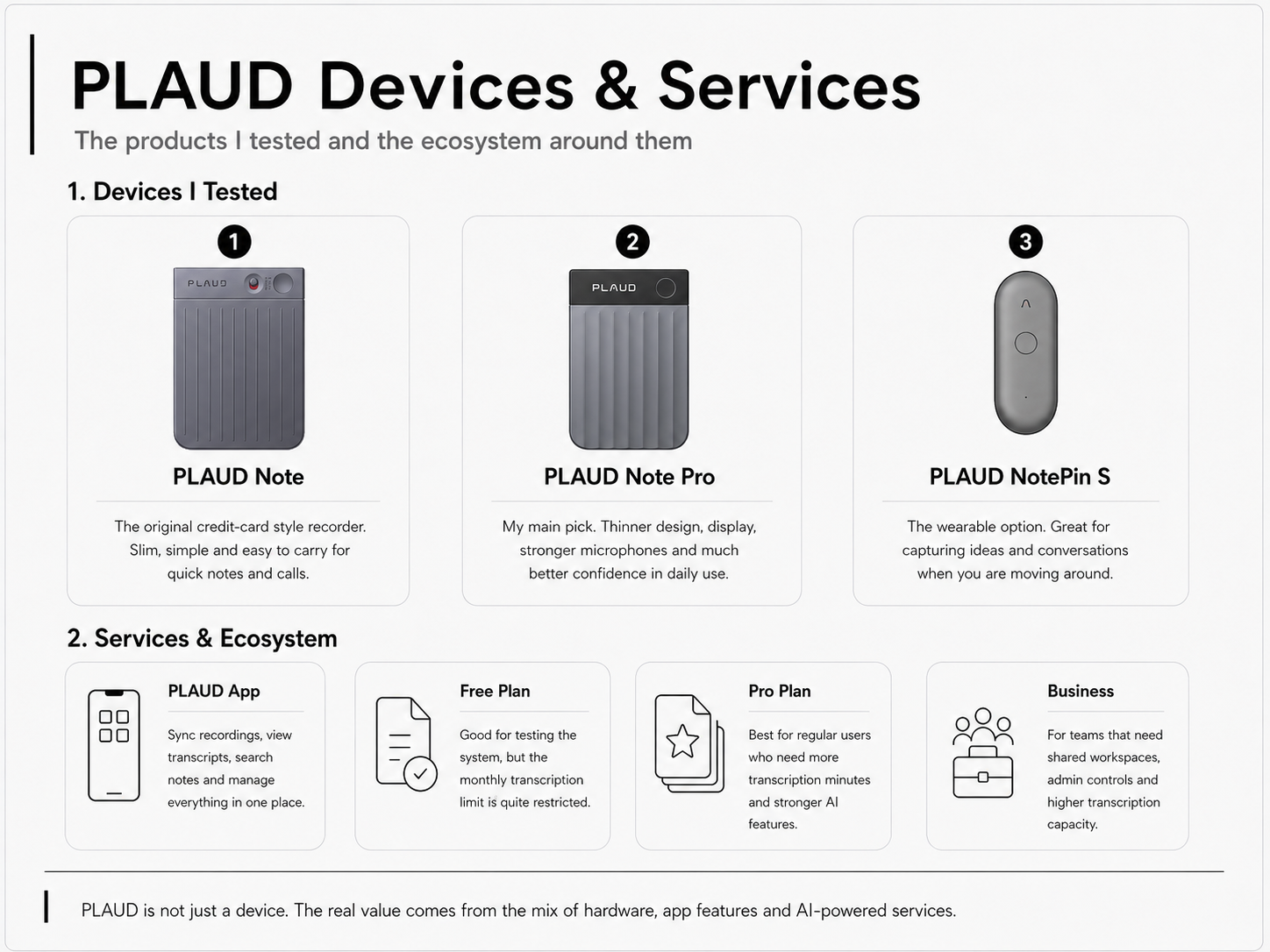
PLAUD Note — the original
The one that started everything. I used this for the best part of a year before upgrading. It's roughly the size of a credit card, about 5mm thick, and it attaches magnetically to the back of most smartphones. No display. One button. Two MEMS microphones.
What I liked about it: the design is exceptional for the price. It's slim, it fits naturally in a pocket, and the magnetic attachment meant it was always within reach. I used it constantly for voice notes on walks, quick ideas, and short calls. The 20-hour battery life was more than enough for a week of regular use.
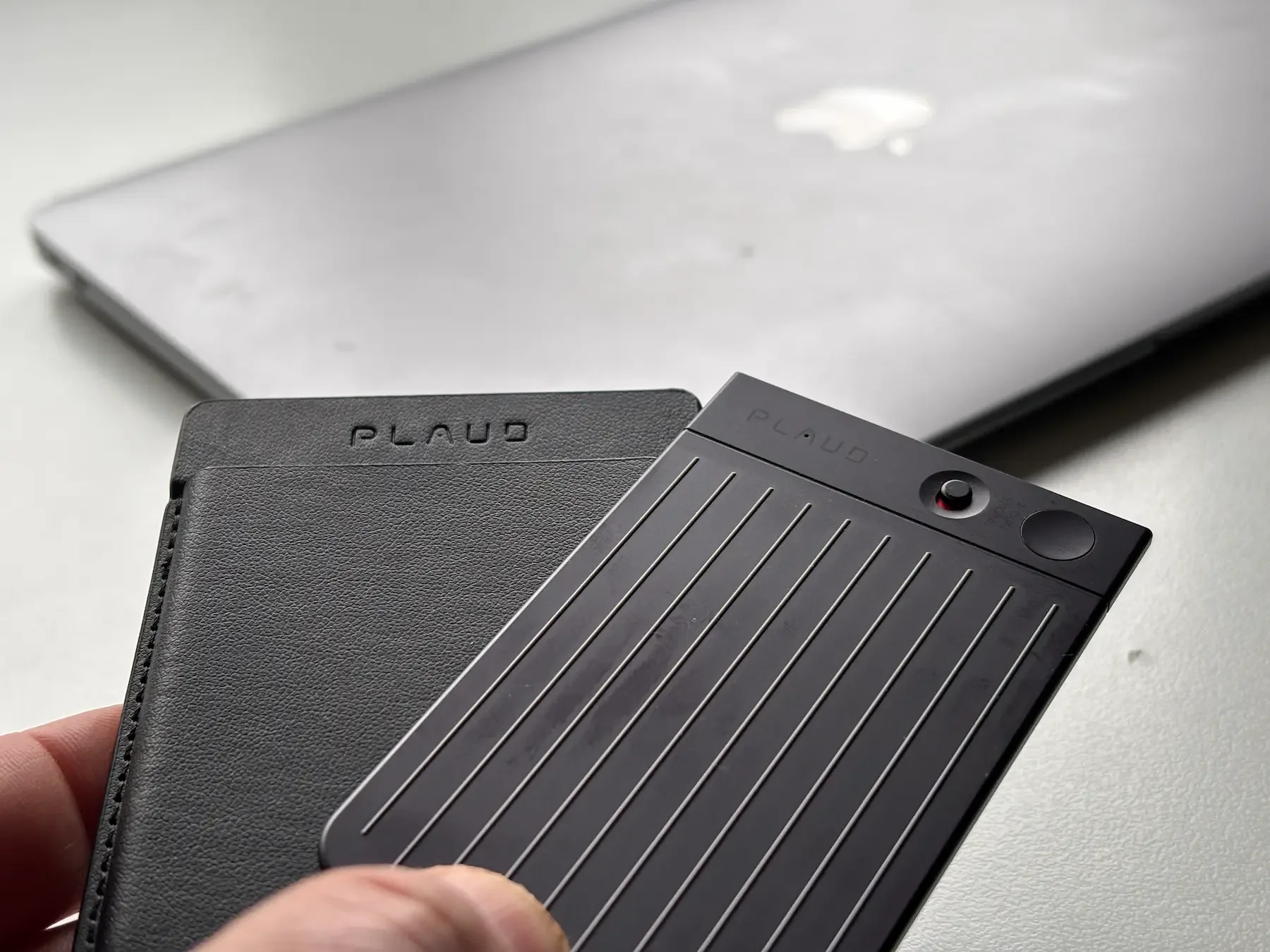
The original Plaud Note
Where it falls short: larger rooms and noisier environments push the microphones to their limit. Group meetings with more than four or five people in a reasonably sized room start to show transcription gaps. There's no display, so you're always guessing at battery level and recording status — which occasionally caused me to realise, too late, that I'd forgotten to press record.
Still, as an entry point into AI note-taking, it's hard to argue with. And in 2026, the price has dropped enough that it makes sense as a first step before committing to the Pro.
Check the Latest Price
You can check the current price and availability below.
Check price on Amazon →In the UK, you can also check the latest PLAUD price and availability on Amazon UK.
Check price on Amazon UK →PLAUD Note Pro — the one I use now
This is the device I switched to and haven't looked back from. The Note Pro is thinner than the original at 2.99mm — absurdly thin for what it does — and it adds a proper OLED display, four MEMS microphones plus a dedicated voice processing unit, 50 hours of battery life, and a document capture feature that lets you photograph a document and have it processed alongside your audio.
The display sounds like a small thing. It isn't. Knowing at a glance whether you're recording, how long you've been recording, and what battery level you're at changes how confident you feel using the device. That small piece of feedback removes a low-level anxiety I hadn't even noticed with the original Note until it was gone.
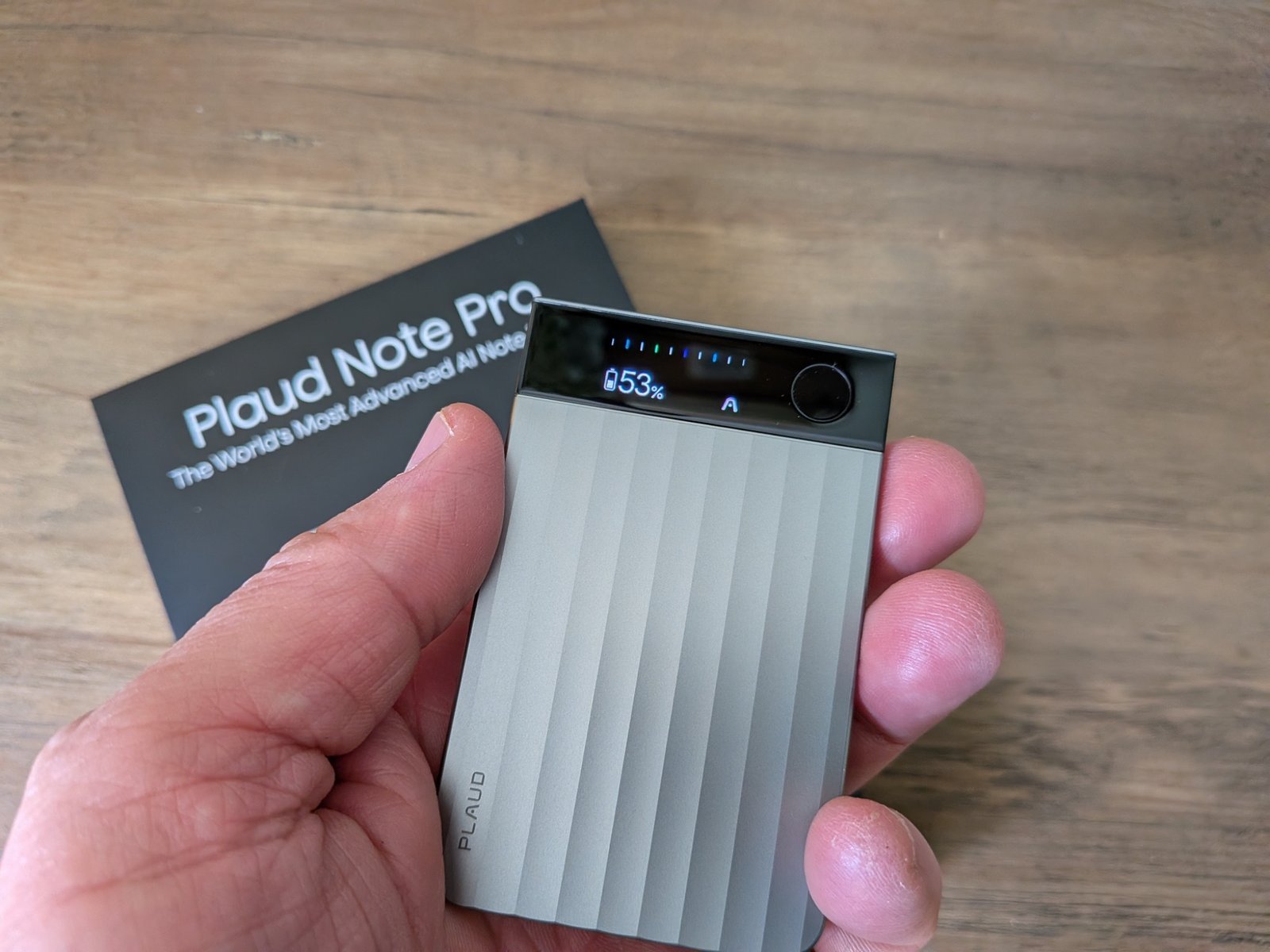
The microphone upgrade is the other meaningful difference. I've tested this in rooms I would never have attempted with the original — boardroom-sized spaces, interviews across a table, busy café conversations — and the transcription accuracy holds up significantly better. The VPU (voice processing unit) does genuine work in filtering out background noise.
Won the Red Dot Design Award 2026, which feels right. It looks the part.
Check the Latest Price
You can check the current price and availability below.
Check price on Amazon →Best for: Professionals, freelancers, content creators, anyone who records regularly and in varied environments.
In the UK, you can also check the latest PLAUD price and availability on Amazon UK.
Check price on Amazon UK →PLAUD NotePin S — the wearable
The NotePin S is a different kind of device entirely. It clips onto your shirt, sits on your wrist, or hangs around your neck. It's wearable in the truest sense — you put it on and forget it's there until you need it.
The key feature is the physical button added in the S update, which lets you mark highlights during a recording without touching your phone. Combined with the always-on recording mode, this means you're capturing ideas and conversations as naturally as possible — no reaching for a device, no unlocking a phone, no interrupting what's happening.
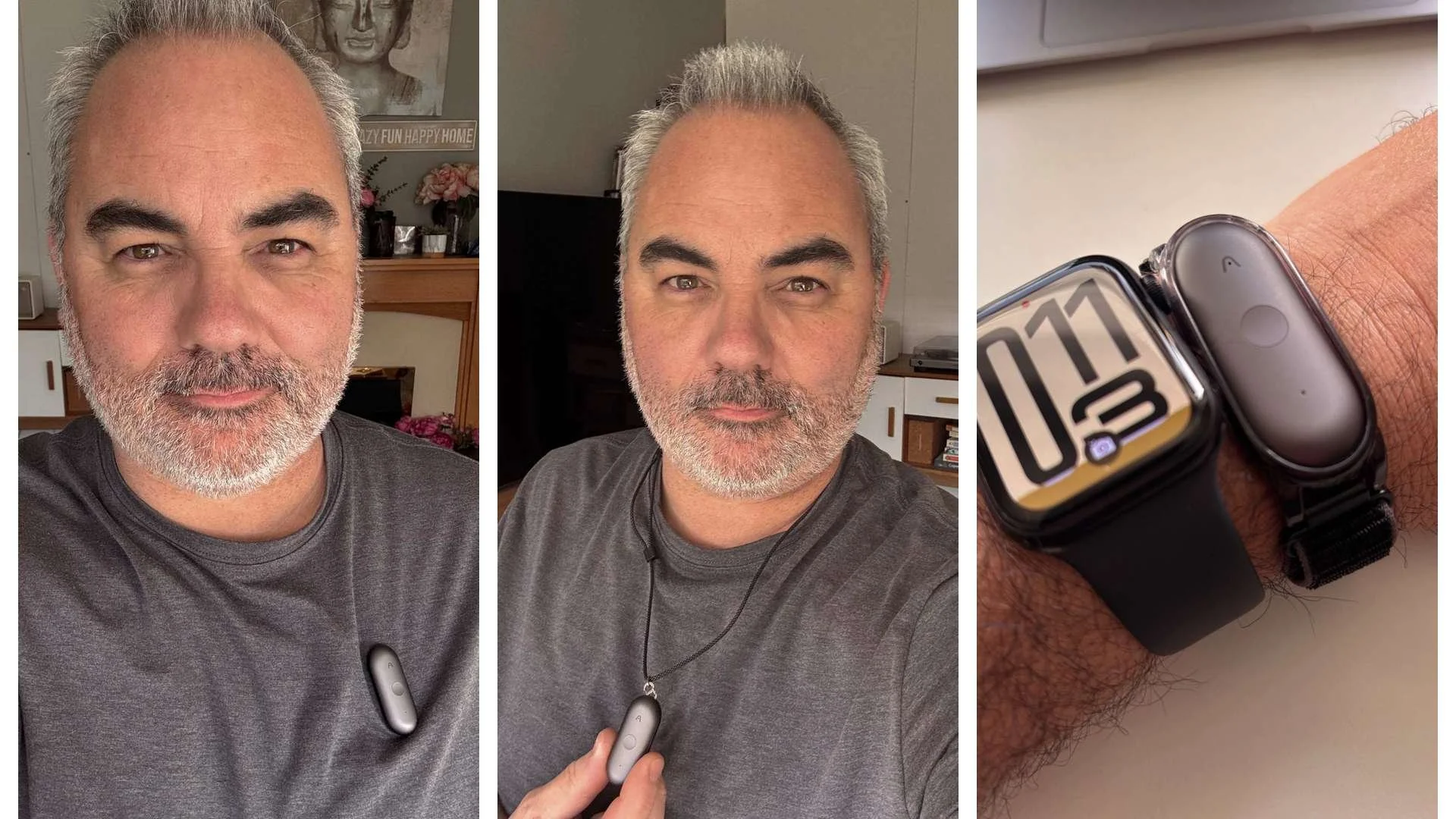
I use the Note Pro for planned recordings — meetings I know are happening, interviews I've scheduled, calls I'm ready for. I reach for the NotePin S when I'm moving around, when something unexpected comes up, or when I want to capture my own thinking without the slight formality of picking up the Note Pro.
They serve different habits. The device you reach for most often is the right one.
Best for: Face-to-face conversations, on-the-move capture, content creators, anyone with an unpredictable schedule.
In the UK, you can also check the latest PLAUD price and availability on Amazon UK.
Check price on Amazon UK →PLAUD Desktop — no hardware needed
Launched at CES 2026, PLAUD Desktop is a software application that captures your online meetings directly from your computer — no bot joining the call, no bot notification, no awkward moment where everyone sees "PLAUD Bot has joined the meeting."
It works with Zoom, Microsoft Teams, and Google Meet by capturing audio locally, so none of your meeting audio goes through a third-party bot server. This matters enormously for corporate and medical users, and I'll come back to it in the privacy section below.
If you work primarily online and your main need is meeting capture rather than in-person recording, Desktop might be all you need.
Who is PLAUD for? A realistic breakdown by audience
For complete beginners
If you've never used an AI transcription tool before, the learning curve is genuinely gentle. You don't need to understand how AI works. You don't need to configure anything complicated. The PLAUD app walks you through setup in about ten minutes, and the first time you see a forty-five-minute conversation turned into a clean, readable summary, you'll understand immediately why people pay for this.
The one thing I'd say to beginners: don't expect perfection from day one. Transcription accuracy improves as the app learns your voice patterns, and it's worth spending a few minutes after each recording to confirm speaker labels. Within a week or two of regular use, the output quality is noticeably better than it is out of the box.
Start with the PLAUD Note if budget is a concern. Start with the Note Pro if you want the version you won't want to upgrade from.
For corporate users and professionals
This is the audience PLAUD was arguably built for, and it shows. The structured summary templates — meeting minutes, action items, decision logs — are genuinely useful in a corporate context. The speaker identification means you have a record of who committed to what. The export to Notion or PDF means that record lives somewhere useful rather than sitting in an app.
The PLAUD for Business plan adds team admin controls, shared workspaces, and extended transcription limits (up to 24 hours per day, per team member). If you're running a team or managing projects with multiple people, this is worth the extra cost.
The Note Pro is the right device here. The microphone quality in larger meeting rooms matters, the display makes it feel professional on a table, and the document capture feature turns it into something close to a full meeting assistant.
One scenario I keep coming back to: the post-meeting brief. With PLAUD, the ten minutes of rushing to write up meeting notes before everything fades disappears. You walk out, the summary is waiting in the app, and you spend five minutes checking and sending rather than twenty minutes reconstructing from a half-legible notebook.
For content creators
This is the audience I come from, and PLAUD has changed my workflow more than I expected when I first picked it up.
Ideas don't arrive when you're sitting at your desk. They come on walks, in the middle of a conversation, during a product test, at 11pm when you should be asleep. The old method — type a note on your phone, hope you remember to come back to it, discover three weeks later that "interesting angle for review??" is not as useful a note as it seemed — doesn't scale.
With PLAUD, I record those ideas as full voice notes, often two or three minutes of actual thinking out loud. The app turns them into written summaries. I have a searchable library of ideas going back over a year. The difference in how much raw material I have to work with for posts like this one is significant.
The NotePin S is particularly good for creators because it removes the decision about when to record. It's there, it's on you, you capture what you need to capture.
For students
I didn't mention students in my earlier posts and I should have, because this might be the most obviously useful application of PLAUD for a large part of the population.
Recording lectures and seminars and having them transcribed and summarised is genuinely transformative for studying. Instead of trying to write down everything the professor says while also trying to understand it — which, as any student knows, means doing both poorly — you can listen fully and let PLAUD capture the detail. You review the summary that evening, flag the parts you need to revise, and search the full transcript when you need specific quotes or citations.
The 112-language support is particularly relevant for international students studying in their second or third language, where the gap between understanding spoken content and capturing it accurately in notes is even more pronounced.
One honest caveat worth raising: always check your institution's recording policy before using PLAUD in a lecture or seminar. Most universities permit personal recording for study purposes, but some require explicit permission from the lecturer. It takes two seconds to ask, and it protects you.
For medical and healthcare professionals — a note worth reading carefully
This is one of the most interesting uses for PLAUD, but also one of the areas where you need to be the most careful.
If you work in healthcare, clinical services, therapy, consultancy, private practice or any environment where conversations may include sensitive personal information, you already know the problem. Notes take time. Consultations move quickly. Important details can be easy to forget once the next patient, client or meeting begins.
Voice-to-text tools have existed for years, and some organisations already use dictation systems. But the workflow is not always smooth. You record or dictate, the notes are processed later, and by the time you review them, some of the context may already feel less clear.
This is where PLAUD can be genuinely useful. A clear summary of a consultation or sensitive conversation, captured at the point of discussion and structured within minutes, can save time and reduce the pressure of manual note-taking. Instead of trying to listen, think, respond and write everything down at once, you can stay more present in the conversation and review the key points afterwards.
The PLAUD app includes medical-style templates that can organise information into useful sections such as presenting concern, key points, findings, impression and plan. Used properly, that could make it a helpful tool for clinicians, consultants, therapists and other professionals who need accurate notes after important conversations.
But this is also where the privacy question becomes essential. I would not treat PLAUD as a casual gadget in this setting.
PLAUD and privacy — what you need to know
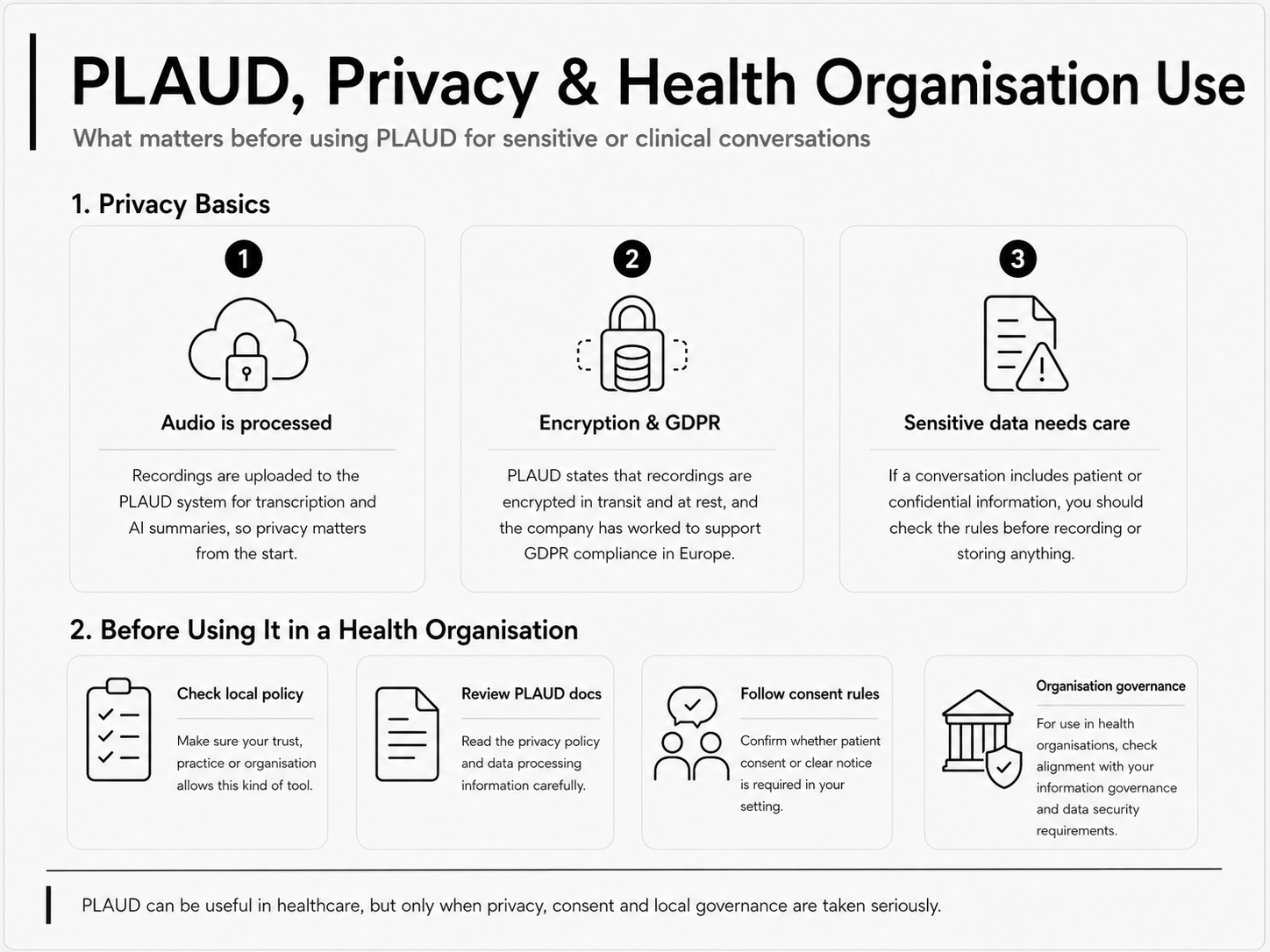
PLAUD does not process everything fully on the device. Recordings are uploaded to the PLAUD system for transcription and AI summaries. For general professional use, that may be perfectly acceptable. For healthcare or sensitive conversations, it raises important questions about consent, data protection, confidentiality and local governance.
PLAUD states that recordings are encrypted in transit and at rest, and the company has worked to support GDPR compliance in Europe. They also offer business options with stronger controls for organisations. That is reassuring, but it does not remove your own responsibility as the person using the tool.
Before using PLAUD for patient, client or confidential conversations, I would strongly suggest checking three things.
First, read PLAUD’s privacy policy, data processing terms and security documentation properly. Second, check the rules of your own organisation, clinic, practice or workplace. Third, confirm whether you need explicit consent, written notice or a particular approval process before recording or processing sensitive conversations.
PLAUD Desktop is also worth mentioning here. Because it captures online meeting audio locally without needing a third-party bot to join the call, it may feel more discreet and controlled for certain professional situations. But again, the same privacy and governance questions still apply.
I am not a medical data governance expert, and I would not pretend to be. My view is simple: PLAUD can be very useful in healthcare and sensitive professional settings, but only if privacy, consent and local rules are taken seriously. This is not an area where you should assume. Check first, then use it properly.
The PLAUD app — what it actually does
The hardware is only half of what you're buying. The app is where the value lives, and it's worth understanding the tiers.
Free plan: You get a limited monthly allocation of transcription minutes. Enough to test the product properly, not enough for regular professional use.
Basic (paid): Expanded transcription allowance, access to summary templates, standard AI features. This is the level most individual users land on.
Pro: Higher transcription limits, priority processing, access to advanced AI features and custom summary templates. Worth it if you're recording daily.
Business/Team: Team admin dashboard, up to 24 hours of transcription per day per user, shared workspace, centralised billing, enhanced data controls. This is the tier for organisations.
One honest note on the subscription: if you buy the device and don't subscribe, you'll hit the free tier ceiling within a few days of regular use. Budget for the subscription as part of the total cost when you're making the decision.
Is PLAUD AI worth buying in 2026?
After more than a year, here's where I've landed.
PLAUD works. It does what it says it does, reliably, and the AI output is good enough that it actually saves me time rather than just creating a different kind of work. The design is excellent — genuinely so, not just compared to comparable tech gadgets. The app has improved continuously since I started using it.
The people who get the most from it are the people who record regularly. If you have one meeting a week that might benefit from a summary, the economics are questionable. If you have five, or ten, or if you're someone whose ideas and work conversations are the raw material for what you do — a journalist, a consultant, a creator, a student, a clinician — the value compounds quickly.
The Note Pro is the one I'd recommend to most people. The original Note is a genuine step down in practical usefulness, and the price gap has narrowed enough that it's hard to argue for it unless budget is the deciding factor. The NotePin S is genuinely useful but as a complement to the Note Pro rather than a replacement. Desktop is for specific remote-work use cases and worth considering seriously if that's your world.
Start with the Note Pro. Add the NotePin S when you're ready. Subscribe at the level that matches your actual recording volume.
Jerome
About the author: I'm Jerome, founder of Dapper & Groomed. I've spent the past 13 years testing and reviewing fragrances, grooming products, and men's lifestyle gear on this blog and on my YouTube channel. My reviews are never approved or previewed by brands — just honest, real-world testing from a dad who's been at this since 2013.
The SJCAM SJ6 Ultra brings 4K video, stabilization, vertical shooting and wireless mic support to creators for around $100.